
hello everyone,
this is my second article, i just want to share my experience in using flux,
but this time i use seaart infinity.
how do i use prompt magic?
so based on my experience, prompt magic is useful for perfecting simple prompts into prompts filled with additional elements such as quality, lighting, color tone, angle, etc.
rather than me talking at length, let's go straight to the example. i use a very short prompt:
"a woman drinks coffee"
1. prompt magic off
result:

we will get good results according to the checkpoint capability, but it can be seen that the image still looks raw, it feels like if we take with standard photography technique.
2. prompt magic on
results:
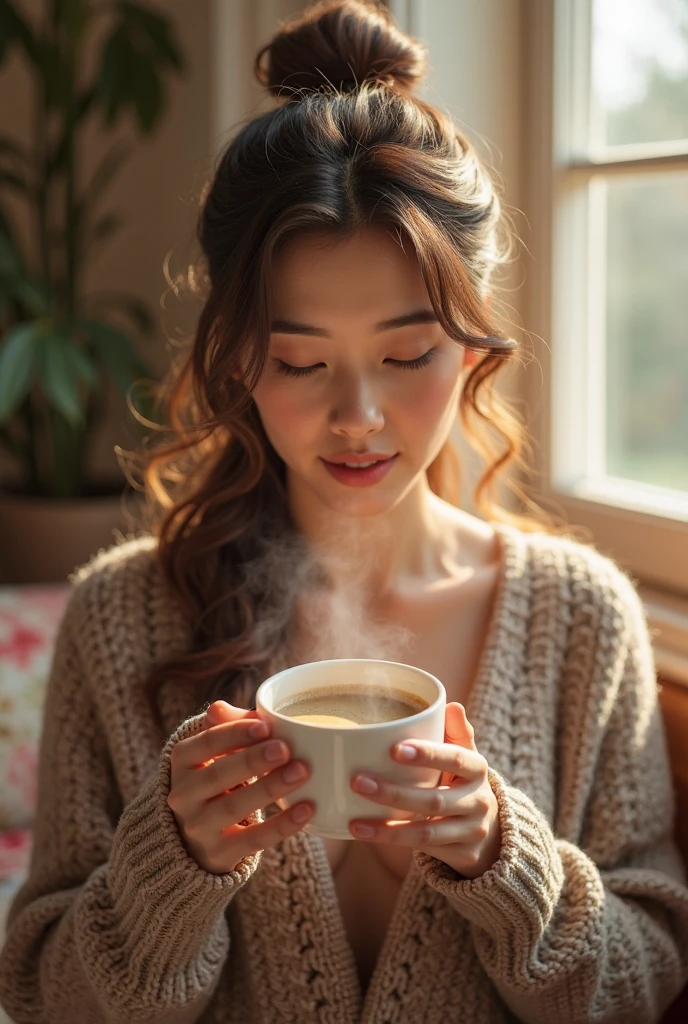
you can see the difference, there is the addition of good lighting, the right focus selection, even a good facial expression is added, (be careful: sometimes the image can be detected as mature or adult content)
3. prompt magic auto
results:

almost the same as ON, but usually the results produced have sharper and more dramatic lighting, and if our prompt is given more detail, I think this auto can be a good choice, because it will maintain the original prompt. (be careful: sometimes the image can be detected as mature or adult content)
Advancing the Prompt by yourself
okay, based on the results, I made a trial to make a simple prompt into an advanced prompt using another ai app:
from "a woman drinks coffee" to:
"In the quiet glow of the morning light, a woman sits by a fogged-up window, her slender fingers gently wrapped around a porcelain cup filled with steaming coffee. Wisps of aromatic vapor curl into the air, dancing with the golden sunbeams that filter through sheer curtains. As she lifts the cup to her lips, time seems to pause—her gaze distant, lost in thought, contemplating the echoes of yesterday or the promises of tomorrow. The liquid warmth cascades over her tongue, comforting, awakening, fueling her soul with quiet resilience. Every sip is a ritual, every moment steeped in an unspoken reverie"
then I tried to apply it using the method above:
1. prompt magic off
result:

2. prompt magic on
result:
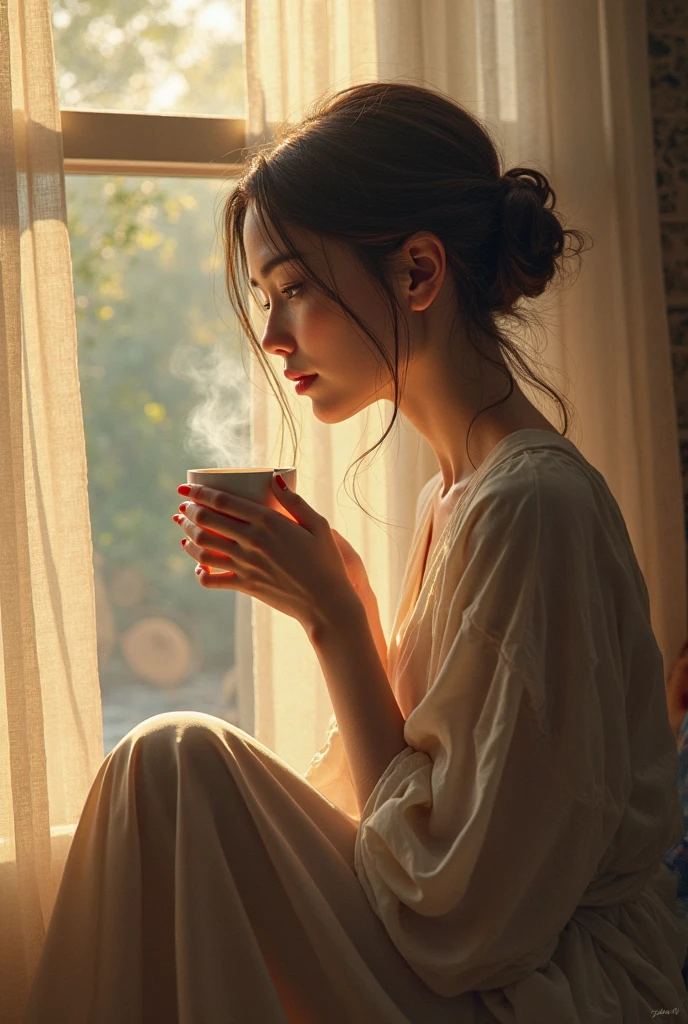
3. prompt magic auto
result:
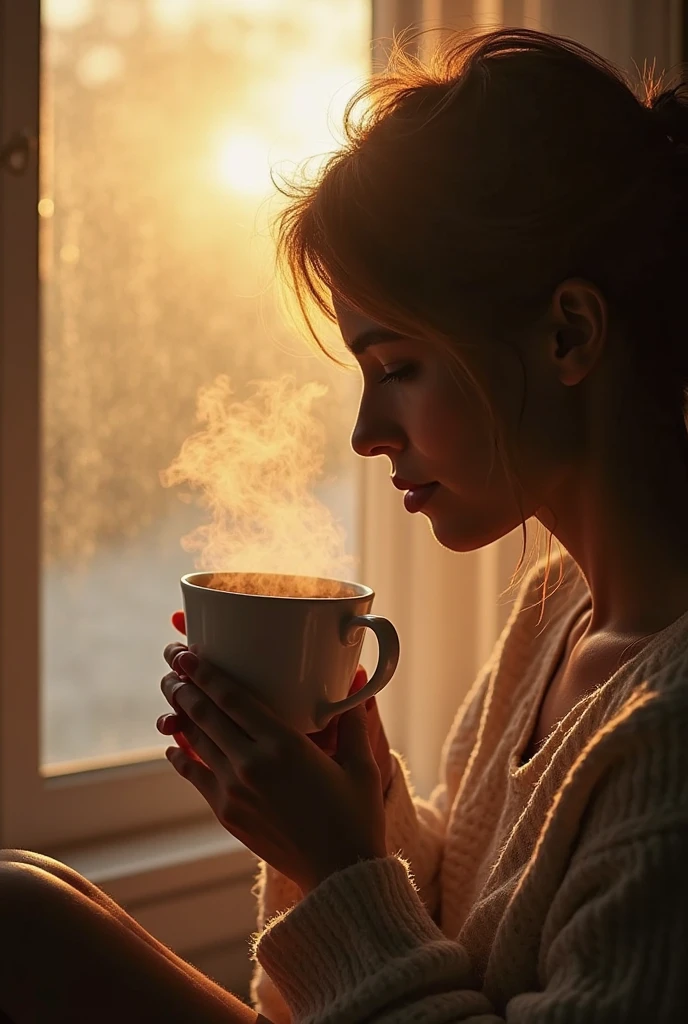
from the three images above, it can be interpreted that the magic off and auto prompts give similar results, but the magic on prompt gives a little additional clarity of color and detail (it automatically avoids silhouettes),
but basically all do not provide significant differences if our prompt is advanced in language form.
(in some cases it will even add other elements, or even enrich the image itself with things we don't want)
conclusion:
for new user, use prompt magic if :
- too lazy to type too long
- too lazy to think
- too lazy to try extend it using other ai
Quick Summary :
Prompt Magic Pro Tips:
① Newbies: Start with AUTO mode
② Precision seekers: Build foundations in OFF mode
③ Balanced approach: Combine ON mode with manual tweaks
hopefully this amateur article can be useful,
good luck!
Remember: Tools should boost creativity, not box it in. Use Prompt Magic smartly to smooth your creative journey!
PS : different Checkpoints may get different results
NOTE: getting likes and loves or winning the challenge is a matter of luck, but producing good images is a must.