Подробности
Рекомендовано
V1 Python
V2
V3
V1
Organize models script

Organize models script

0
0
3
#инструмент

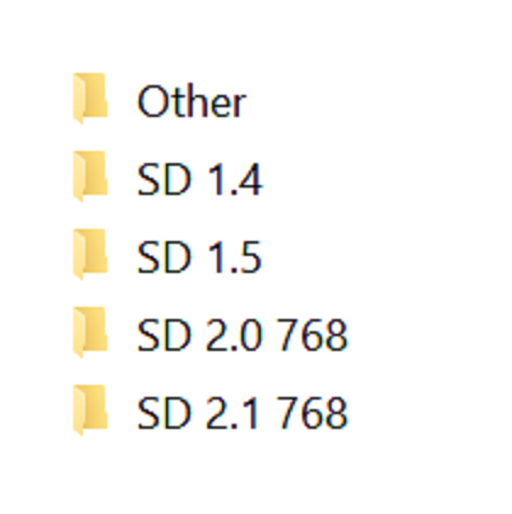
Simple script, execute it from the directory you want to organize. Sorts models into different directories by Person and flags base on the ".civitai.info" files created by Civitai Helper. AUTOMATIC1111 will show -directories when the show/hide extra network icon is used so you can filter your results. You need to "Scan Models for Civitai" in the Civitai Helper tab prior to running the script in the model directory you want to organize.

Prerequisite: Civitai Helper

https://github.com/butaixianran/Stable-Diffusion-Webui-Civitai-Helper

Procedure:

  1. Install Civitai Helper

  2. Restart AUTOMATIC1111

  3. Check the checkboxes (ti, hyper, ckp, lora) of the model types you want to organize in the "Scan Models for Civitai" section in the "Civitai Helper" tab

  4. Run "Scan Models for Civitai" in the "Civitai Helper" tab by clicking the "Scan" button

  5. Wait for scan to complete

  6. Make sure that ".civitai.info" files have been created in the AUTOMATIC1111 model directories you selected

  7. Download the script zip archive

  8. Extract the Organize Script from the downloaded zip file

  9. Place this Organize Script file in the AUTOMATIC1111 model directory you want to organize (".\models\hypernetworks", ".\models\lora", ".\models\Stable-diffusion", ".\embeddings")

  10. Run the Organize Script file

  11. Wait for the script to finish organizing your models

  12. Verify the models have been organized into -directories as expected

Просмотреть перевод

Оценки и отзывы

-- /5
0 оценок

Еще не получено достаточно оценок или комментариев

no-data
Нет данных
Объявление
2024-07-25
Публикация модели
2023-05-05
Обновить информацию о модели
Детали модели
Тип
Other
Время публикации
2023-05-05
Базовая модель
Other
Версия введения.

Python version of the scripts, should be the same as the powershell versions

Область действия лицензии
Источник: civitai

1. Права на репостнутые модели принадлежат оригинальным создателям.

2. Для подтверждения авторства модели создателям следует обратиться к сотрудникам SeaArt AI через официальные каналы. Нажмите, чтобы подтвердить

Диапазон лицензий на создание
Прямая трансляция
Смешение
Разрешить загрузку
Коммерческая лицензия
Сгенерированные изображения можно продавать или использовать в коммерческих целях
Разрешить перепродажу моделей или продажу после интеграции
QR Code
Скачать приложение SeaArt
Продолжайте путешествие по AI-творчеству на мобильном устройстве