



日本語版
Good news! All Wan Video KJ series models and workflows have been uploaded!
This is a simple guide to help you use them effectively. Click workflow address for more details and instructions.
Let's get started from basics!
---------------------------------
Only SeaArt
SeaArt exclusive workflows, simpler and faster!
| Wan 2.2 Express I2V | Wan 2.1 Express I2V | |
| Intro | 1.5min for 720p 5s video | 2min for 720p 5s video |
| Workflow Link | Click to jump | Click to jump |
---------------------------------
Basic Workflows
| Wan2.2 I2V | Wan2.1 I2V | Wan2.2 T2V | Wan2.1 T2V | |
| Workflow Link | Click to jump | Click to jump | Click to jump | Click to jump |
| Model Link | Click to jump | Click to jump | Click to jump |

Wan2.2 I2V Sample Output:
Wan2.2 T2V Sample Output:

Prompt: televised footage of a cat is doing an acrobatic dive into a swimming pool at the olympics, from a 10m high diving board, flips and spins, there is commentary (not slow motion)
Wan2.2 I2V:
Model Introduction:
Wan2.2 uses two-stage sampling for video rendering — high noise & low noise.
How to Use:
1.Adjust video dimensions and frame rate
WanVideo ImageToVideo Encode
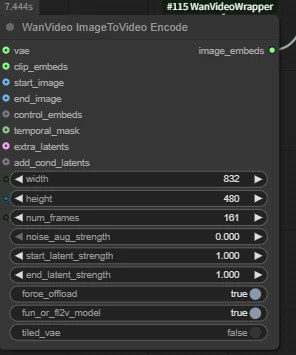
- width & height: Video dimensions, must be multiples of 16
- num_frames: Must be a multiple of 4. Usually set to odd numbers like 81, representing 1 reference image + 80 generated frames.
- Tips
- Wan2.1 frame rate: 16 fps
- Wan 2.2 frame rate: 24 fps
- 81 frames = 5 seconds (2.1) / 3 seconds (2.2)
2. Prompt
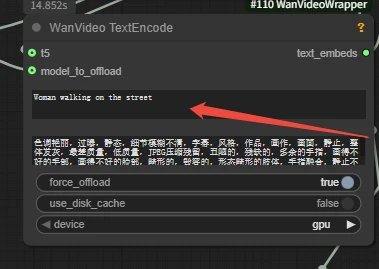
Q: Why does SeaArt's workflow use 4 steps instead of the default 20 in official workflows? When I use 4 steps in my own workflow, the result is blurry.
A: We use the acceleration LoRA (Wan_i2V_lightx2v) in our workflow, which only needs 4 steps to generate videos quickly. The corresponding cfg should also be changed to 1.
---------------------------------
Video Driven Workflows
| Wan2.2 VACE | Wan2.1 VACE | Wan2.2 Animate | Wan2.1 Fun Control | Wan2.2 Fun Control | Wan2.1 Mocha | |
| Intro | Pose,Depth and other control | Pose,Depth and other control | Character replacement | Pose,Depth and other control | Pose,Depth and other control | Character replacement |
| Workflow Link | Click to jump | Click to jump | Click to jump | Click to jump | Click to jump | Click to jump |
| Model Link | Click to jump | Click to jump | Click to jump | Click to jump | ||
| Key Nodes | 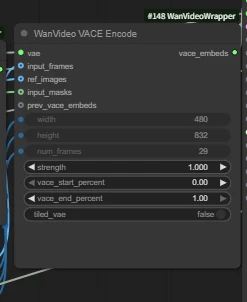 | | 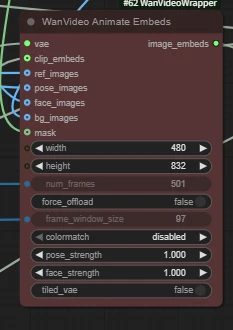 | 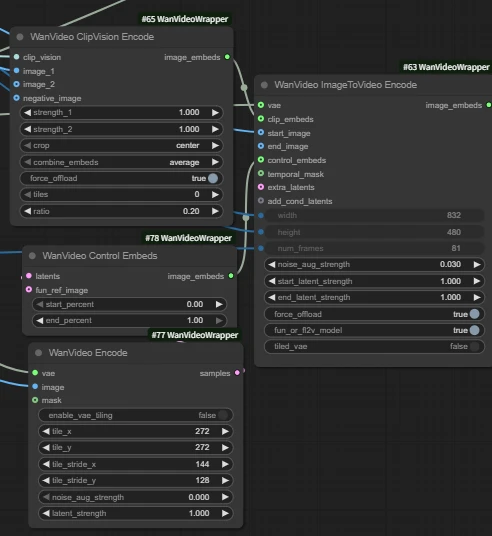 | 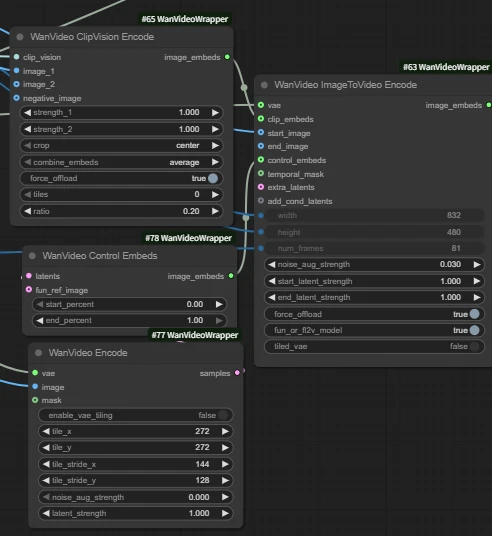 | 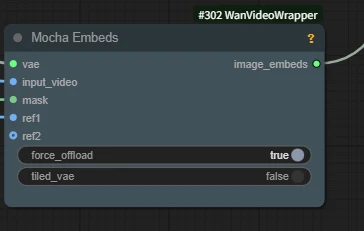 |
Wan2.2 VACE
Workflow Introduction:
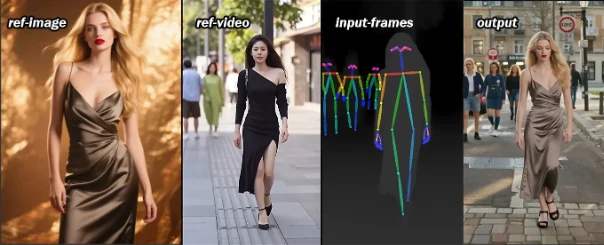
- Upload image and video to control character motion using pose and depth from reference video.
- wan2.2 includes high and low models, vace also has corresponding high vace and low vace models.
How to Use
1. Upload image and reference video, merge pose and depth from video
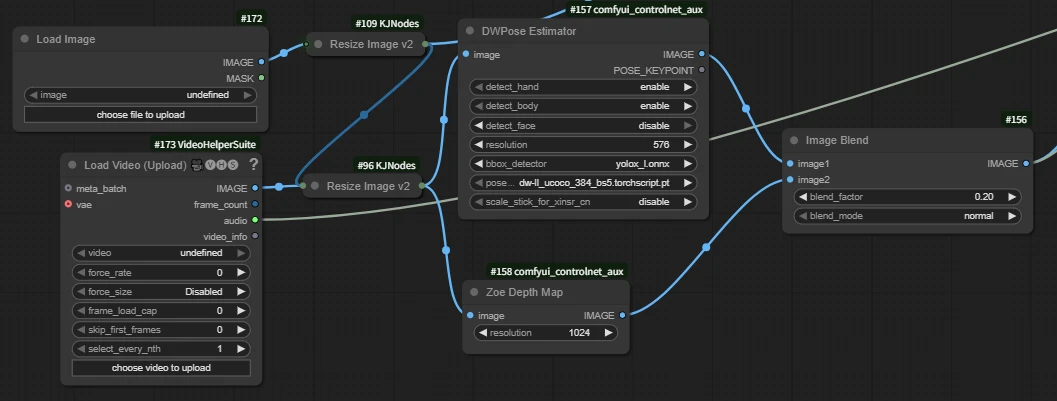
- DWPose Estimator: Extract video pose
- Zoe Depth Map: Extract depth map
- Image Blend: Merge pose and depth maps
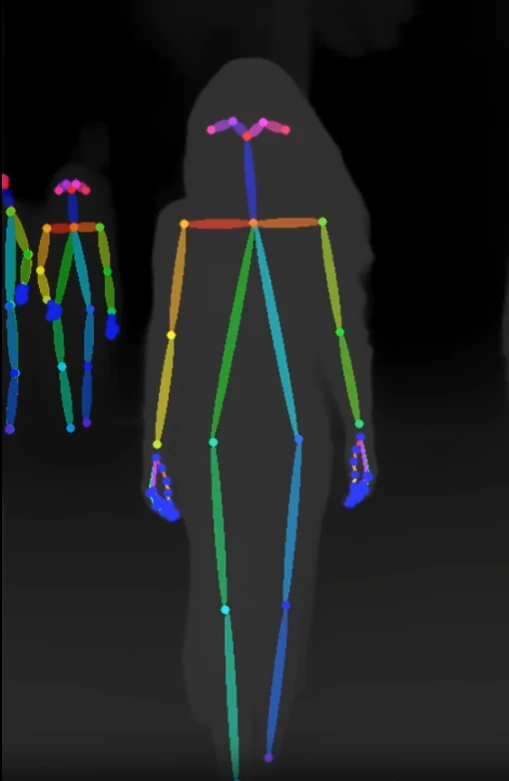
If you only use depth or openpose, disable unused nodes with Ctrl+B.
2. Key Nodes:
WanVideo VACE Encode
- input_frames: For reference (pose, depth, lineart, etc.)
- ref_images: Reference image
Sample:
Prompt: European and American women walking on the street
---------------------------------
Audio-Driven Workflows
| Wan Infinite Talk | Fantasytalking | Wan2.1 FantasyPortrait | Wan2.1 HuMo | Wan2.2 S2V | Multitalk | |
| Intro | Audio-driven lip sync | Audio-driven lip sync | Video facial expression transfer for lip sync | Audio-driven lip sync with ref_image | Audio-driven lip sync with ref_image | Audio-driven lip sync |
| Workflow Link | Click to jump | Click to jump | Click to jump | Click to jump | Click to jump | Click to jump |
| Model Link | Click to jump | Click to jump | Click to jump | Click to jump | Click to jump | Click to jump |
| Key Nodes | 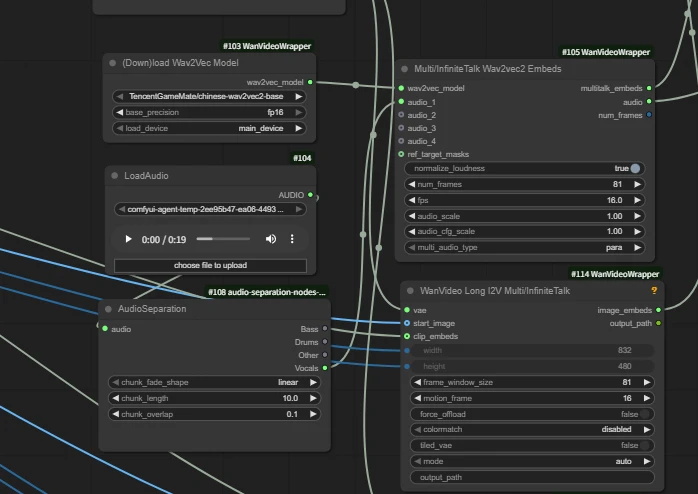 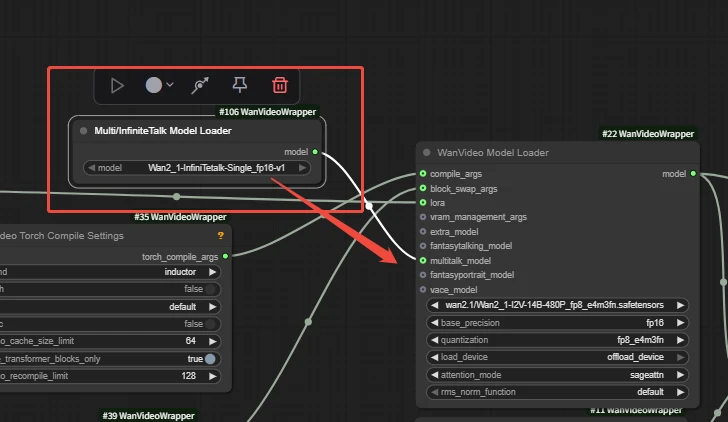 | 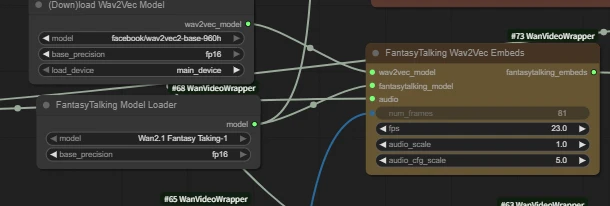 | 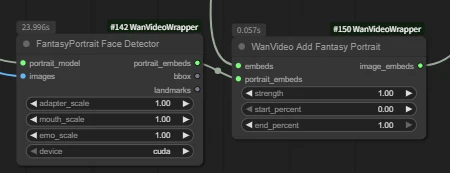 |  | 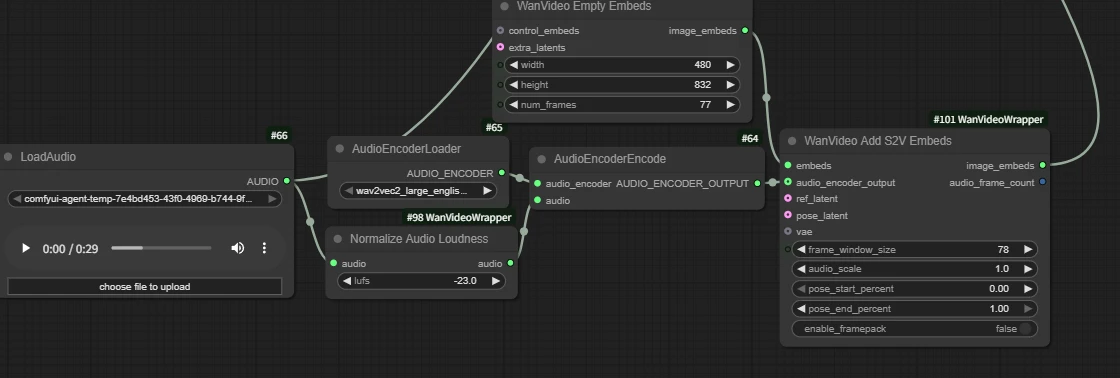 | 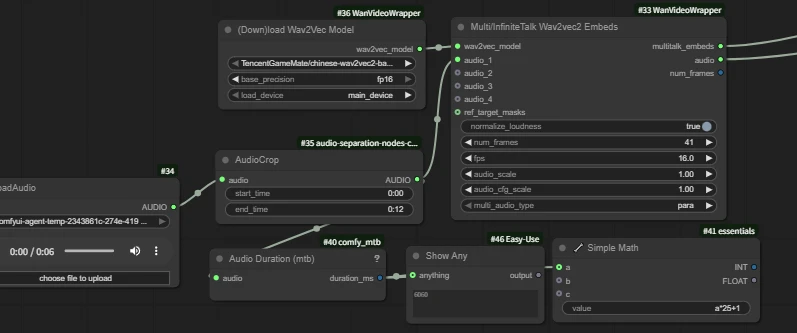 |
Wan Infinite Talk
Intro:

InfiniteTalk is a sparse frame-based dubbing generation solution. Input a video with audio, and the system generates a new video with accurate lip sync, synchronized head movements, body posture, and facial expressions with audio rhythm. Unlike traditional methods that only process the mouth, it maintains identity and generates videos of any length. Also supports "image + audio → video" mode.
How to Use:
Upload portrait image and voice audio.
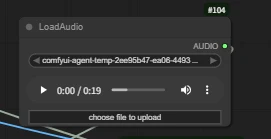
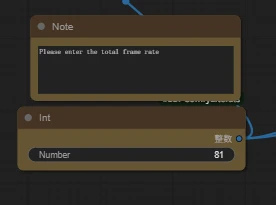
⚠Ensure the total frame rate matches fps in workflow nodes:
Since we're using wan2.1 model here, it's 16 fps, with 5 seconds total = 81 frames.
Sample:
---------------------------------
Camera Control Workflows
| Wan Recammaster | Wan2.1 Camera | Wan2.1 ATI | Wan2.1 Uni3C | |
| Intro | Video-to-video camera movement | Select camera movement via nodes | Free-drag camera direction | Video camera controlnet |
| Workflow Link | Click to jump | Click to jump | Click to jump | Click to jump |
| Model Link | Click to jump | Click to jump | Click to jump | Click to jump |
| Key Nodes | 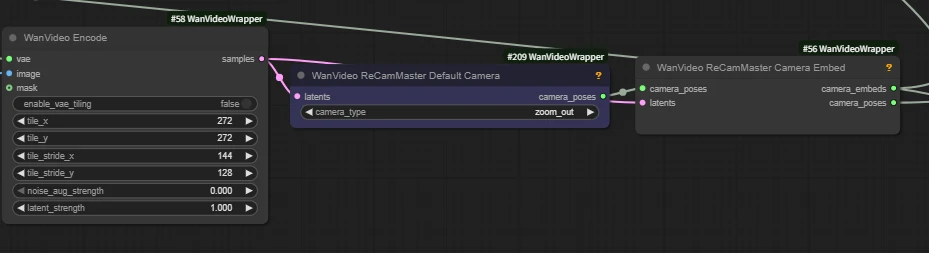 | 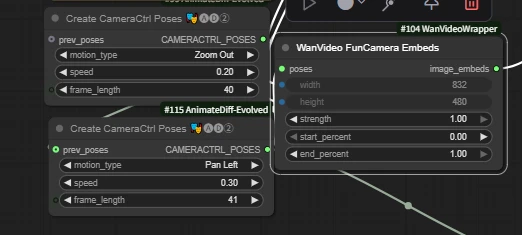 | 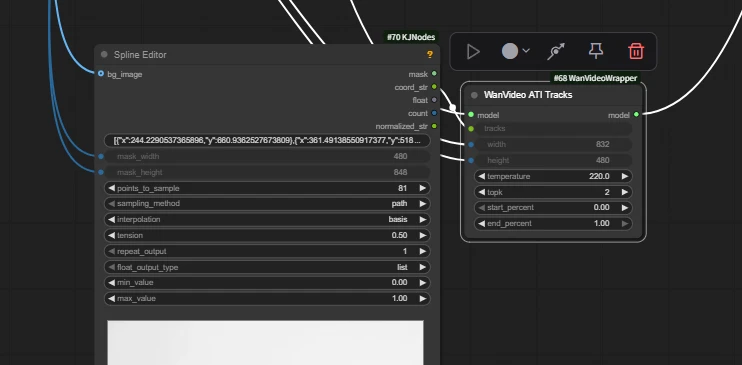 | 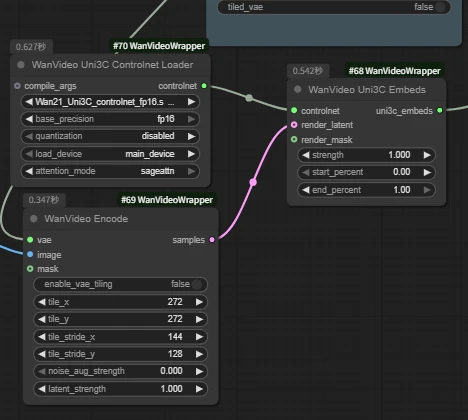 |
Wan2.1 ATI
ATI (Any Trajectory Instruction) by ByteDance team is a trajectory-controlled video generation framework. Users can draw trajectories to precisely control object motion, local deformation, and camera movement in a unified workflow, significantly enhancing dynamic control and output quality.
Key Nodes:
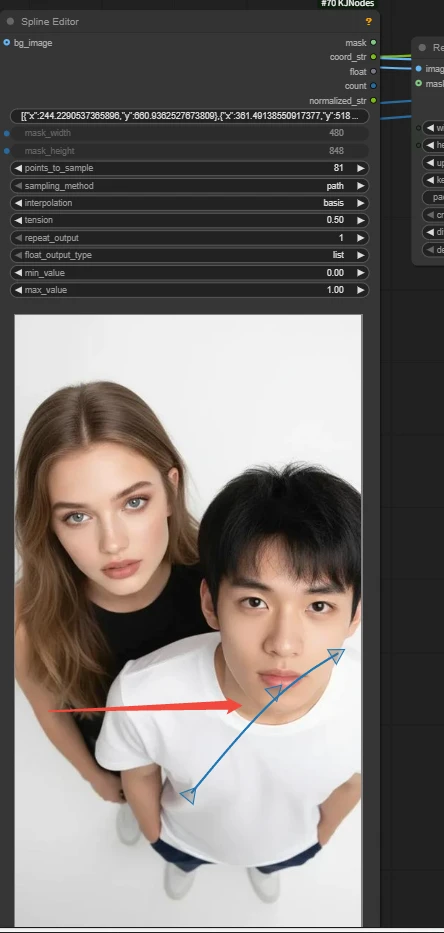
Spline Editor
Create and edit spline curves to generate a series of values or masks.
- Arrows can be edit with left-click to determine camera direction.
WanVideo ATI Tracks
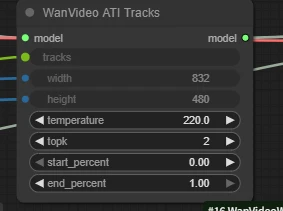
- temperature: Controls randomness. Higher values = more active/varied trajectories; Lower values= more stable/conservative.
- start_percent / end_percent: Time interval for trajectory use, 0–1 represents percentage range. 0/1 = full duration.

Sample:
---------------------------------
Subject Consistency Workflows
| Wan Stand-In | Wan Lynx | Phantom | Wan2.1 MAGREF | Wan2.2 HoloCine | Wan EchoShot | |||
| Intro | Character identity consistency LoRA | Identity and core appearance consistency | Multi-image consistency reference | Multi-image consistency reference | for multi-camera, long-video storytelling | Multi-image consistency | ||
| Workflow Link | Click to jump | Click to jump | Click to jump | Click to jump | Click to jump | Click to jump | ||
| Model Link | Click to jump | Click to jump | Click to jump | Click to jump | Click to jump | Click to jump | Click to jump | Click to jump |
| Key Nodes | 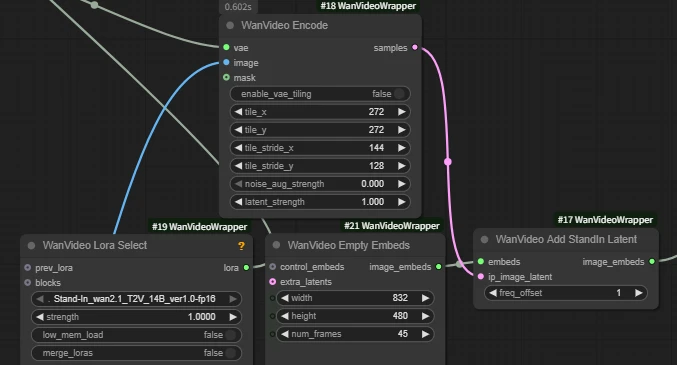 | 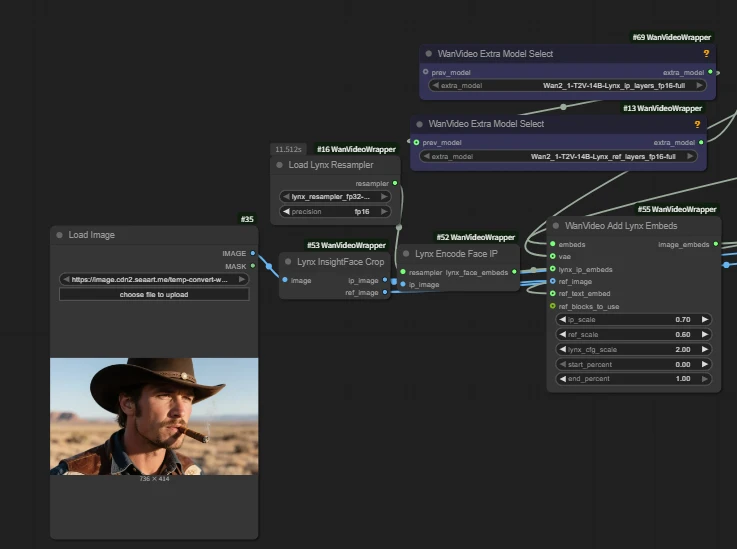 | 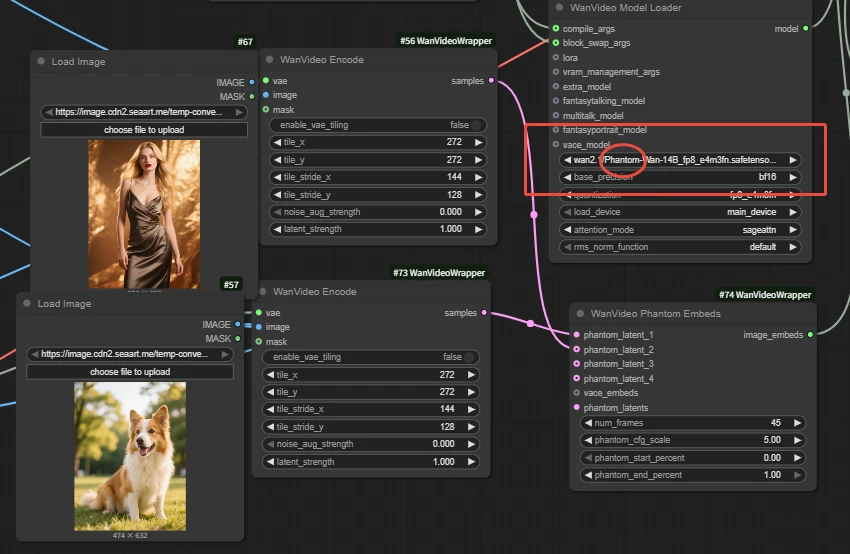 | 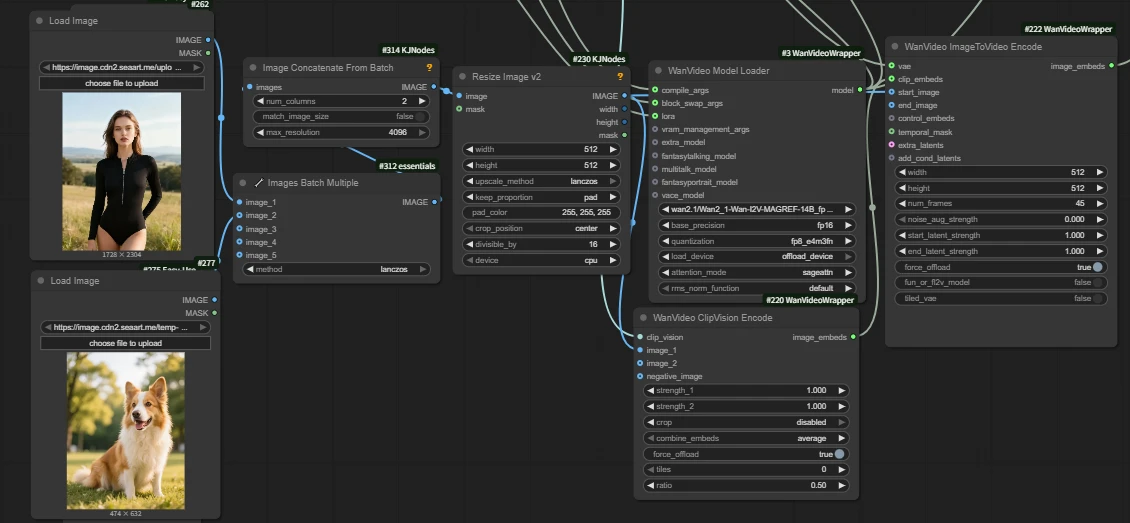 |
Wan Lynx
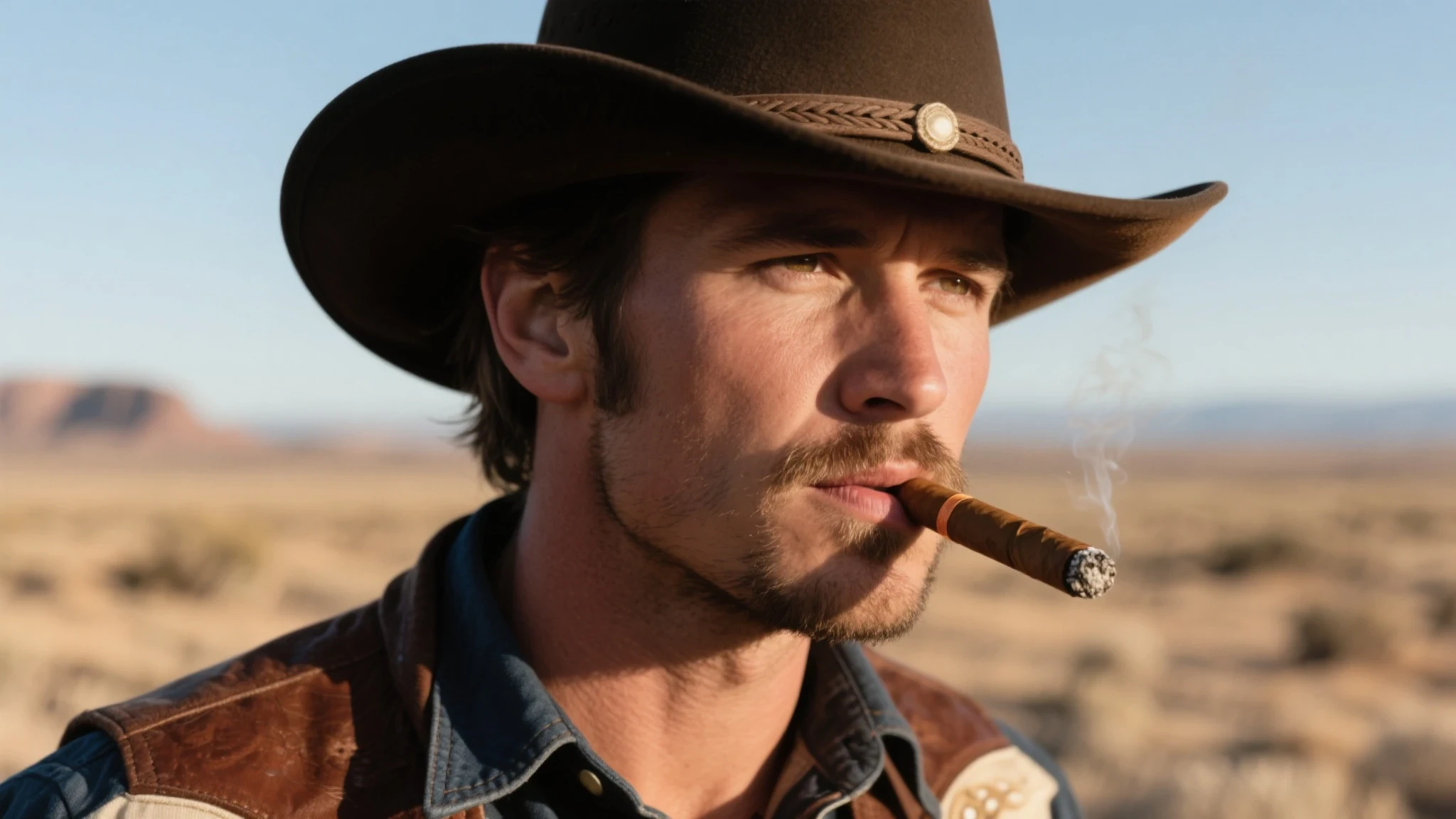

Lynx is a high-fidelity personalized video generation model that generates custom videos from a single input image. It stably preserves character identity features while synthesizing natural motion, continuous lighting, and excellent scene adaptability. Comparison results show Lynx significantly leads in identity restoration and subjective quality while maintaining competitive motion naturalness.
🚨Notice
-Current workflow only works with real people. It will error if it cannot detect faces, including anime characters.
-Note the subtle differences in model names when loading - these are different models.
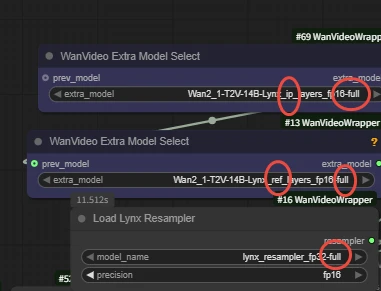
Key Nodes:
WanVideo Add Lynx Embeds
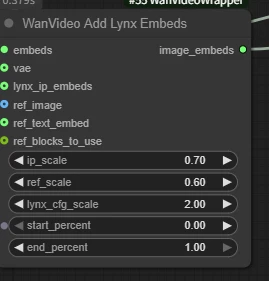
- ip_scale: Weight of character features
- ref_scale: Weight of overall reference image style/texture. Higher → closer to reference appearance.
- lynx_cfg_scale: Lynx-specific "guidance strength" (similar to CFG). Higher → stricter adherence to text/reference, but may produce stiffness/noise.
Sample:
---------------------------------
Camera Control Workflows
| Wan2.1-Fun-InP-14B | Wan2.2-Fun-InP | wan2.1_anisora | AccVideo-T2V | SkyReels V2 | Wan2.1 - MoviiGen | |
| Intro | First to Last Frame | First to Last Frame | Professional Anime Model | Accelerated Video Model | Long Video Generation | 2.1 Quality Enhancement Fine-Tuning Model |
| Workflow Link | Click to jump | Click to jump | Click to jump | Click to jump | Click to jump | Click to jump |
| Model Link | Click to jump | Click to jump | Click to jump | Click to jump | Click to jump | Click to jump |
| Wan2.1 FlashVSR | FLF2V | longcat video | |||
| Intro | Video High-Definition Enhancement | First frame and last frame to video | Model for long videos | ||
| Workflow Link | Click to jump | Click to jump | Click to jump | ||
| Model Link | Click to jump | Click to jump | Click to jump | Click to jump | Click to jump |
Wan2.1 Fun InP
Wan-Fun InP (Wan2.1-Fun family) image-to-video model allows control of first and last frames. Key feature: Given first and last frames, generates intermediate segments for ?oother, more controllable videos. Significantly better generation stability and quality compared to earlier community versions.
Keynode
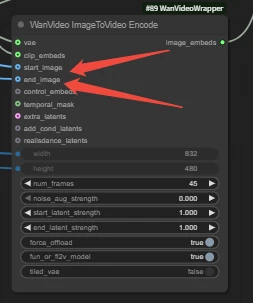
WanVideo ImageToVideo Encode
-Ensure first and last frames are connected to corresponding ports.
Sample:
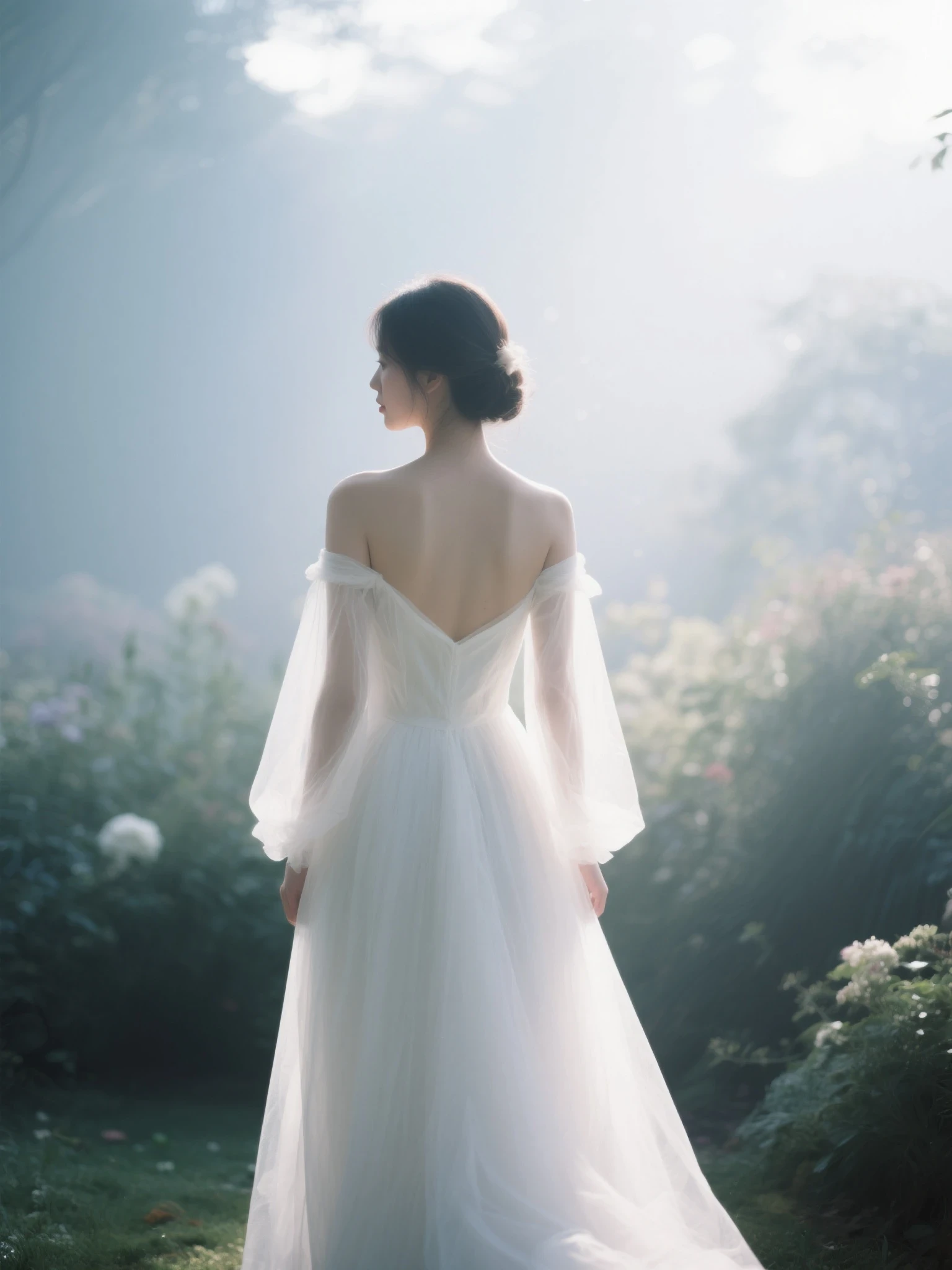 +
+ 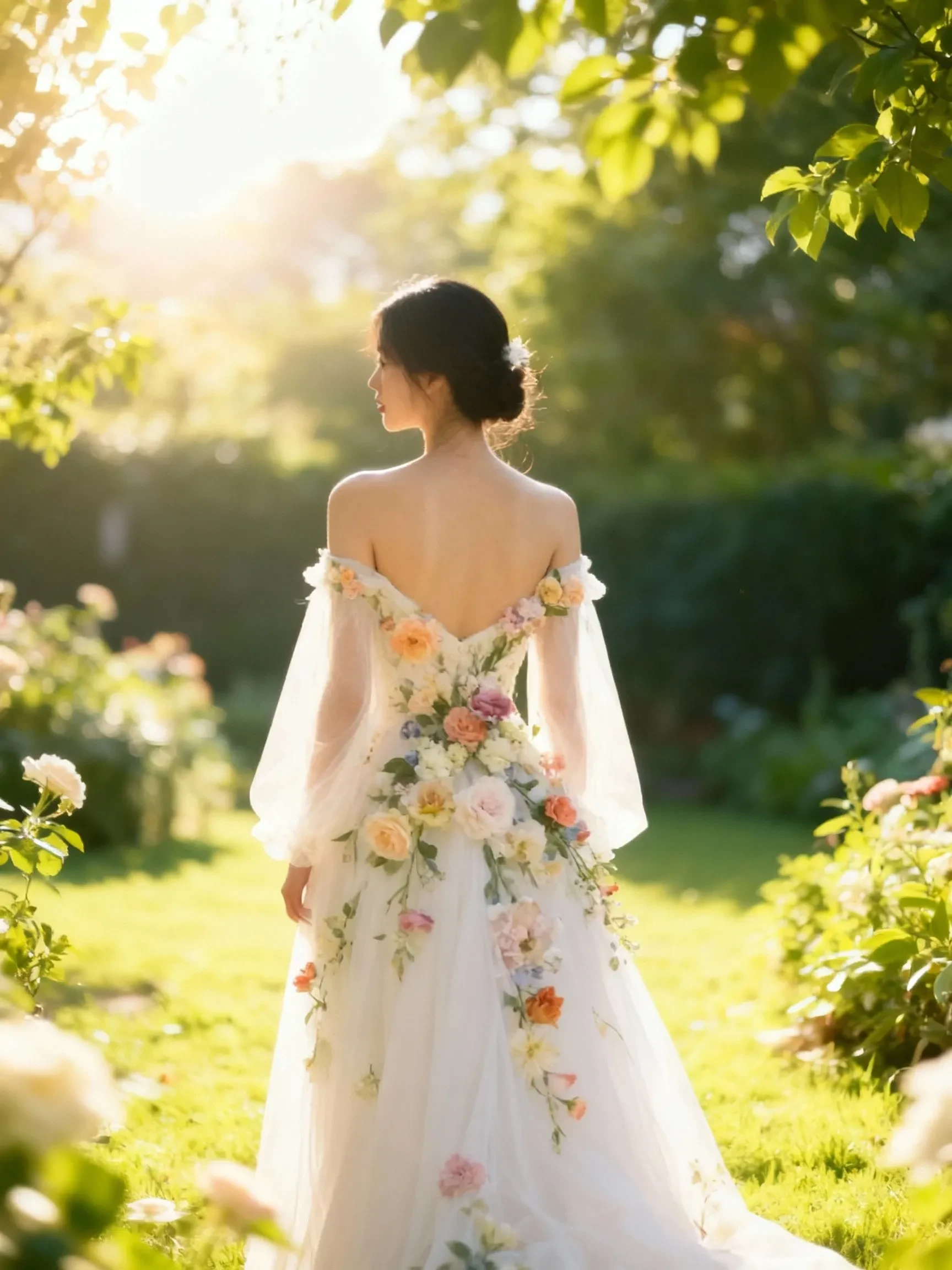 =
=
---------------------------------
LoRA Series
Speed LoRA
| Wan2.1 CausVid | Wan2.1 AccVid | Wan self | forcing | Wan(i2V|t2v)lightx2v | Wan FastWan | Wan2.2 T2V | Lightning 4steps | Wan2.2 TI2V_ | 5B_Turbo | Wan2.1 self | forcing | |
| Model Link | Click to jump | Click to jump | Click to jump | Click to jump | Click to jump | Click to jump | Click to jump | Click to jump | Click to jump | |||
| Workflow Link | Click to jump |
| wan CineScale | Wan21_T2V_14B_MoviiGen_lora | Wan2_2_I2V_AniSora | WanAnimate_relight_lora | Wan2_1_EchoShot_1_3B | ditto | |
| Intro | High-resolution generation | 2.1 Quality Enhancement Fine-Tuning Model | bilbil Open-Source Professional Anime Model | Animate Workflow Companion (Auxiliary Lighting LORA) | Subject multi-lens consistency | Style conversion for LORA |
| Model Link | Click to jump | Click to jump | Click to jump | Click to jump | Click to jump | Click to jump |
| Workflow Link | Click to jump | Click to jump |



















