ประเภท
Other
เวลาโพสต์
2024-03-22
โมเดลพื้นฐาน
Other

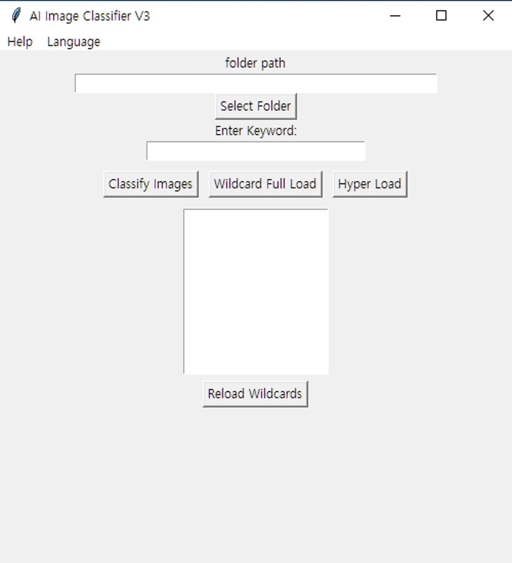
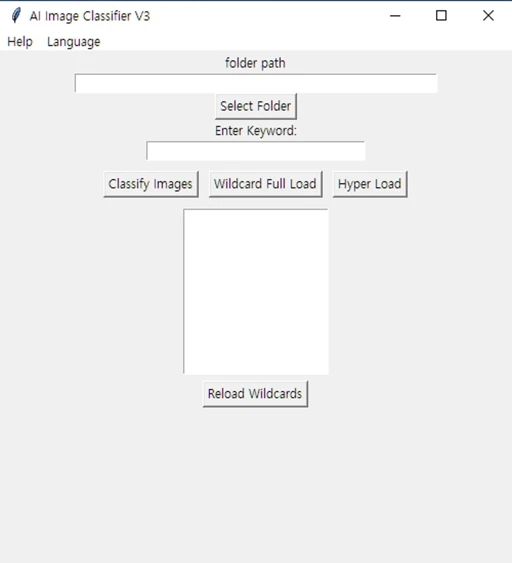
Program Usage Instructions: Download the ZIP file from Attachments, ????? it, and then use.
The AI Image Classifier is a program that allows users to classify PNG, JPG, JPEG, and WEBP files generated through WEB UI or NAI by entering specific keywords or using wildcards (wildcards.txt located in the same directory as the program). It supports English, Korean, Chinese, and Japanese languages. (default language: English)
Language changes are preserved after exiting.
Help: This is the help menu, which can also be opened with the F1 key. Language: Allows you to change the language. Folder path: Shows the path of the currently selected image folder. You can switch to another folder in the same path using the left and right arrow keys on the keyboard. (For example, if you have folders 06-10, 06-11, and 06-06 in folder X, and you've selected folder 06-10 for sorting, you can switch to 06-06 or 06-11 using the left or right arrow keys.) Select folder: A button to set the path of the image folder. It can also be activated with the INS key. Enter keyword: You can enter a keyword in this field and press the image classify button to sort the images. If you want to narrow down the search with multiple keywords, you can separate them with a comma. Classify image: A button that classifies images based on the entered keyword. It can be activated with the enter key. Wildcard fullroad: Classifies batches using the data inside the wildcards.txt file located in the same location as the program. It can also be activated with the home key. Hyper load: Classifies using the data inside all text files in the selected folder. It can be activated with the END key. Below the Wildcard fullroad and Hyper load buttons is a box for the wildcard list, which displays the data inside the wildcards.txt file located in the same location as the program. Clicking on the data in this box will input that data into the Enter Keyword field. Reload Wildcards: Use this when you have modified the data in the wildcards.txt file to update the wildcard list without closing the program.

1. สิทธิ์ของโมเดลที่โพสต์ซ้ำเป็นของผู้สร้างต้นฉบับ
2. ผู้สร้างต้นฉบับที่ต้องการรับรองโมเดล โปรดติดต่อเจ้าหน้าที่ SeaArt AI ผ่านช่องทางทางการ คลิกเพื่อรับรอง
