ประเภท
Other
เวลาโพสต์
2023-05-05
โมเดลพื้นฐาน
Other
การแนะนำเวอร์ชัน
Python version of the scripts, should be the same as the powershell versions

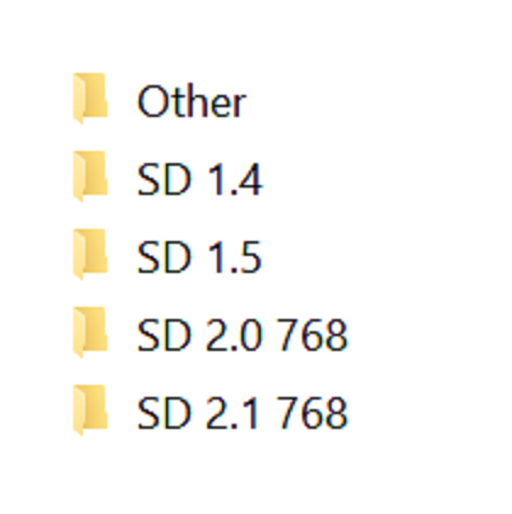

Simple script, execute it from the directory you want to organize. Sorts models into different directories by Person and flags base on the ".civitai.info" files created by Civitai Helper. AUTOMATIC1111 will show -directories when the show/hide extra network icon is used so you can filter your results. You need to "Scan Models for Civitai" in the Civitai Helper tab prior to running the script in the model directory you want to organize.
Prerequisite: Civitai Helper
https://github.com/butaixianran/Stable-Diffusion-Webui-Civitai-Helper
Procedure:
Install Civitai Helper
Restart AUTOMATIC1111
Check the checkboxes (ti, hyper, ckp, lora) of the model types you want to organize in the "Scan Models for Civitai" section in the "Civitai Helper" tab
Run "Scan Models for Civitai" in the "Civitai Helper" tab by clicking the "Scan" button
Wait for scan to complete
Make sure that ".civitai.info" files have been created in the AUTOMATIC1111 model directories you selected
Download the script zip archive
Extract the Organize Script from the downloaded zip file
Place this Organize Script file in the AUTOMATIC1111 model directory you want to organize (".\models\hypernetworks", ".\models\lora", ".\models\Stable-diffusion", ".\embeddings")
Run the Organize Script file
Wait for the script to finish organizing your models
Verify the models have been organized into -directories as expected


Python version of the scripts, should be the same as the powershell versions
1. สิทธิ์ของโมเดลที่โพสต์ซ้ำเป็นของผู้สร้างต้นฉบับ
2. ผู้สร้างต้นฉบับที่ต้องการรับรองโมเดล โปรดติดต่อเจ้าหน้าที่ SeaArt AI ผ่านช่องทางทางการ คลิกเพื่อรับรอง
