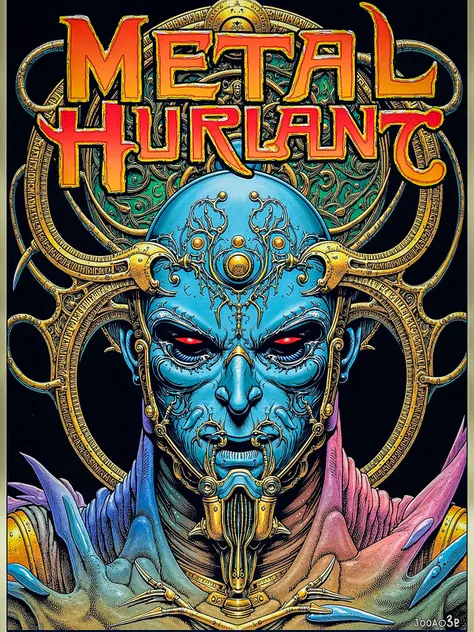
Métal Hurlant (literal translation: "Howling Metal," "Screaming Metal") is a French comics anthology of science fiction and horror comics stories. Originally created in 1974, the anthologies ceased publication in 1987 but revived between 2002 and 2004 in multilingual editions, and then again in 2020.
How to use
Lora weight
Based on my testing, I recommend trying all weights between 1 and 2 to see which one works best for your use case.
How to Craft Effective Prompts for This Model
First of all, I recommend that you take inspiration from the images posted by the author of the model. It is not a plug and play LoRA and requires correct prompting. If your image doesn't include any content/style relevant to the LoRA, then it will have NO effect at all.
Please note that the words "image" and "illustration" have HUGE weights and should easily trigger the style in case of trouble.
If you're looking to get the best results from this model, here are some tips based on an analysis of the language used in the training data:
1. Focus on Key Subjects and Descriptions:- What to Include: The model is most familiar with terms like "scene", "figure", "creature", "background", and "sky". Descriptive words like "large", "red", "intricate", and "mechanical" also play a big role.
- Example Prompt: "Create a detailed scene with a large, red mechanical creature in the foreground."
2. Use Common Phrases:- Why It Helps: The model understands certain word pairs and phrases very well because they appeared frequently in the training captions. Using these can make your prompts more natural and effective.
- Example Prompt: "The image depicts a fantastical scene set against a vibrant sky."
3. Incorporate Specific Names or Entities:- Targeted Outputs: If your prompt references specific characters, locations, or objects, the model can generate more focused and relevant results.
- Example Prompt: "Illustrate a scene featuring a creature in a mechanical environment."
4. Structure Your Prompts Like Descriptions:- Match the Training Style: The model is used to prompts that describe what’s happening in the image, like “The image depicts...”. Mimicking this style can help the model understand and respond better.
- Example Prompt: "The image shows a large creature in an intricate, blue-colored scene."
5. Experiment and Refine:- Iterate on Your Prompts: Start with these suggestions, then tweak the words and phrases to see what works best. Small changes can sometimes lead to big improvements in the results.
Example prompts you can try with this model:
1. Prompt for a Fantasy Scene:
- "Create a vibrant fantasy scene with a large, red creature standing in the foreground against a mechanical background."
2. Prompt for a Detailed Illustration:
- "Illustrate a complex figure set against an intricate, blue sky with various mechanical structures in the background."
3. Prompt Featuring a Specific Character:
- "Depict the character Moebius exploring a surreal, otherworldly landscape filled with intricate details and a vibrant color palette."
4. Prompt for a Mechanical Creature:
- "Show a large, mechanical creature dominating the scene, with intricate patterns and a deep red color palette."
5. Prompt for a Dreamlike Environment:
- "Design a dreamlike scene with floating orbs and clouds in the sky, featuring a detailed figure surrounded by an ethereal atmosphere."
Top 20 nouns and adjectives by frequency in the dataset:
image: 147
scene: 80
figure: 59
creature: 58
large: 55
red: 5>
background: 50
sky: 50
various: 45
foreground: 4>
intricate: 4>
color: 42
palette: 42
figures: 41
blue: 40
overall: 36
structure: 3>
mechanical: 3>
illustration: 30
face: 30
Top 20 collocations by frequency in the dataset:
('to', 'be')
('The', 'image')
('appears', 'to')
('image', 'depicts')
('color', 'palette')
('there', 'are')
('In', 'the')
('depicts', 'a')
('the', 'foreground')
('theres', 'a')
('dominated', 'by')
('The', 'overall')
('seems', 'to')
('palette', 'is')
('a', 'large')
('There', 'are')
('graphic', 'novel')
('shades', 'of')
('is', 'dominated')
('scene', 'set')