
banner_image ×
SeaArt AI Phiên bản doanh nghiệp
article cover

Character Creation

avatar
�
avatar_frame
𝕊𝖍1𝖐𝖘
Xuất bản tại May 6, 2025
14

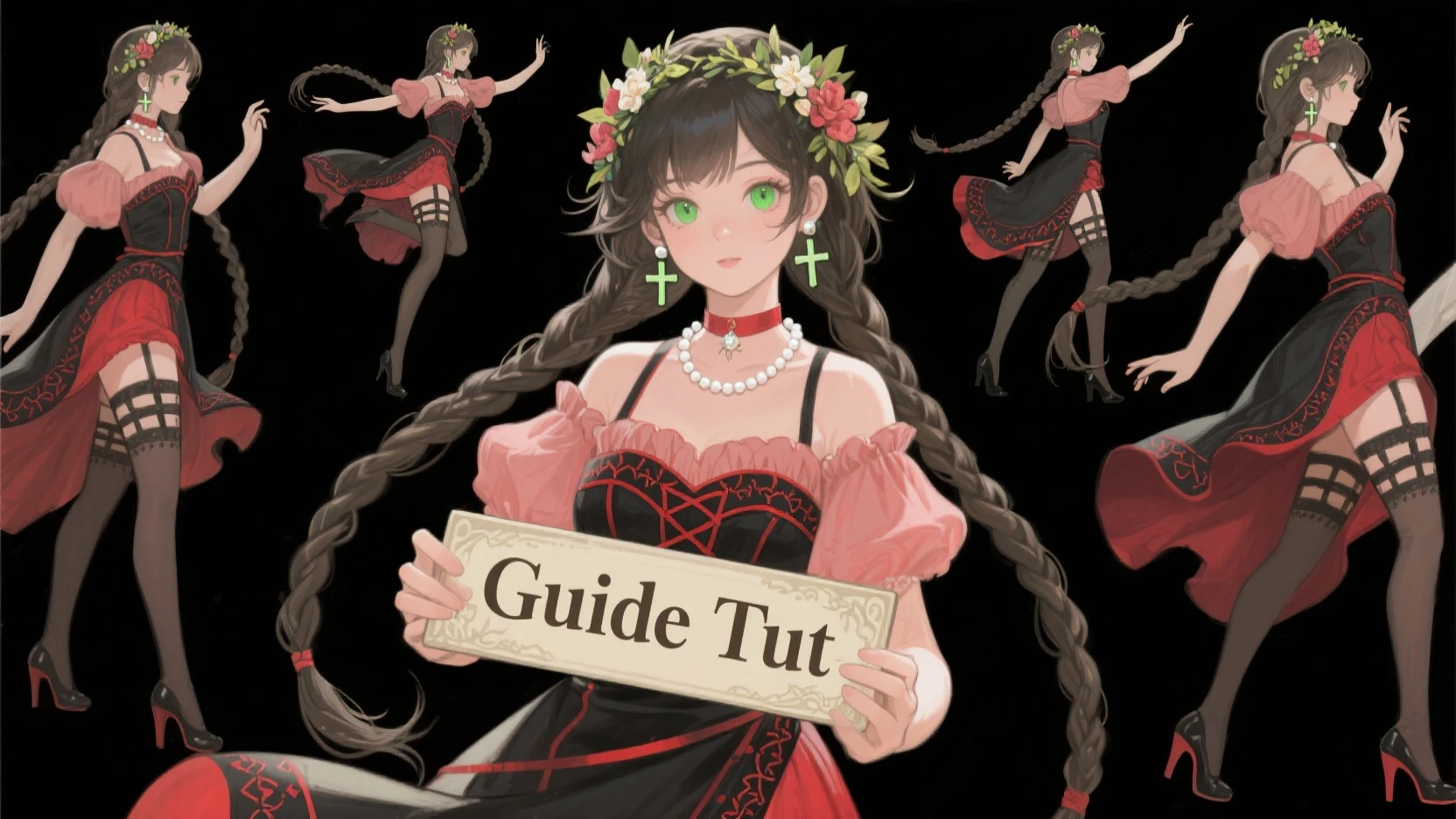
Want to Create Your Own Character in Different Poses on One Image? This quick overview will make it a little easier for you, where to start?

1. You need to decide in What Style you want to create a Character Anime, Realistic, Cartoon, and so on....

2. To create a Beautiful and Distinct Character. You need a suitable Model or Transposition to create a Character.

3. Detailed Description of the Character plays a key role, you should think well about it - Face shape, What kind of ears, legs, Hairstyle, Small details, Tattoos, Suits or Dresses, Shoes or Sneakers, the more accurate and detailed will be the description the better will be your Character.

4. After creating a character on the image it can be placed in Lore, and you will not have to create long promts and actions with your character every time, how to do it you ask me how to do it?  https://docs.seaart.ai/guide-1/3-advanced-guide/3-2-lora-training-advance  Here is a link to the Lore Creation Guide, it will make it easier to create a Character. Another link to Discor with Guides you will find there useful information-  https://discord.com/channels/1089843669944778822/1144201636638642217

5. Let's take a closer look with a small example, in my image below. Here's the Promt of this image - Cartoon Character White Cat, Black Bangs, Blackened glasses, Jeans, Vest, Pixar style, Back, Front, Side, Crouching, Bouncing, Beautiful colors, clearly, Split it into 5 images,
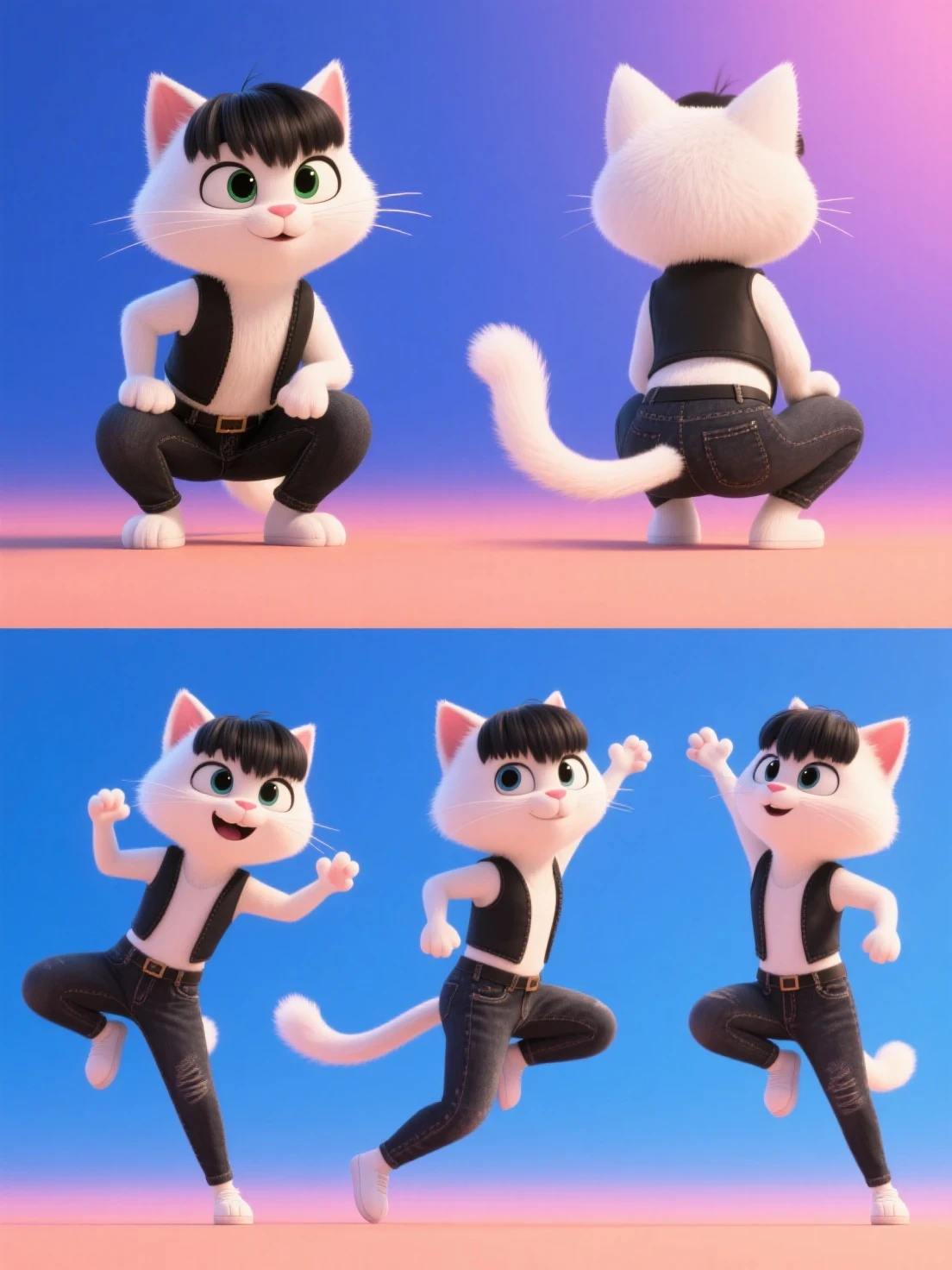
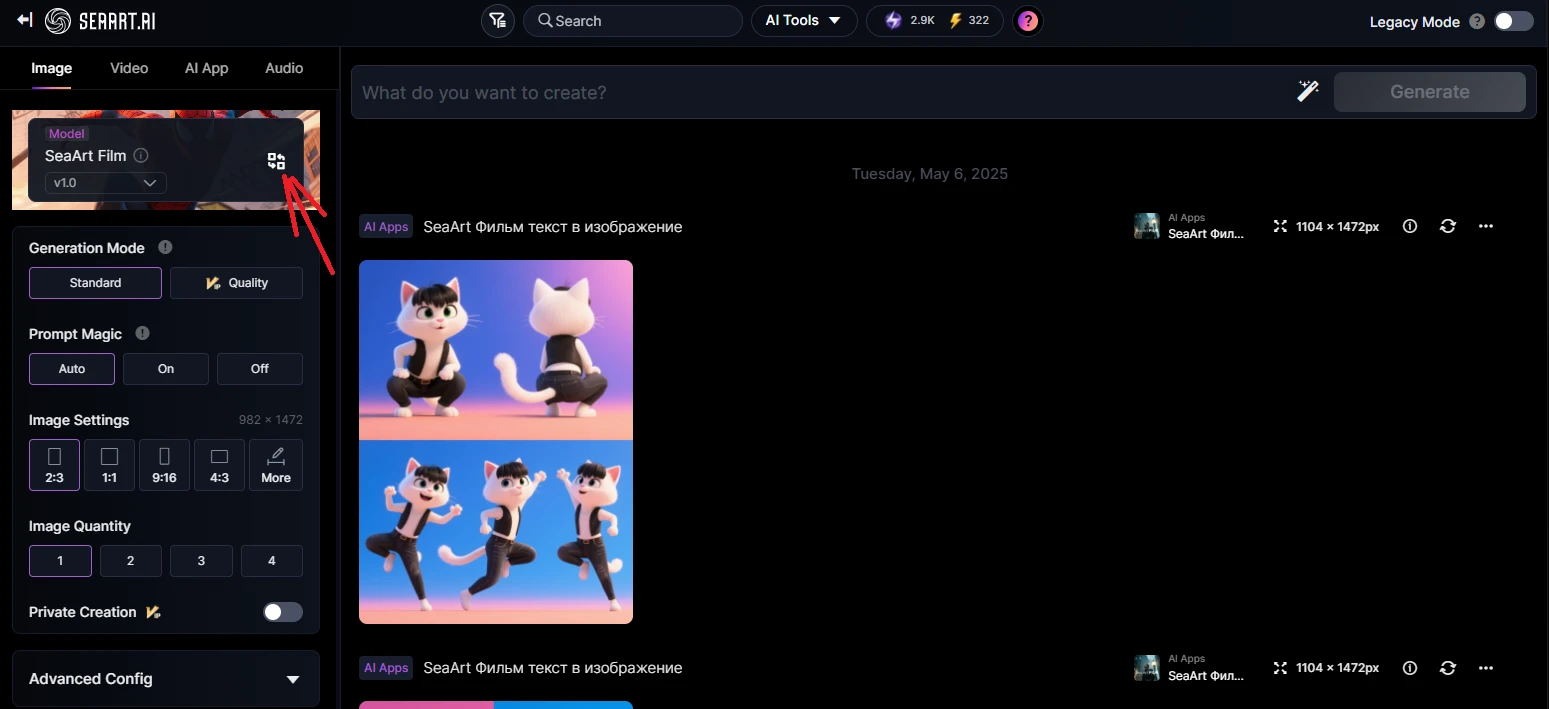
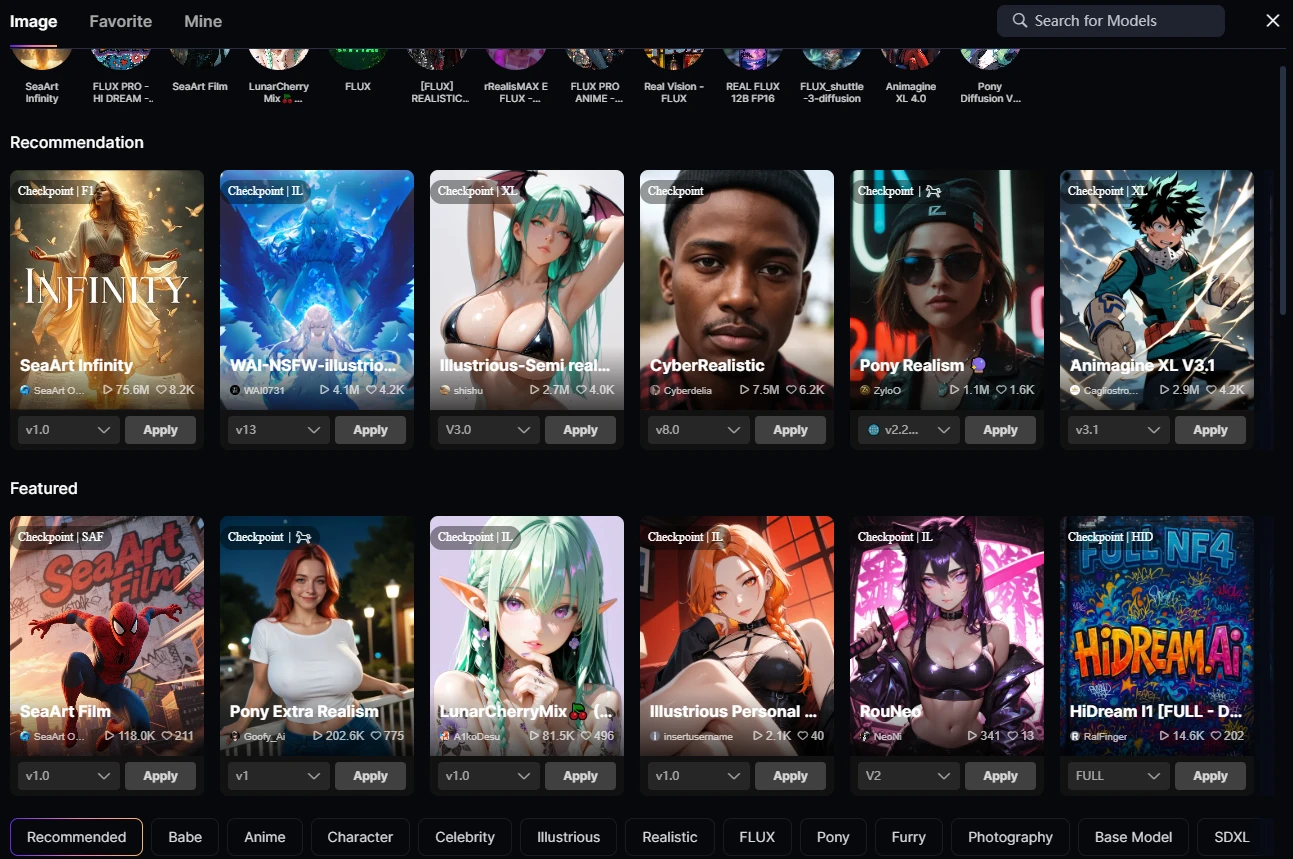
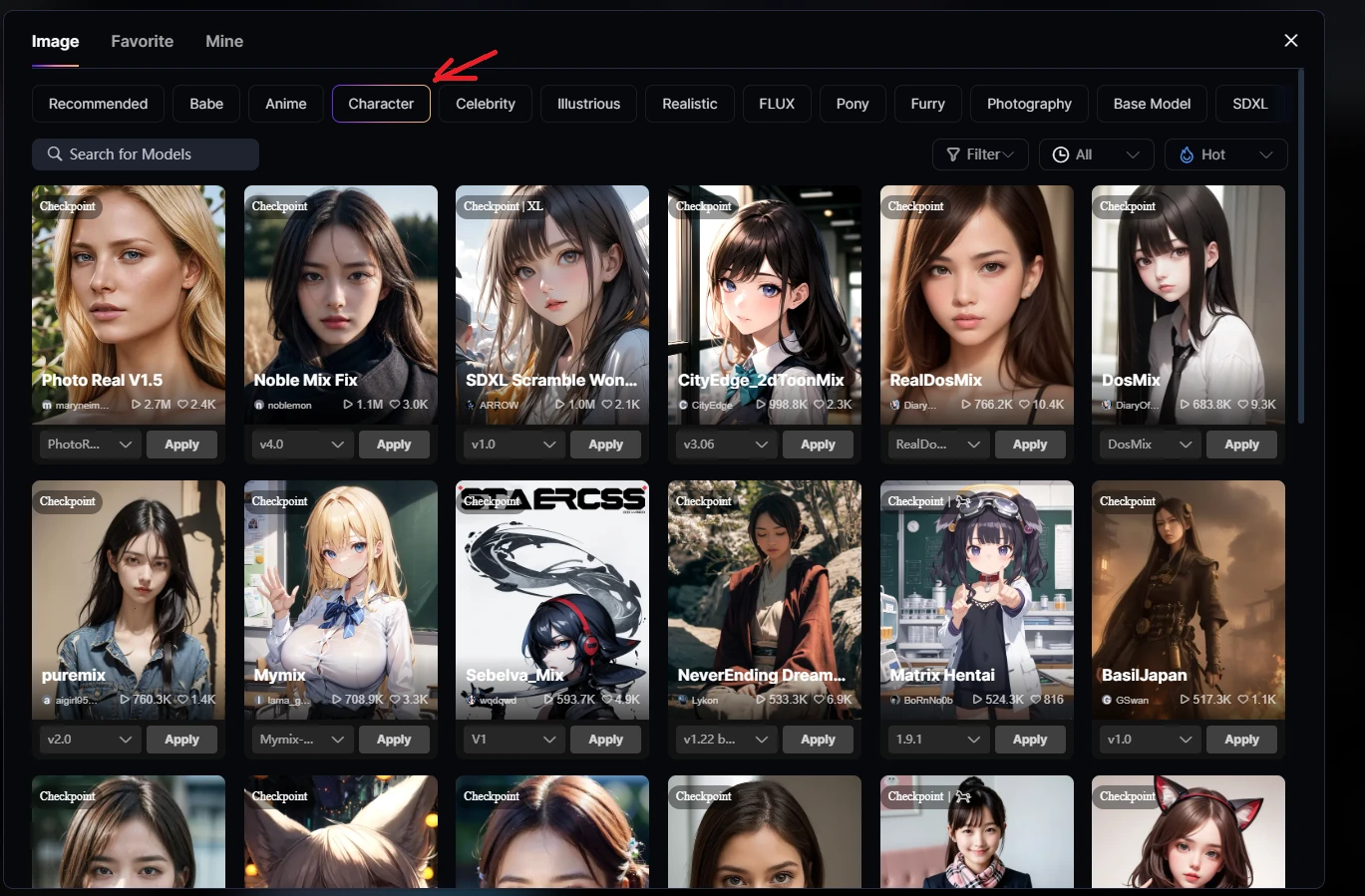
https://www.seaart.ai/ru/workFlowAppDetail/d017itde878c73f9glrg  Here's a Link to the Model App- SeaArt Film, Good Understanding of Text and Deals with different styles, You can use other Illustration/SDXL Models for Anime Styles and Characters, Flax with Different Functions is universal and also works with different styles, SD 1.5 can also create a beautiful character. At the bottom I will give an example of where to find a suitable Model for Character Creation. In the search engine Find a character and all the models in this section will help you, the rest is a matter of taste and style.

!!!! Let's summarize the results after creating a character. You can still bring him to life! Bring it to life! with SeaArt Video   link below to the Application for Creating Video on Image and more !!!!

https://www.seaart.ai/ai-tools/ai-video-generator

Have fun! Create! Share your character images, and make others happy with your creativity Good luck creating a good character!

15
14
Tổng cộng 0 bình luận
14
15
0
0/400
Hướng dẫn liên quan
cover
COMPREHENSIVE GUIDE DIRECTORY
avatar
S
avatar_frame
SeaArt Official
12380
4962
cover
SeaArt Film Video Realistic Style Tutorial
avatar
C
chengxu01
318
8892
cover
SeaArt Muse Prompt Tutorial
avatar
avatar_frame
SeaArt VIdeo Master
143
4647
cover
Teach you to create "dynamic photos" and become a "detail cont
avatar
S
SeaArt Guide Guy
230
21
cover
「微表情」 「動的写真」の作成を教えます。
avatar
S
SeaArt Guide Guy
185
15
cover
Z-Image Turbo Guide: Generates Images in Seconds⚡
avatar
S
avatar_frame
SeaArt Comfy Helper
143
68
cover
The "Frozen Valkyrie" Short Film Creation Tutorial
avatar
avatar_frame
SeaArt VIdeo Master
112
1454
cover
How to Train a Custom LoRA Model | Beginner's Guide 01
avatar
S
avatar_frame
SeaArt Official
346
2171
cover
Tutorial: Image Creation Terminology Breakdown
avatar
S
avatar_frame
stevenp
185
917
cover
AIキャラクターのインタラクティブゲーム作成(日本語版)
avatar
黒
avatar_frame
黒兎
848
821
logo
Tiếng Việt
Ứng dụng
Tạo Hình Ảnh Cyberpub Swift AI Huấn Luyện Mô Hình Bảng Vẽ Cao Cấp Ứng dụng nhanh Luồng Công việc
Giới thiệu
Phòng thí nghiệm Bảng Xếp Hạng Trò chuyện AI Blog AI Tin tức AI
Trợ giúp
Guides Customer Service
Tải ứng dụng
icon
Download on the
APP Store
icon
GET IT ON
Google Play
Theo dõi chúng tôi
iconiconiconiconiconiconiconicon
© 2025 SeaArt, Inc.
Copyright Policy
Terms
Privacy 特定商取引法 資金決済法に基づく表示
Xem Thêm