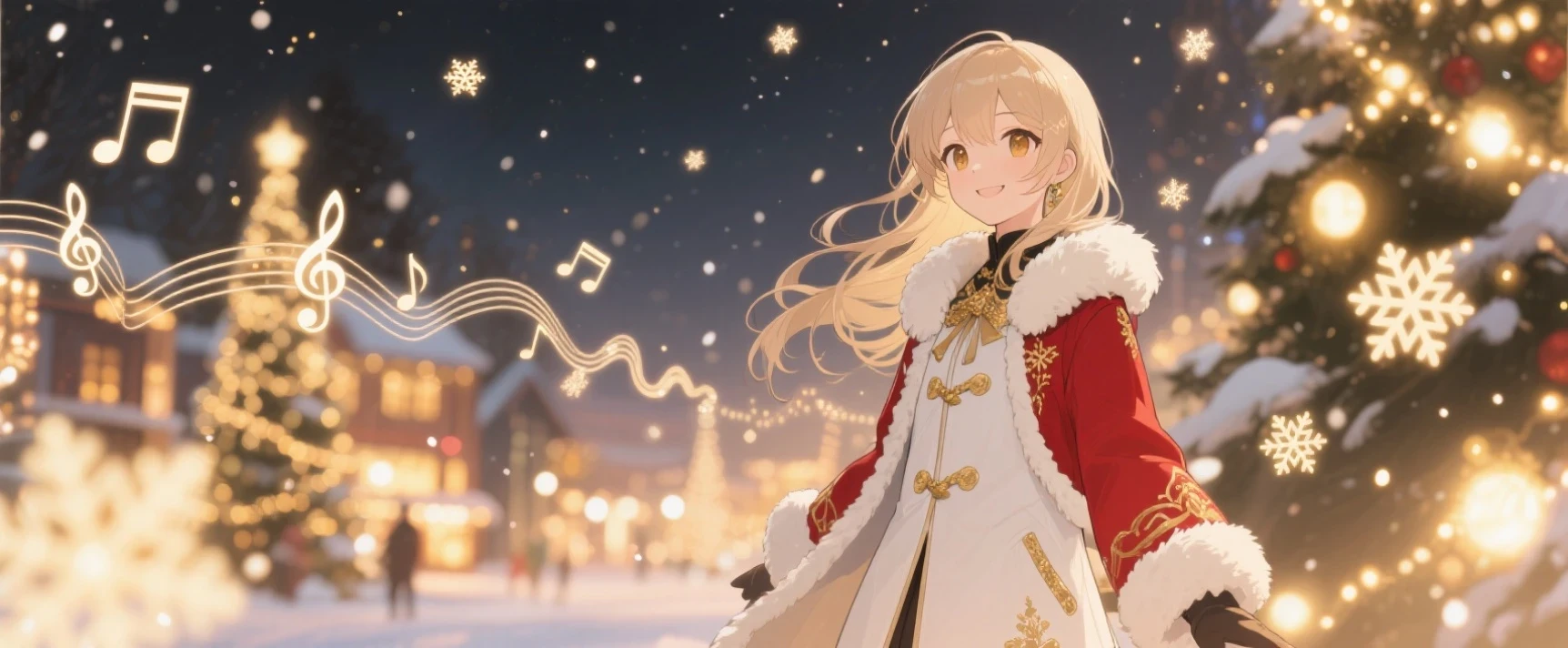

🎄 Give your original character their very own winter melody!
Christmas is the perfect moment to craft a theme song for your OC — warm atmosphere, glowing lights, and a touch of holiday magic.
With SeaArt, you can easily generate lyrics, musical style, cover art, MV storyboards, singing shots, and the final theme song—all in one place.
Here’s the complete workflow 👇
📌 Step 1: Define the Theme & Your OC’s Role
Before creating the song, answer these 3 questions:
1. What is your OC doing on Christmas night?
a. Waiting for someone
b. Setting out on a journey
c. Watching over a snowy night
d. Mischievous elf-style energy
e. Mysterious and magical presence
2. What is the overall emotion of the theme song?
a. Warm & healing / Soft & cute
b. Cheerful & upbeat (J-pop)
c. Mystical & fantasy-like
d. Chill urban night / R&B vibes
3. What should the song express?
a. Your OC’s longing
b. Anticipation of a Christmas miracle
c. A hint about a storyline
d. The beginning of a journey
Once these are set, you’re ready to write lyrics.
📌 Step 2: Write Lyrics (Using SeaArt Agent)
This is the key step!
Below is a ready-to-use template for requesting lyrics from the Agent.
Just fill in your OC information and send it directly — super easy 👇👇👇
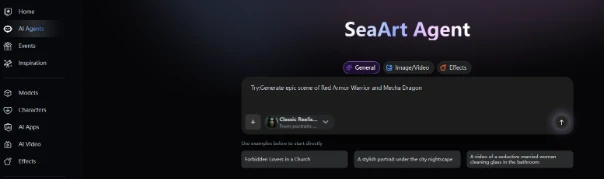
✅ Lyrics Request Template (Copy & Paste to AI)
Please help me write lyrics for an OC theme song for an MV-style video.
【Character & Story Background】
My OC’s name is _______. Their personality is _______.
On Christmas night, they are _______ (e.g., setting off into the snow, waiting for someone, receiving an invitation letter, watching snow fall, etc.).
【Song Emotion & Style】
● Overall atmosphere: (e.g., warm / ethereal / romantic / upbeat / dreamy / mysterious)
● Song genre: (e.g., J-pop, Anime Song, Kawaii Future Bass, Chill Pop, Orchestral Fantasy, etc.)
● Tempo: slow / medium / fast
【Lyrics Structure】
Please write full lyrics including:
● Verse 1
● Verse 2 (optional)
● Pre-Chorus (optional)
● Chorus
● Bridge
【Content Focus】
● Must include imagery such as “snow,” “light,” and “Christmas.”
● Should reflect the OC’s personality (brave, cute, mysterious, shy, etc.).
● Lyrics should evoke visuals (snowy night lights, journey, heartbeat, miracle).
● Avoid overly literal wording; maintain atmosphere.
【Language】
I want the lyrics in: English / Japanese / EN-JP mix (choose one).
📌 Step 3: Decide the Musical Style (Let Agent Help)
You can also ask the Agent to suggest musical styles.
Tell it details such as:
● Whether it should sound like an Anime Song
● Winter atmosphere or not
● Preferred instruments (bells, piano, strings, pads, wind chimes…)
● Strength of rhythm
Example request:
“Please recommend 3 music styles that fit both Christmas and anime vibes. Describe their instrument arrangement, emotional tone, and tempo.”
You will receive music-producer-level advice.
📌 Step 4: Generate the OC Christmas Theme Song in SeaArt Audio
Once your lyrics and music style are ready, go to:
SeaArt → Audio → Song
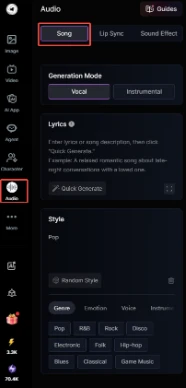
Here’s how to produce the actual track:
① Select Mode: Vocal / Instrumental
At the top:
● Vocal – if you are using lyrics
● Instrumental – if you want BGM only
② Input Lyrics (or a Song Description)
In the Lyrics box, you can:
✔ Paste your full lyrics (recommended)
If you already have Verse/Chorus, put everything in.
✔ Or input a description
If you don’t have lyrics yet, describe the song, for example:
“A soft, emotional Christmas song about a girl waiting for a miracle in the snow.”
The better the description, the better the result.
③ Set the Style
At the bottom, select from the four style categories:
Genre
Pop / R&B / Game Music / Electronic / Folk / Hip-hop / etc.
Pick the main genre of your song.
Emotion (very important)
These tags greatly improve the mood accuracy:
● Warm
● Emotional
● Dreamy
● Uplifting
● Chill
● Sad
● Magical
Voice Type
● Female / Male
● Youthful / Gentle / Powerful / Soft
(For an OC singing, Gentle Female or Soft Female is often best.)
Instruments
Recommended for Christmas themes:
● Piano
● Strings
● Bells / Jingle Bells
● Pads
● Choir
● Acoustic Guitar
● Soft Percussion
These determine the overall “flavor” of your song.
④ Click “Quick Generate” to Produce the Audio
Once all settings are done, click:
🔮 Quick Generate
SeaArt will create:
● Melody
● Harmonies
● Vocal performance (if Vocal mode)
● Emotional ambience
You’ll get a complete track in about 20 seconds.
📌 Step 5: Create Singing Shots of Your OC (Highly Recommended)
Use:
● Image-to-Video
● Lip Sync
Possible visuals include:
● Your OC singing in a snowy night
● Turning gently under Christmas lights
● Looking into the camera during the chorus
● Holding glowing snowflakes in their hands
Use prompts to get beautiful anime-style shots.
📌 Step 6: Create the Christmas Cover Art (Cover Design)
Recommended cover elements:
❄ Half-body portrait of your OC
🎄 Winter night, lights, snow in the background
✨ Soft lighting, dreamy, anime aesthetic
💌 Simple, elegant typography for the title
Any high-quality SeaArt model will work well.
📌 Step 7: Edit the Final MV
During editing, you can:
● Place the chorus at the emotional climax
● Use soft visuals for the verses
● Add snow, bell sounds, and glowing transitions
● Include simple title text:
- Song name
- Lyrics by SeaArt
- OC name
In the end, you’ll have a professional-level anime-style Christmas theme song for your OC!
Recommended related tutorial:
“How free users can create a 10–30s music MV (over a few days),” by razor. Feel free to check it out