


Chi tiết
Gợi Ý
Flonix's sideview embedding V3
Flonix Sideview embed alternative
Flonix's sideview embedding V4
SD 2.0 768 Flonix's Side View V3

SD 2.0 768 Flonix's Side View V3

0
0
0
#หนังสือการ์ตูน
#ไซเบอร์พังค์
#มุมมองด้านข้าง
#Style
#Illustration
#portraits

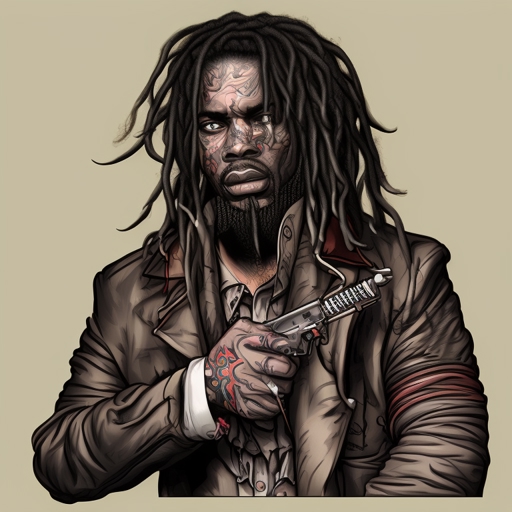
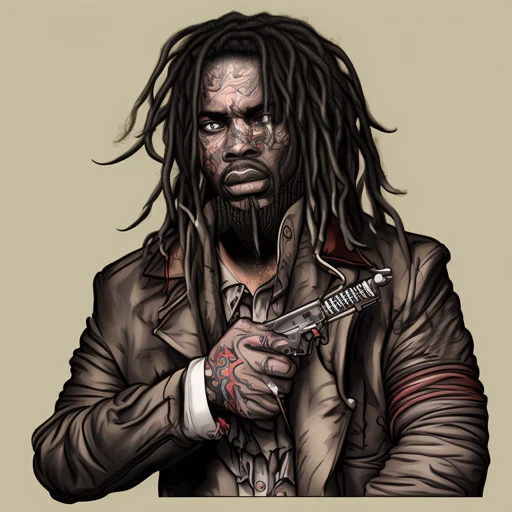
This is a Model 2.0/2.1+ embedding with 4 vectors. To use the embedding in AUTOMATIC1111, add it to your embeddings directory in your stable-diffusion-webui folder, then invoke the embedding from your prompt.

f.e. a digital illustration of a man with dreadlocks and a hoodie looking down at something in the distance with a pink light, art by flonixsdviewv3

or

a detailed digital painting of a man and a window behind him with a moon in the background and a pink and purple background, art by flonixsdviewv3

This embedding was trained on a large variety of Sideview images to make cool sideportrait illustration. To get better results, prompt for a specific background, for example "with a pink background and a pink circle".

Please leave a heart.

Xem bản dịch

Đánh giá và nhận xét

-- /5
0 đánh giá

Chưa nhận đủ đánh giá hoặc bình luận

no-data
Không có dữ liệu
Trò chuyện với mô hình
Thông báo
2024-07-10
Đăng mô hình
2023-03-20
Cập nhật thông tin mô hình
Chi tiết mô hình
Loại
TextualInversion
Thời gian đăng tải
2023-03-20
Mô Hình Cơ Bản
SD 2.1
Từ Kích Hoạt
flonixsdviewv3
Sao chép
Giới thiệu phiên bản

Sometimes V3 gets better results, V4 is better for women

To Get other Step resolution for different styles visit the huggingface site: huggingface.co/datasets/Flonixcorn/SVEmbed

V3 optimal settings:

a man with a mask on his face and a city in the background with blue lines and a orange background with a circle, art by flonixsdviewv3

Steps: 20, Sampler: Euler a, CFG scale: 11, Seed: 3127970809, Size: 768x768, Model hash: e1542d5a


I recommmend going up in steps of thousand and using the 2400 step model if you want only style and going up from there the more you want side portraits

Phạm Vi Giấy Phép
Model Source: civitai

1. Quyền đối với các mô hình được đăng lại thuộc về người sáng tạo ban đầu.

2. Người sáng tạo gốc muốn xác nhận mô hình vui lòng liên hệ nhân viên SeaArt AI qua kênh chính thức. Nhấp để xác nhận

Phạm Vi Giấy Phép Tạo Dựng
Hình Ảnh Trực Tuyến
Thực Hiện Kết Hợp
Cho phép tải xuống
Giấy Phép Thương Mại
Hình ảnh được tạo có thể bán hoặc sử dụng cho mục đích thương mại
Cho phép bán lại hoặc bán sau khi hợp nhất
QR Code
Tải xuống ứng dụng SeaArt
Tiếp tục hành trình sáng tạo AI trên thiết bị di động