


Generate
History
Private Creation
Details





39
309
2025-03-11 02:49:42 Update
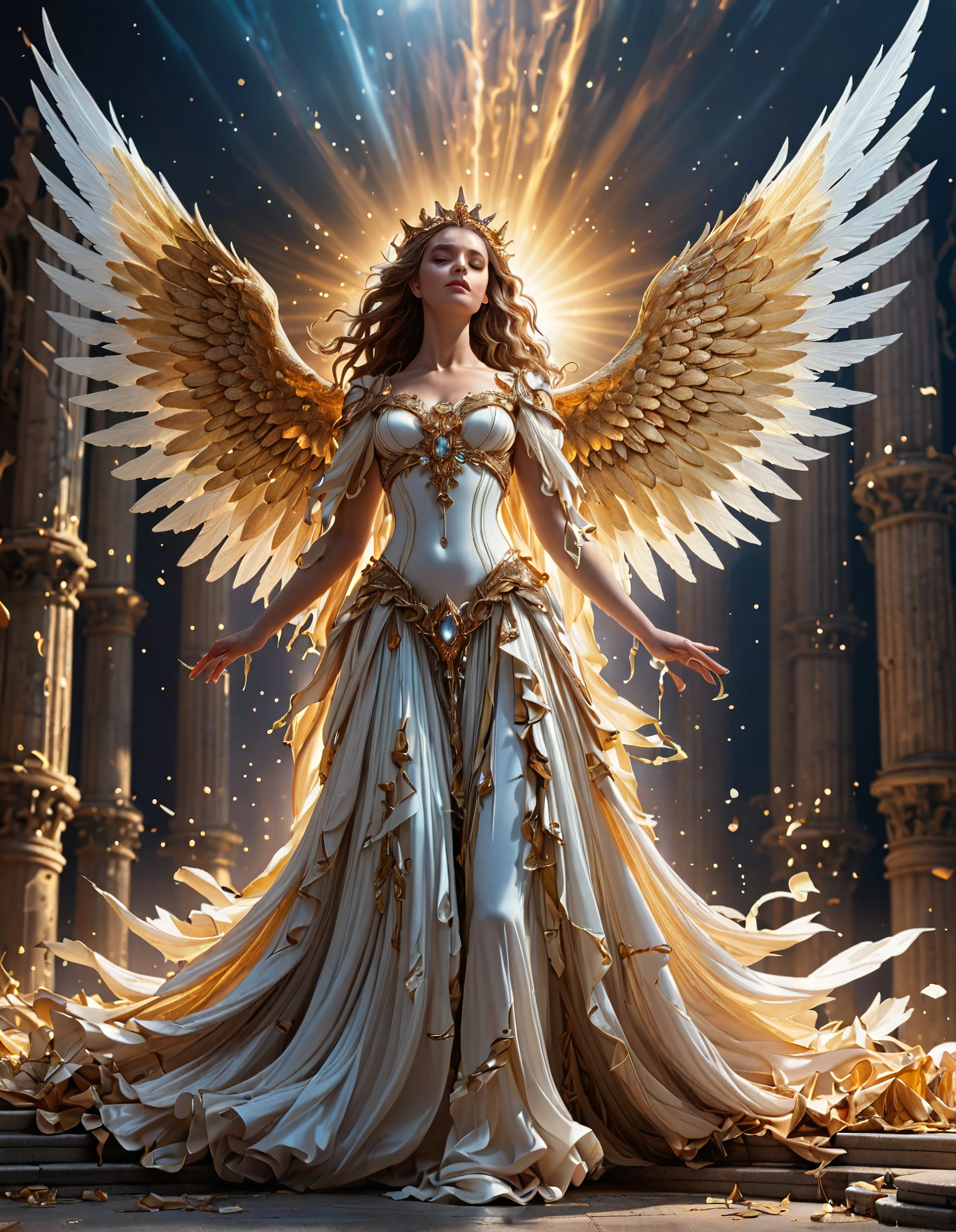
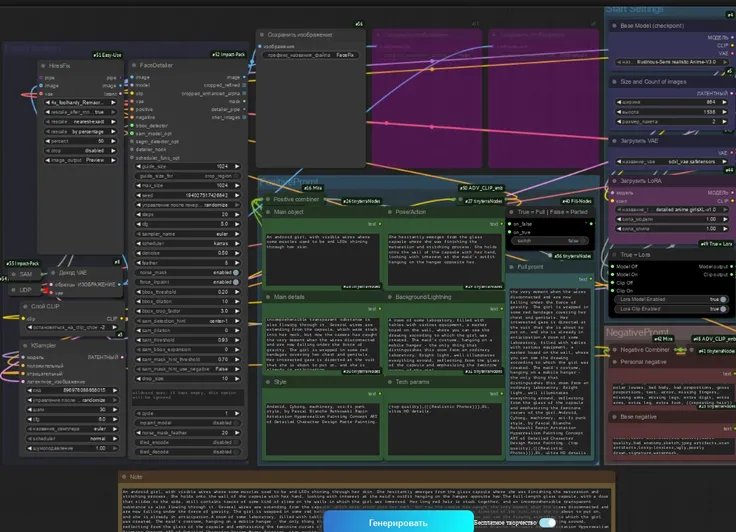
The Ultimate 24-bit SDXL ComfyUI Workflow
It is developed with more functions than any standard ConfyUI workflow. Firstly, it allows you to not only produce excellent images in 24-bit colour, but also allows you to use 2 models at the same time, 2 LoRA's (Language-Optimized Rendering Algorithms), at the same time, both use ratio loading which allows you to determine how much of each model you wish to use in any render. It has been set up to use standard SDXL & "Turbo & Lightning" models. FreeU V2 has been incorporated to give better outputs.
This workflow was designed to allow people with low VRAM 8Gb and at least 32Gb of onboard RAM, as well as working on servers. It's very versatile as it is and much can be designed with all the options made available to the user.
Please make sure you read the instructions for using the ratio model switches, setting these incorrectly will cause the workflow to "hang" and no image will be produced.
The upscaler we recommend to use is the 4x_UltraSharp.pth - this will upscale the final output to 4 times, please note your image will be upscaled before it even reaches the KSampler by a value of "2", so it is already doubled before the main upscaler takes over. We did not use the UltimateUpscaler due to the time frame and all the stitching it does which takes up valuable resources.
The Ultimate 24-bit SDXL ComfyUI Workflow:
1. 20-30 seconds per image (*not including upscaling which is also quick*).
2. Image is 24-bit by default (*you can change this by changing the main multiplier value from 2 to 1*).
3. All images are in "lossless" PNG format with all "EXIF data embedded".
4. Most images are between 20-30Mb in size, this gives the best quality and clarity.
6. Dual SDXL Model Merge Ratio built-in.
7. Dual SDXL Lora Merge Ratio built-in.
8. Dual SDXL CLIP Slip control per Model.
9. Dual Lora Selectors.
10. Dual Model Selectors.
11. FreeU V2 built-in.
12. Supports all SDXL "Turbo" & "Lightning" Models, as well as standard SDXL.
13. Supports "Preview" image on "KSampler Node (Advanced)" and Upscale "Preview". This allows you to stop waiting for failed image creation if you notice a failed image render. It can be "cancelled" in the "Comfy Manager" by deleting the current processing image or delete the follow up jobs if you have any queues, and make prompt adjustments, etc.
Tailored for users ranging from novices to experts, this workflow is versatile and accommodating, allowing for the seamless addition of extra nodes to further expand its capabilities. It is fast, and I tend to use "Turbo" and "Lightning" models with it. I only alter the steps and CFG slightly, if any images have defects.
Includes FreeU V2 (Optimized in this workflow)
If you haven't used FreeU before, there are plenty of resources on the settings of this and what each one does. It also shows before/after images so you can understand it's functions with AI. I used it since version 1, and upgraded the node to version 2, on release.

No data available


syrusxl
7
274
Explore Related











Download SeaArt App
Continue your AI creation journey on mobile devices