Generate
History
Private Creationvip-icon
Details
Veo 2 Image to Video
Original

Veo 2 Image to Video

212
0
1.0K
2025-05-30 08:13:02 Update

Rating & Review

5.0 /5
0 Ratings

Not enough ratings or reviews received yet

no-data
No data available

Veo 2 AI Video Generator from Image

Ready to bring your photos to life? Try Veo 2 image to video on SeaArt AI, for realistic motion and high-quality output, powered by Google Veo 2's stunning AI visuals.

Veo 2 Image to Video Generation

From Photo to Dynamic Visuals

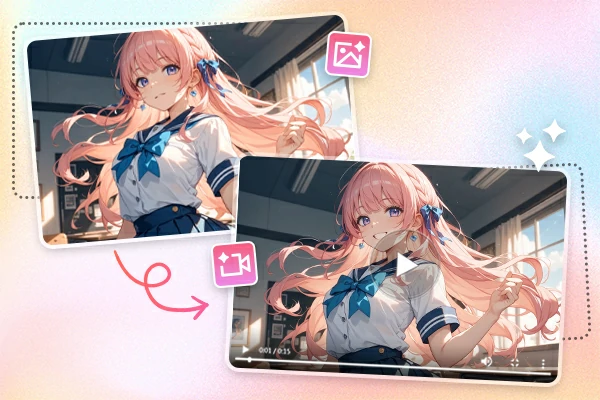
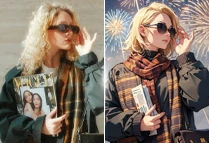
Veo 2 image to video uses advanced AI to transform a single photo into a dynamic video. By analyzing objects, backgrounds, and composition, this AI video generator creates realistic motion and depth. Your still images are brought to life with cinematic movement - no animation skills are needed.

Create Cinematic Videos

Stunning Cinematic Quality


Google Veo 2 produces high-resolution videos - up to 4K - with smooth transitions and camera-style movement. This Veo 2 video generator delivers professional-quality output from a single image, making it ideal for digital storytelling, marketing, or content creation without any manual editing or complex tools.

Create Different Styles of Video

Total Creative Freedom

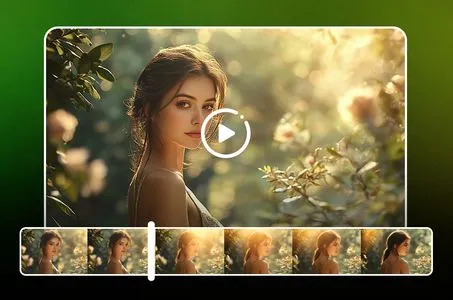
With Veo 2, you're not limited to just automated results, this tool is also excellent in text to video. Thanks to prompt-based input, you can guide the AI to match your unique vision, whether it's cinematic, surreal, or minimalist. Google Veo 2 supports all video styles.

Why Choose This Veo 2 Image to Video

No Watermark

Export clean videos with no watermarks - ideal for sharing and professional use.

Fast Creation

Generate animated videos from images in just a few minutes with powerful AI.

High Quality

Create smooth, cinematic 4K videos - no editing or animation skills needed.

Easy to Use

Simple interface for all users - no learning curve, just upload and create.

How to Use Veo 2 Image to Video?

Veo 2 uses deep generative AI to predict motion, lighting, depth, and context. Explore the power of Veo 2 image to video and turn your pictures into motion magic.

Step 1. Upload Image

Upload a high-resolution photo to the Veo 2 interface.

Step 2. Generate Video

Add a short prompt to guide the animation and click "Generate" to let Veo 2 analyze your image and prompt.

Step 3. Download Video

Wait a minute, download, or share videos directly on social platforms.

Veo2 Image to Video - FAQs

collapse

Does Veo 2 have an image to video?

Yes, Google Veo 2 supports both image to video and text to video generation. This powerful AI model can transform static images or written prompts into high-quality, realistic videos, making it a versatile tool for creators and developers alike.

expand

Is Google Veo 2 image to video free?

Currently, Google offers free access to Veo 2 for early testers, but a paid version might be introduced in the future. For a free alternative, try SeaArt AI. This tool provides daily free stamina, allowing users to experience AI-powered image-to-video generation without any cost.

expand

Where can I use Veo 2?

Veo 2 is mainly available in the United States through Google Labs' VideoFX tool. However, if you want unlimited access to similar AI-powered video generation, the SeaArt AI platform is an excellent choice. It offers flexible access with no regional restrictions, making it a great alternative for users worldwide.