

02:Use the Right Parameters to Forge the Perfect Model
Intro
"Why did someone else train a stunning 'World Effect' LoRA with 500 images of Tanjiro, while mine looked like a Muzan-fused disaster?" The truth is, poor parameter settings are more dangerous and harder to detect than data quality issues. LoRA Training Part Two! In this article, we will continue to use the "Demon Slayer" case study to break down the secrets of parameters, guiding you step by step to train a perfect model!
I. Three Must-Know Basic Parameters
1. Times per Image Repeat
What It Does
Controls how many times each image is studied by AI, equivalent to having AI review key images multiple times.
● Higher Values: AI forms a stronger memory of the image (ideal for core feature images).
● Lower Values: Prevents AI from overfitting/memorization (ideal for supporting angle images).
Recommended Settings
| Image Type | Suggested Repeats | Example |
| Standard Frontal | 3-5 times | Tanjiro holding his sword, facing forward |
| Special Angles | 1-2 times | Rare angles, like low-angle/top-down views |
| Highlight Details | 5-8 times | Nichirin blade close-up, Hinokami Kagura pose |
Avoiding Pitfalls
● Common Mistake: Setting all images to 10 repeats → Results in AI generating "multiple shadow clone" effect.
● Adjustment Tips: Give the 3-5 most important images (e.g., ID photo angles) 2x the repeat count.
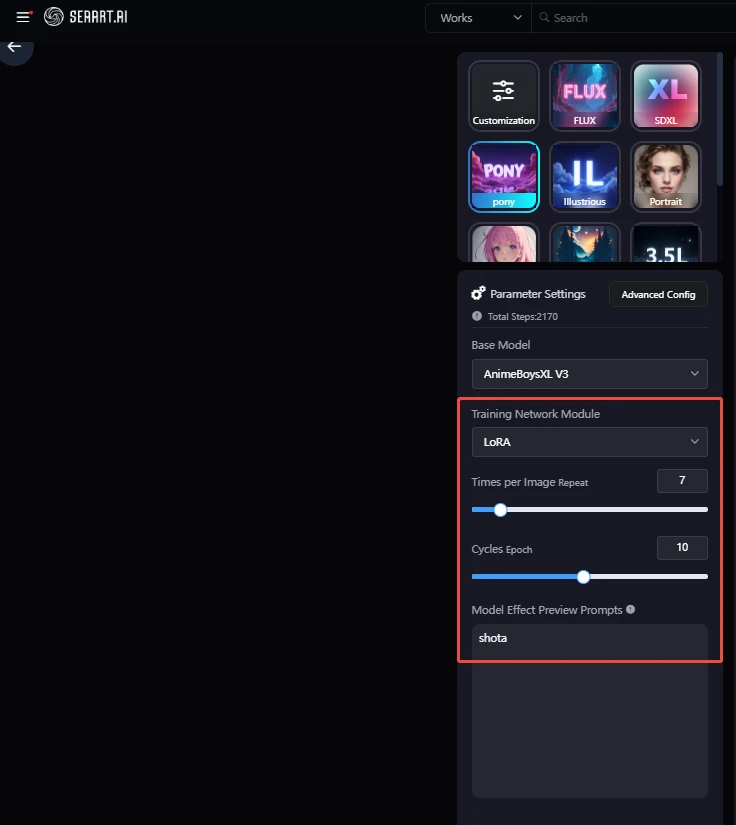
When using SeaArt's platform, all images must have a unified repeat count. In that case, use the "data weighting method" to simulate per-image weighting:
Recommended Setting Process
1. Select Core Images
a. Choose 5-10 golden samples (frontal, full-body, close-up detail).
b. Upload them 3 times in the dataset (equivalent to manual weighting).
2. Unified Repeat Count Recommendations
| Dataset Type | Suggested Value | Effect Description |
| High-quality & consistent images | 3 times | Balances learning intensity & overfitting risk |
| Includes ~20% blurred/angled images | 2 times | Prevents AI from learning flawed inputs |
| Includes duplicate core images | 2 times | Effectively counts as 6 repeats (3×2) |
Avoiding Pitfalls
● Overfitting Test: If Tanjiro always holds the same blade → your repeat count is too high.
● Underfitting Fix: In the next training round, add extra core images until they make up 30% of the dataset.
2. Cycles / Epochs
What It Does
Determines how many training cycles the full dataset goes through, equivalent to how many times you review for an exam.
● Total Training Steps = Number of Images × Image Repeat Count × Number of Epochs
Recommended Settings
| Dataset Size | Suggested Epochs | Total Step Range |
| 50 images | 15-20 epochs | 2,250-3,000 steps |
| 100 images | 8-12 epochs | 2,400-3,600 steps |
| 200 images | 5-8 epochs | 3,000-4,800 steps |
Dynamic Adjustment Tips
● Character Complexity:
○ Simple poses (e.g., standing): Reduce by 2-3 epochs
○ Dynamic effects (e.g., breathing styles): Add 3-5 epochs
* In the context of Demon Slayer LoRA training, "dynamic effects" refer to visual effects when characters use breathing styles, such as:
● Water Breathing: water flowing along the blade.
● Hinokami Kagura: flaming afterimages and sword trails.
● Thunder Breathing: lightning-speed streaks.
3. Model Effect Preview Prompts
What It Does
Acts as a "checkup report" by automatically generating preview images to monitor training quality.
Writing Principles (Example: Tanjiro)
1. Cover Key Features
"Tanjiro, green checkered haori, hanafuda earrings, forehead scar"
2. Test Flexibility
"Tanjiro, water breathing style, sideways sword drawing pose"
3. Challenge Limits
"Demonified Tanjiro, red eyes, facial markings, damaged haori"
Reminder:
● Do not include traits the model hasn't been trained on, e.g., "cybernetic arm."
II. Advanced Parameter Techniques
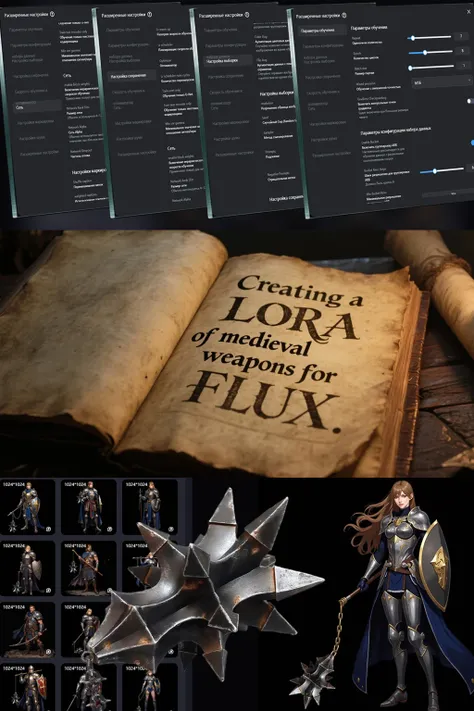
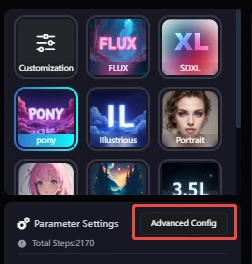
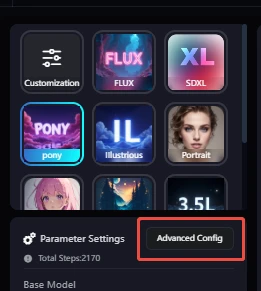
You can access the following settings in the Advanced Config panel to fine-tune your model more precisely.
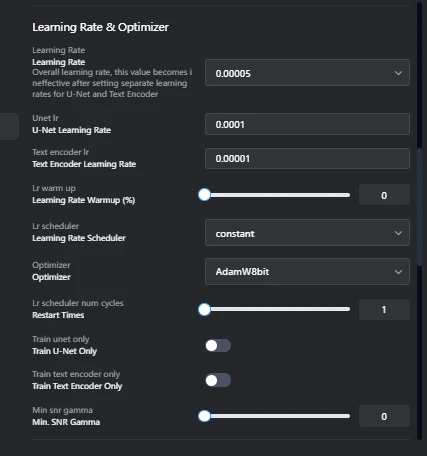
1. Learning Rate
What It Does: Controls the overall speed at which the AI learns.
Note: In SeaArt, this refers to the global learning rate. If you've separately specified learning rates for U-Net and the Text Encoder, this value will not take effect.
● Recommended Value: 0.00005 to 0.0001
● Comparative Results:
○ Too high → Facial features become blurry (e.g., Tanjiro's scar melts into color blocks).
○ Too low → 3 hours of training still won't teach the model sword details (his Nichirin blade turns into a firewood stick).
2. U-Net Learning Rate
What It Does: Controls the detail precision in the image generation module.
● Recommended Value: 0.0001
● Comparative Results:
○ Too high → Haori pattern becomes overly sharpened (like scratch marks).
○ Too low → Hinokami Kagura flame effects become smudged (like wet fire).
● Tuning Tips:
○ Temporarily increase to 0.00015 to fix misaligned elements like the sword sheath.
3. Text Encoder Learning Rate
What It Does: Adjusts how strongly text is linked to image features.
● Recommended Value: 0.00001
● Comparative Results:
○ Too high → Phrases like "Water Breathing" may trigger incorrect effects (e.g., lightning instead).
○ Too low → Prompts like "Modern Outfit Tanjiro" become ineffective.
● Tuning Tips:
○ Lower this value when you want to "lock in" specific character traits.
4. Learning Rate Warmup
What It Does: Prevents sudden jumps in learning speed at the start of training. Set to 0 to disable warmup.
● When to Use:
○ The dataset is high-quality and consistent (e.g., pure anime screenshots).
● Risk Warning:
○ If over 20% of the dataset is fan art, it is recommended to turn on 10% warmup.
5. Learning Rate Scheduler
What It Does: Dynamically adjusts learning speed during training.
● Recommended Option: Cosine
● How It Works:
○ Early/mid stage: fast learning → helps grasp character structure.
○ Later stage: slower learning → refines clothing details.
Here are the characteristics of each option, and you can select based on the actual training needs.
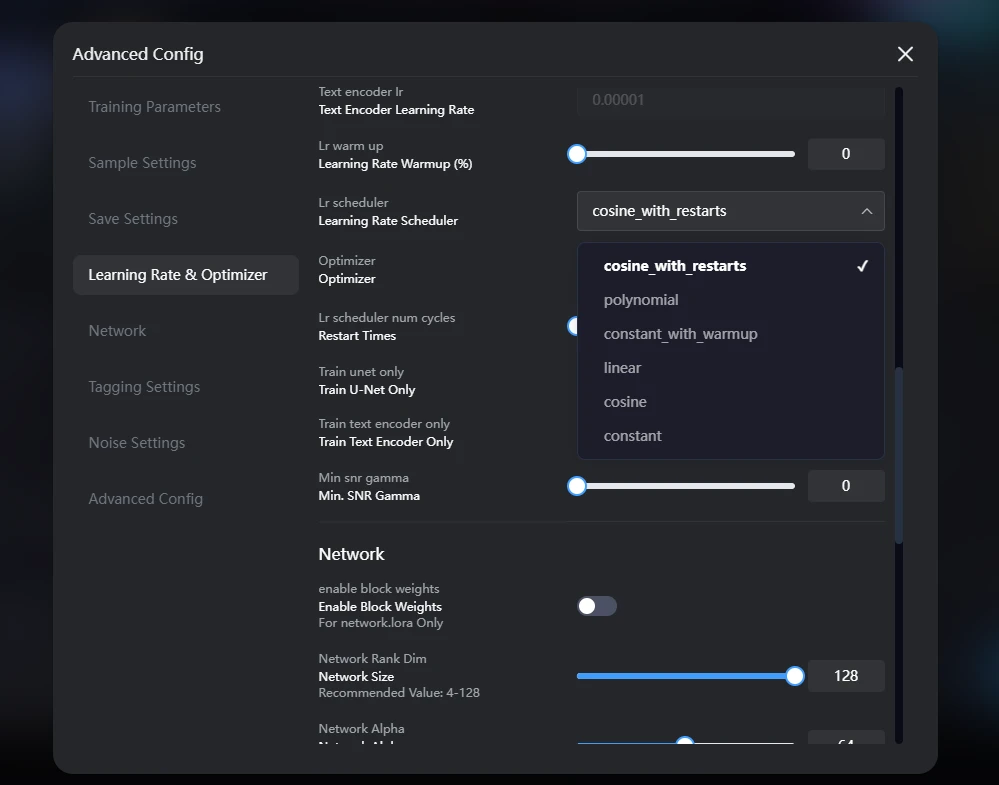 1. constant: Keeps a fixed learning rate constant throughout the training process.
2. cosine_with_restarts: Learning rate varies periodically according to a cosine function and restarts, cycling up and down like a roller coaster.
3. polynomial: Learning rate decreases smoothly along a polynomial curve, with faster decline in the early stage and slower decline in the later stage.
4. constant_with_warmup: First, slowly warm up by increasing the learning rate, then keep it constant.
5. linear: Learning rate decreases linearly at a constant speed.
6. cosine: Learning rate decreases smoothly following a cosine function, like sliding down a slide.
6. Optimizer
What It Does: Determines how parameters are updated during training.
● Recommended Option: AdamW8bit
● Advantage:
○ Saves up to 30% GPU memory → allows larger, high-resolution battle scene images to be loaded.
● Troubleshooting:
○ If color banding occurs → switch to default "Adam" and lower batch size.
7. Restart Times
What It Does: Forces the model to escape local optima.
● Best Practices:
○ Perform restarts at the 30% and 60% mark of total training steps.
● Warning:
○ More than 3 restarts may cause facial feature drift.
8. Training Module Switches
8.1 Train U-Net Only
What It Does: Focuses solely on improving image generation quality.
● Use Case:
○ Fixing abnormal hand structures (e.g., six-fingered Tanjiro).
● Operation:
○ Enable this and set learning rate to 0.0001.
8.2 Train Text Encoder Only
What It Does: Strengthens semantic understanding.
● Use Case:
○ Prevents AI from confusing "Hinokami Kagura" with "Flame Breathing."
● Operation:
○ Enable this and disable dynamic effect training.
9. Min. SNR Gamma
What It Does: Controls how noise affects training.
● Default Value: 0
● Dynamic Adjustment:
| Training Stage | Suggested Value | Effect |
| Early (1-5 epochs) | 0 | Preserves fire spark details in dark areas |
| Middle (6-15 epochs) | 3 | Enhances flame layering and contrast |
| Late (16+ epochs) | 0 | Prevents muddiness in special effect |
III. Common Parameter Pitfalls - What to Avoid
Forbidden Parameter Combinations Table
| Dangerous Combination | Appearing Issue | Emergency Fix |
| Large Batch + High LR | Face melts into a blob | Pause & reduce LR to 1/10 |
| Excessive Cropping + Low LR | Character turns stiff like a statue | Disable cropping, LR × 3 |