

How to Train Your Exclusive LoRA Model? Beginner's Guide 04 - Model Diagnosis and Iterative Optimization
Introduction
In the previous chapter, you successfully selected your "Best Choice"—LoRA 3 from many candidates. However, the path of "model alchemy" isn't always smooth sailing. Sometimes, even when we follow the process strictly, the resulting model may not meet our expectations. This is precisely the necessary checkpoint on the road to mastery! A mature trainer must not only know how to succeed, but also how to identify problems in the ashes of failure and turn stone into gold.
Part One: Visual Diagnosis: Understanding Problems Through Case Studies
Before fixing a model, we must first learn to accurately diagnose what went "wrong" by observing the images it generates. This process is somewhat like playing a "spot the difference" game, except we're looking for the model's flaws and weaknesses. Below, we'll learn how to solve these problems through several common failure cases.
Problem 1: Style Contamination
Symptoms:
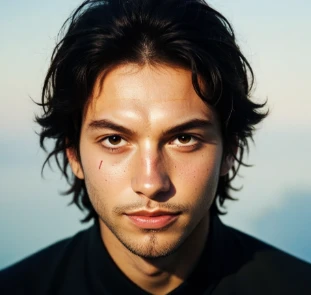
You want to train an "anime cartoon style" character, but the result looks like a "realistic face." Simply put, the model's style has been skewed by the base model.
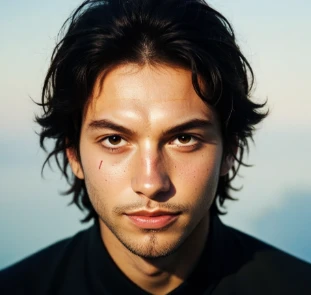
A Tanjiro that should be in anime style has turned into a realistic or oil painting style, with facial features and overall style that look inappropriate.
Solutions:
1. Check base model compatibility: This is the primary reason! Ensure that your chosen base model has a style similar to your training set. Use anime base models for anime characters, and realistic base models for realistic characters.
2. Increase your dataset: If your style is unique and significantly different from all base models, you need more training images (e.g., increase to 40-50) to "overcome" the base model's strong style inertia.
3. Increase training epochs: Give the model more time to learn your unique style. If 10 epochs resulted in contamination, try training for 15-20 epochs.
Problem 2: Feature Loss
Symptoms:
Key features of the model, such as Tanjiro's forehead scar and hanafuda earrings, appear inconsistently or completely disappear in the generated images.
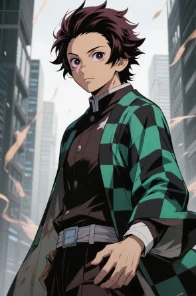
A character that looks very much like Tanjiro, but with a clean face without the characteristic scar, and no earrings.
Solutions:
1. Ensure data consistency: Check all your training images to ensure that the key features you want to train (scars, earrings, specific clothing, etc.) are visible in every image.
2. Detailed tagging: This is the most important step! You must explicitly label these key features in the prompt for each training image, such as "kamado tanjiro, scar on forehead, hanafuda earrings, green checkered coat..."
3. Increase repetitions: In the training settings, set the repetition number for images containing core features to 2 or higher, essentially telling the model loudly: "Look here! This feature is important! Learn it thoroughly!"
Problem 3: Generalization Collapse
Symptoms:
The model becomes a "bookworm," only able to draw poses it has seen during training. If you trained with frontal shots and ask it to draw a side view, the face immediately falls apart.
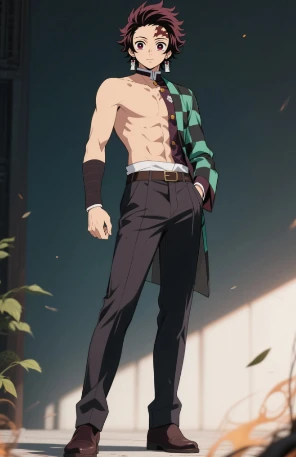
A Tanjiro with a normal upper body but a lower body that's completely unrelated to the original, or with messy facial features in profile view.
Solutions:
Enrich dataset diversity: This is the only and most fundamental solution! Your training set must be like a rich album, not a stack of ID photos. Be sure to include:
● Different angles: Front view, side view, three-quarter view.
● Different shot types: Close-up, half-body, full-body.
● Different poses: Standing, sitting, running, jumping, fighting, etc.
● Different expressions: Joy, anger, sorrow, happiness.
Problem 4: Burnt/Overfitting
Symptoms:
The generated images have oversaturated colors, pitch-black shadows, harsh highlights, and look "burnt," losing all texture quality.
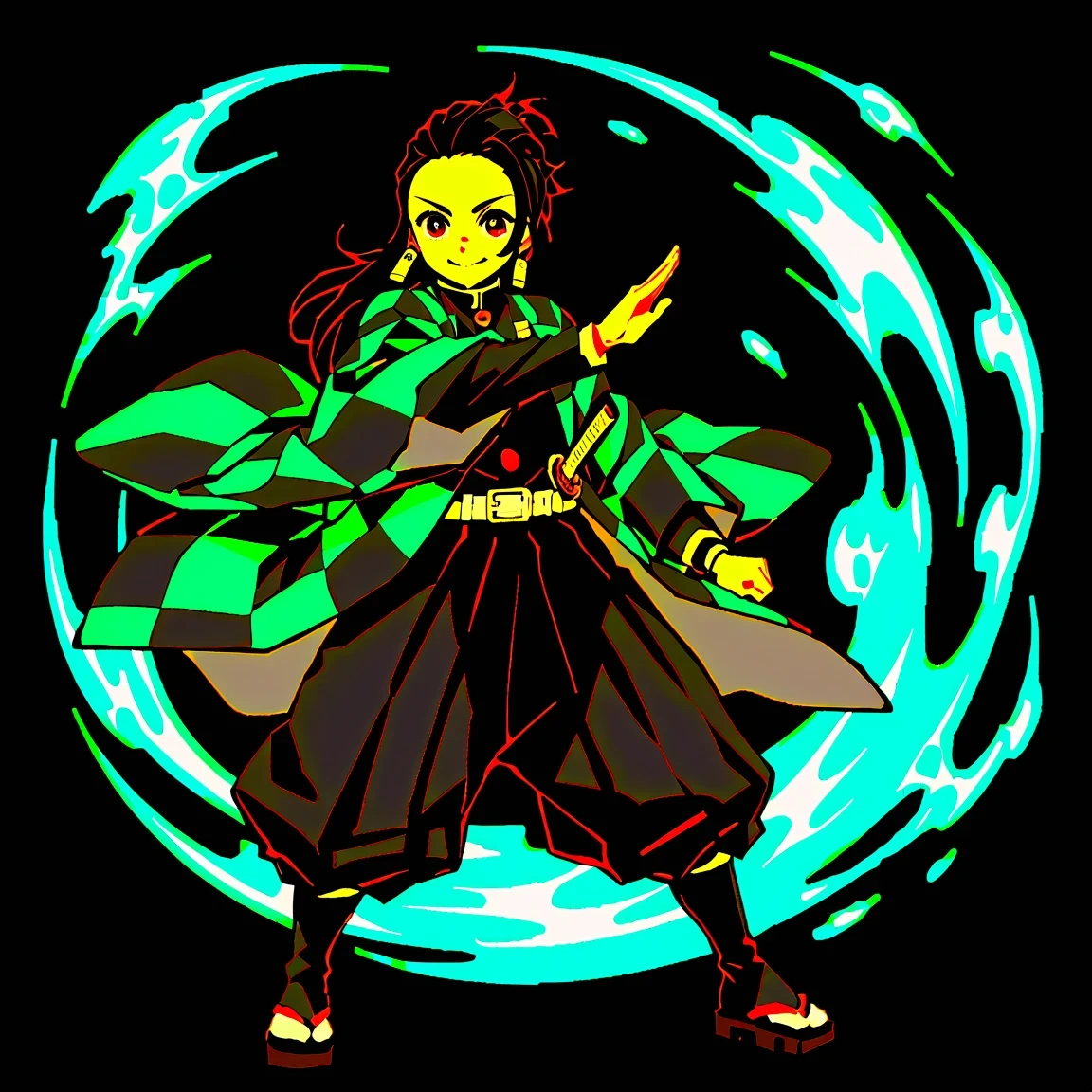
A LoRA 9 or LoRA 10 evaluation image that we are familiar with, showing obvious color blocks and an oily look on the character's face.
Solutions:
1. "Take out" earlier: This is the simplest and most effective method. Since we know LoRA 9 is overcooked while LoRA 3 is just right, next time we can manually stop training at the appropriate number of epochs, or only use the models that came out earlier.
2. Lower the learning rate: Reducing the learning rate (e.g., from 2e-4 to 1e-4 or 5e-5) can make the model learn more "gently" and "meticulously," preventing it from being too aggressive and "burnt."
3. Use a learning rate scheduler: In the advanced settings of training parameters, find the learning rate scheduler and select cosine or linear. It gradually reduces the learning rate as training progresses, allowing for "fine-tuning" in the later stages of training, which is a professional technique to prevent overfitting.
Final Tip: "Iterative Training"—Moving Forward on the Shoulders of Failure
When your painstakingly trained model is just "a little bit" imperfect (e.g., LoRA 3 is good but slightly breaks at certain angles), you don't need to start from scratch! You can perform "iterative training."
How to do it:
1. Return to the training settings page.
2. Upload your optimized dataset (e.g., with a few additional side-face images).
3. Set the learning rate lower (e.g., 5e-5) because we're now "fine-tuning," not "overhauling."
4. Train for only a few epochs (e.g., 3-5).
With this method, you can perform "corrective surgery" on your model at minimal cost, making it perfect!
日本語版
LoRAモデルのトレーニング方法 - 初心者必見04-モデル診断と反復最適化
はじめに
前章では、多くの候補から、あなただけの『理想のモデル』——LoRA 3を選び出すことができました。しかし『錬金術』の道は、必ずしも順風満帆ではありません。時には、手順通りに操作しても、出来上がったモデルが期待通りにならないことがあります。これこそが、マスターへの道の必須関門なのです!熟練のトレーナーは、成功への道筋を知るだけでなく、失敗から教訓を見出し、それを成功に変える方法も知っているのです。
パート1:可視化診断:事例から問題を理解する
モデルを修正する前に、まず生成された画像を観察し、モデルの『問題点』を正確に判断する方法を学ぶ必要があります。このプロセスは『間違い探し』のようですが、私たちが探すのはモデルの欠陥と弱点です。以下では、代表的な失敗事例を通じて、これらの問題の解決方法を一緒に学んでいきましょう。
問題一:スタイル汚染 (Style Contamination)
表現:
『リアル風』のキャラクターを作りたいのに、出来上がったのは『二次元アニメ顔』。つまり、モデルのスタイルが基本の大規模モデルに『引きずられた』状態です。
本来二次元スタイルであるべき炭治郎が、奇妙なリアル感や油絵風になり、顔の特徴やスタイルが中途半端になっています。
解決策:
1.ベースモデルの適合度を確認:これが最も重要な原因です!選択した基本の大規模モデルがトレーニングセットのスタイルとほぼ一致していることを確認してください。二次元キャラクターなら二次元ベースモデルを、リアルな人物ならリアルベースモデルを使用します。
2.データセットを増やす:あなたのスタイルが非常に独特で、すべてのベースモデルと大きく異なる場合、ベースモデルの強力なスタイル慣性を転換するために、より多くのトレーニング画像(例:40〜50枚)が必要です。
3.トレーニングのエポック数を増やす:モデルがあなたの独自のスタイルを学習する時間をより多く与えます。元々10エポックで汚染されていた場合、15〜20エポックのトレーニングを試してみましょう。
問題二:特徴の喪失 (Feature Loss)
表現:
炭治郎の額の傷跡や花札耳飾りなど、重要な特徴が生成画像に時々現れたり、完全に消えたりします。
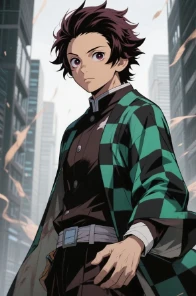
炭治郎によく似たキャラクターですが、顔はきれいで特徴的な痣がなく、耳飾りもない状態です。
解決策:
1.データの一貫性を確保:すべてのトレーニング画像で、重要な特徴(痣、耳飾り、特定の服装など)が明確に確認できるようにします。
2. 詳細なタグ付け:最も重要なステップです!トレーニング画像のすべてのタグ(プロンプト)に、これらの重要な特徴を明確に記載します。例:竈門炭治郎、額の痣、花札耳飾り、緑の市松模様の羽織…
3. 繰り返し数を増やす (Repeats):トレーニング設定で、重要な特徴を含む画像の繰り返し数を2以上に設定します。これはモデルに『この特徴は重要だから、しっかり覚えて!』と強調するようなものです。
問題三:汎化崩壊 (Generalization Collapse)
表現:
モデルが『パターン化』し、トレーニング時に見たポーズしか描けなくなります。正面の写真でトレーニングして、横顔を描かせると、顔がすぐに崩れてしまいます。
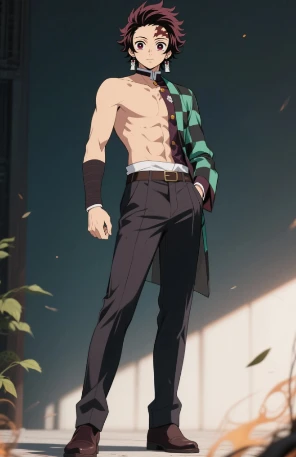
上半身は正常な炭治郎ですが、下半身が原型と異なったり、横顔の特徴が崩れたりしています。
解決策:
データセットの多様性を豊かにする:これが唯一の、そして最も根本的な解決方法です!トレーニングセットは、多様な表現を含む豊かなアルバムであるべきです:
● 異なる角度:正面、横顔、4分の3横顔。
● 異なるショット:クローズアップ、半身、全身。
● 異なるポーズ:立ち姿、座り姿、走る、跳ぶ、戦闘など。
● 異なる表情:喜び、怒り、悲しみ、楽しさ。
問題四:画像の焦げ / 過学習 (Burnt / Overfitting)
表現:
出力画像の色が過度に飽和し、影が真っ黒、ハイライトが真っ白で、画像が『焦げた』ように質感が失われています。
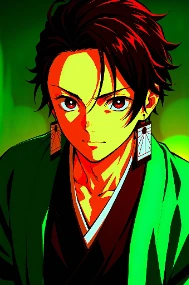
LoRA 9やLoRA 10の評価画像では、キャラクターの顔に色のブロック感が強く、線が不自然に際立っています。
解決策:
1.早めに『取り出す』:最も簡単で効果的な方法です。LoRA 9が焦げてしまい、LoRA 3が良好な場合、次回は適切なエポック数でトレーニングを手動で停止するか、早めのバージョンを選びます。
2.学習率を下げる(Learning Rate):学習率を少し下げる(例:2e-4から1e-4または5e-5に)と、モデルがより『丁寧』に学習でき、過度な学習を防げます。
3.学習率スケジューラを使用 (LR Scheduler):トレーニングパラメータの詳細設定で、学習率スケジューラをcosineまたはlinearに設定します。これによりトレーニングの進行に伴って学習率が徐々に低下し、後期の『微調整』が可能になります。
最終テクニック:『反復トレーニング』—失敗を踏み台に前進する
苦労して作ったモデルが『わずかに』不完全な場合(例:LoRA 3は良いが、特定の角度で少し崩れる)、ゼロからやり直す必要はありません!『反復トレーニング』が可能です。
操作方法:
1. トレーニング設定ページに戻る。
2. 最適化したデータセット(例:横顔の画像を追加)をアップロード。
3. 学習率をより低く設定(例:5e-5)—これは『微調整』であり『大幅な変更』ではないため。
4. 少ないエポック数(3〜5エポック)でトレーニングを実施。
この方法で、最小限のコストでモデルに『修正』を加え、より完成度の高いものに近づけることができます!