
👉日本语版
Why are multiple characters so difficult?
In AI image generation, creating a single character usually works well. But as soon as you try to put multiple characters in one frame, things often go wrong:
Characters merge, resulting in "two-headed monsters" or "multi-armed monsters."
Facial features get mixed up, making one person look like they have two faces.
Character positions are chaotic, making it hard to tell who is who.
Even if two characters are generated, the image lacks interaction and looks stiff.
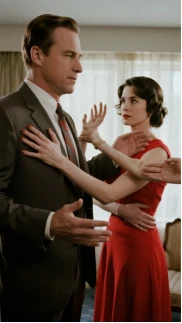
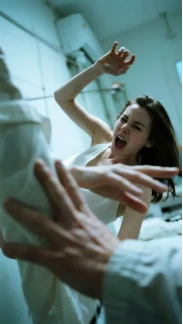
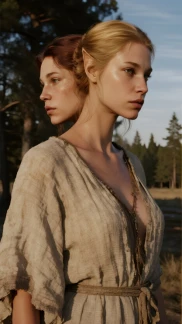
The core reason: The AI model doesn't automatically understand, "these are two different people." Instead, it blends all the descriptions together, resulting in a chaotic mess.
Core Technique 1: Precise Description
The first step to solving this problem is to give each character a separate, complete identity and set of features. Otherwise, the AI will get confused.
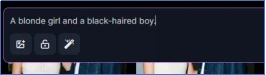

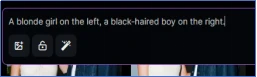
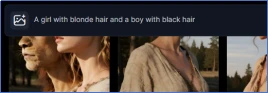
Correct: A blonde girl on the left, a black-haired boy on the right.

Result: The AI can recognize them as two distinct individuals.
Incorrect: A blonde girl and a black-haired boy.

Result: The AI fuses their features into a single, mixed-up character.
Key Pointers:
- Clearly state "who is on the left/right/in the foreground/in the background."
- Give each character basic features (hair color, gender, posture).
- Don't gloss over the details; make sure the AI "knows" each character
Core Technique 2: Character Separation
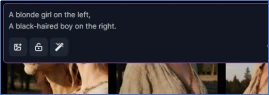
Even with a clear description, if you write the prompts for both characters on a single line, the AI can still mix them up. So, the second technique is character separation.
You can use:
Commas (,)
Periods (.)
Line breaks (by writing on separate lines)

Key Pointers:
- Place each character on a separate line, ideally with punctuation to indicate a pause.
- Separation allows the AI to "switch its focus" and avoid confusion.
Core Technique 3: Defining Interaction and Relationships
It's not enough for two characters to just stand apart. If they have no interaction, the image will look static and lack a story. The third technique is defining interaction and relationships.


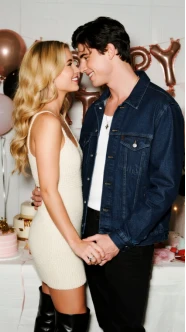
Example Prompts:
a girl looking at a boy → The girl is looking at the boy.
two people holding hands → Two people are holding hands.
a couple dancing in the party → A couple is dancing.
Key Pointers:
- Use action verbs (look at, hold, dance, hug, smile at).
- Define their spatial relationship (standing on the left/right, face to face, back to back).
- Interaction makes the image more atmospheric and emotional.
Practical Demo: A Couple Dancing in the Rain
Let's look at how these three techniques work in a practical case.
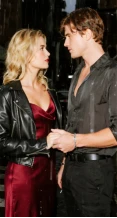
Goal: Generate "a couple dancing in the rain."


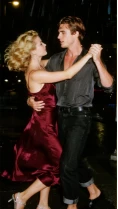
Adding a Precise Description:
"a blonde girl on the left, a black-haired boy on the right"
Result: The two characters are separated, but their poses are stiff.
Using Character Separation:
Separate the descriptions with commas or line breaks → The characters' positions become clearer.
Defining Interaction and Relationship:
"a couple dancing in the rain"
Result: The image is romantic and natural, with genuine interaction between the characters.
Through these step-by-step optimizations, we went from a failed image to a successful one, generating an ideal scene with multiple characters.
Summary & Technique Review
To successfully generate multiple characters in a single AI image, the core secret lies in three points:
Precise Description: Give each character a complete identity and features.
Character Separation: Use punctuation or line breaks to make each description clear and distinct.
Defining Interaction: Use action verbs to create a connection between the characters.