
類型
Other
发布時間
2023-09-23
基础模型
Other
版本介绍
Initial version

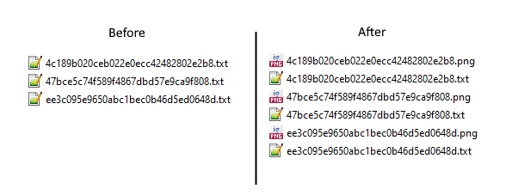

This is a script to generate images from a folder. I made it to batch generate and save images from prompt files.
Download the archive, and ????? the script to the "scripts" folder (located in your webui folder).
Save all your prompt files as ".txt" files in a chosen folder.
Select the "Prompts from folder" script in "txt2img", and set the path to your folder in "Directory Path".
Press "run". It will generate and save the images to your chosen folder.
Note: Do not put anything in the txt2img prompt, as the prompt files will override it.
To generate regularization images for your dataset:
use the same model you are going to train (animefinal-full-pruned.ckpt if NAI, etc)
same Clip Skip as training
use the same VAE embedded in your training (or none if none)
same prompt as the caption for the training image (use the prompt files of your dataset with the script)
use DDIM as sampling method
resolution equal to your training resolution (not the same as the training image!)
seed should be equal to your training seed (420 if you didn't touch it in the scripts).
remove any activation tags on the prompts before generating
Initial version
1. 轉载模型僅供學習與交流分享,其版權及最終解释權归原作者。
2. 模型原作者如需認領模型,請通過官方渠道联系海藝AI工作人員進行認證。我們致力於保護每一位創作者的權益。 點擊去認領
