類型
LORA
发布時間
2023-05-10
基础模型
SD 1.5
触发词
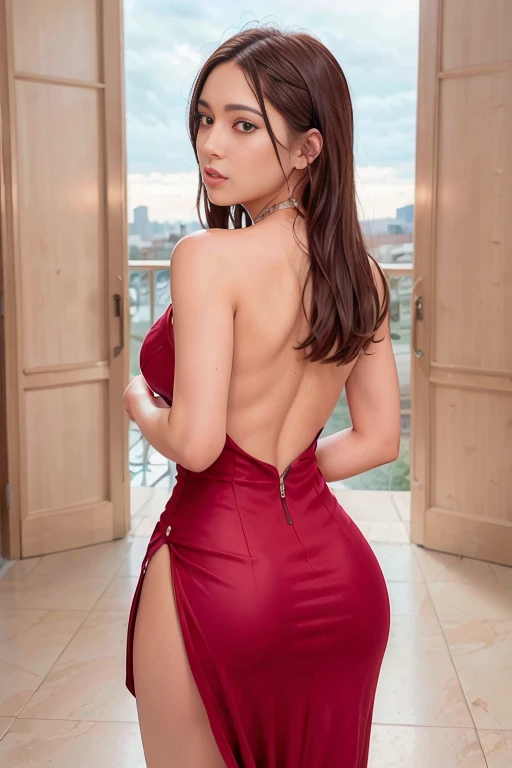
back_view
photo from behind
looking_at_viewer
復制


Get early access to build and test build, be able to try all epochs and test them by yourself on Patreon or contact me for support on Discord
To support me you can buy me a coffe at https://ko-fi.com/antonioriolo
Recommended settings:
Make sure you are aware on the usage instructions of LORA
CFG Scale : 5 to 10
LORA weight for txt2img: reccomended 0.4-0.9.
Keys: back_view, photo ???????????, looking_at_viewer
Very simple to use, just use the keywords, i advice to use togheter back_view, photo ???????????, looking_at_viewer with a weight like 1.3 should work most of the times.
In the training i added looking_at_viewer in captioning for half of the images since the others were looking in front of them and i wanted to split the 2 concepts, but it seem i had to add some captioning also to the others to split better.
Now it seem it's only capable of drawing images of people looking at the viewer, even putting looking_at_viewer in negative prompt didn't work for me. Maybe in the future ill come up with a new version that can handle also this.
Works with both realistic and anime images.
Enjoy!
If you'd like to support my efforts and have access to early and bleeding edge builds, please think about joining my Patreon: https://www.patreon.com/betterCuteAsians
1. 轉载模型僅供學習與交流分享,其版權及最終解释權归原作者。
2. 模型原作者如需認領模型,請通過官方渠道联系海藝AI工作人員進行認證。我們致力於保護每一位創作者的權益。 點擊去認領
