
開始創作
最近使用
私密創作vip-icon
原創 - 創作者激励計劃

時光機

4.4
2025-09-01 06:56:03 更新
51.7K 看過
19.3K 使用
156
1
评論
1
0/400
共 0 条评論
empty
暂无數據

免費AI年齡濾鏡在線:遇見更年輕或更年長的自己

用免費 AI 年齡改變器,體驗在你自己臉上的時光旅行魔法。

SeaArt AI 年齡濾鏡

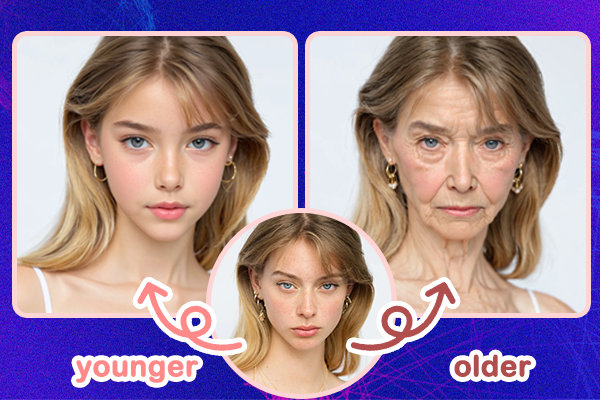
AI老年化濾鏡和AI年輕化濾鏡

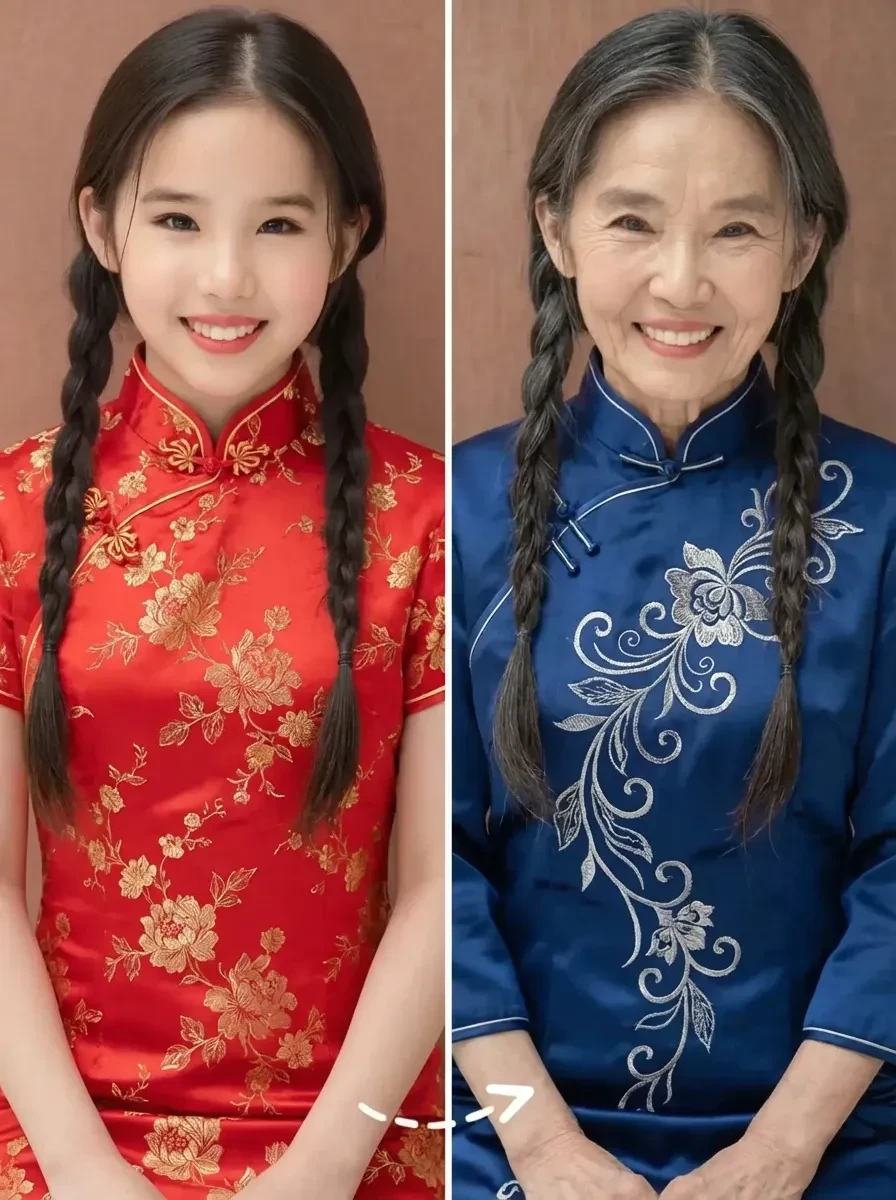
你是否好奇自己50年後會是什麼樣子,或者你小時候長什麼樣?SeaArt AI 的線上照片年齡改變器,讓你只需上傳一張圖片,就能探索過去和未來的自己。你可以輕鬆調整年齡從0歲甚至到100歲,整個轉換過程快速、簡單且真實。

分享 AI 年齡變化歷程

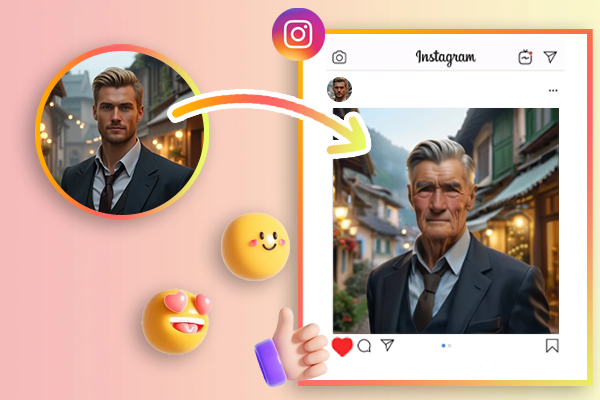
Join the Time Travel Trend on Social Media

時光旅行風潮正在社交媒體上流行,特別是在 Instagram 和 TikTok 等平台,用戶喜歡將自己的臉轉換為更年輕或更年老的真實照片。有了 SeaArt 的 AI 濾鏡,你可以添加如皺紋、白髮等驚人的細節,獲得更多關注和讚好。

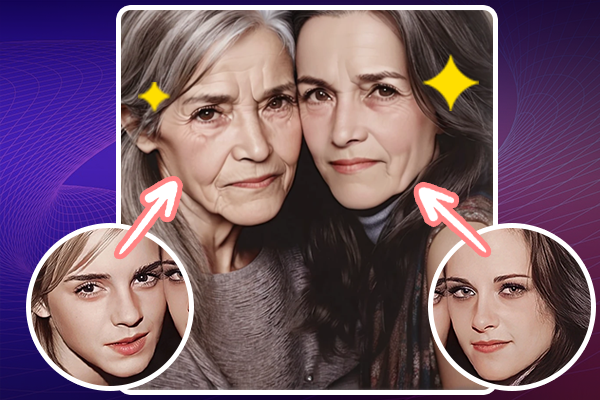
Transform age for a group photo

Prank Your Friends with Transformed Photos

想和家人和朋友一起玩得開心嗎?使用這個有趣的面部變老AI濾鏡,將您或他們的照片進行轉換,展示他們可能看起來比預期更老或更年輕的樣子。這是一種有趣的方式來讓大家驚喜,而最棒的是,它完全免費且易於使用!

Why Choose SeaArt AI Age Filter?

AI Face Detection

先進的AI技術使照片掃描和面部特徵識別更出色。

Multi-Age Options

這款 AI 影像年齡變換器提供多種 AI 研發的年齡過濾選項。

Unmatched Accuracy & Realism

照片年齡改變器提供平滑自然的效果,無失真。

完全可自定義

您可以根據您的確切偏好調整年齡。此AI濾鏡提供精確的靈活性,以滿足您的創意願景或項目需求。

如何使用 AI 照片年齡濾鏡

Discover how to use the aging tool to visualize the passage of time on any image.

Step 1: Upload Your Photo

Visit SeaArt AI age filter on your mobile or PC browser, and simply upload a portrait photo of yourself.

Step 2: Choose Aging Style

Select your preferred aging style and adjust the creativity level to your liking. The first parameter intensity defaults to 2, if you want to change to a child and set it to -2.

Step 3: Generate Image

點擊「創建」按鈕,即可免費在線使用年齡改變 AI,等待幾秒鐘即可看到你轉變後的圖片。

常見問題-線上免費年齡濾鏡

collapse

How can I make my photo look younger or older?

With the SeaArt's AI age filter, you can change yourself age with just a few clicks. Just take a photo and let the aging filter show you what you'll look like when you're old or child.

expand

SeaArt AI 年齡改變器可以使用哪些格式?

Image formats we support: JPEG/JPG, PNG, GIF and other mainstream image formats.

expand

如何免費在線改變我的臉部年齡?

SeaArt AI 也提供臉部年齡計算器,讓你只需幾秒鐘即可得知你的臉部預估年齡——只需上傳你的照片即可獲得結果。

empty
暂无數據