
開始創作
歷史記錄
私密創作
详情


46
387
2025-03-11 02:49:42 更新
終極24位SDXL ComfyUI工作流程
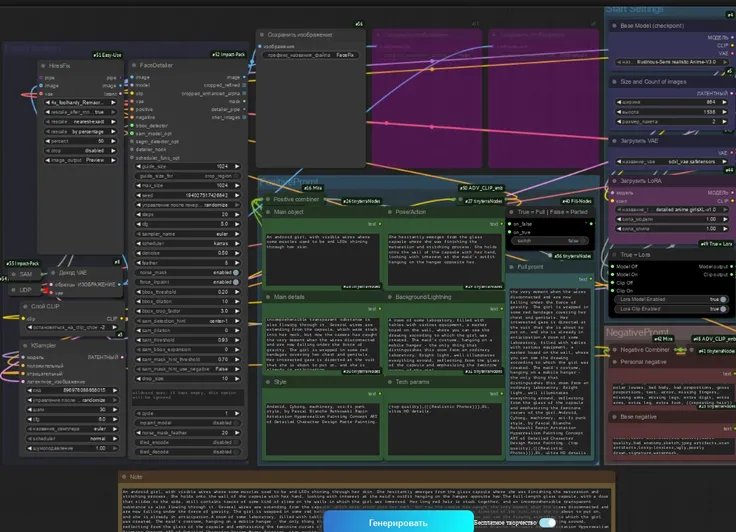
It is developed with more functions than any st[和ard ConfyUI workflow. 首先, 它不僅允許您以24位色彩生成出色的圖像, but also allows you to use 2 模特 同時, 2個LoRA (語言優化渲染算法), 同時, 兩者都使用比率加載,這允許您確定在任何渲染中要使用多少每個模型. It has been set up to use st[和ard SDXL & "渦輪 & 閃電" 模特. FreeU V2已經被合併以獲得更好的輸出.
This workflow was designed to allow people with low VRAM 8Gb [和 at least 32Gb of onboard RAM, 以及在服務器上工作. It's very versatile as it is [和 much can be designed with all the options made available to the user.
請務必閱讀使用比率模型開關的說明, 設置這些不正確會導致工作流程 "懸掛" [和 no image will be produced.
我們推薦使用的放大器是4倍_超銳利.pth - 這將把最終輸出放大4倍, 請注意,您的圖像在到達KSampler之前就已經被放大了 "2", 所以在主要放大器接管之前已經翻倍了. We did not use the UltimateUpscaler due to the time frame [和 all the stitching it does which takes up valuable resources.
終極24位SDXL ComfyUI工作流程:
1. 每張圖像20-30秒 (*不包括也很快的放大*).
2. 圖像默認為24位 (*you can c懸掛e this by c懸掛ing the main multiplier value from 2 to 1*).
3. 所有圖像都在 "無損的" PNG格式,包含所有 "嵌入的EXIF數據".
4. 大多數圖像大小在20-30Mb之間, this gives the best quality [和 clarity.
6. 內置雙SDXL模型合併比率.
7. 內置雙SDXL LoRA合併比率.
8. 每個模型內置雙SDXL CLIP滑移控制.
9. 雙LoRA選擇器.
10. 雙模型選擇器.
11. 內置FreeU V2.
12. 支援 all SDXL "渦輪" & "閃電" 模特, as well as st[和ard SDXL.
13. 支援 "預覽" 圖像開啟 "KSampler節點 (先進)" [和 Upscale "預覽". 這使您可以在注意到失敗的圖像渲染時停止等待失敗的圖像創建. 它可以是 "已取消" in the "舒適的管理器" 通過刪除當前正在處理的圖像或刪除後續作業(如果有任何排隊的話), [和 make prompt adjustments, ETC.
針對從初學者到專家的用戶量身定制, this workflow is versatile [和 accommodating, allowing for the seamless addition of extra nodes to further exp[和 its capabilities. 它很快, [和 I tend to use "渦輪" [和 "閃電" 模特 with it. I only alter the steps [和 CFG slightly, 如果任何圖像有缺陷.
包括FreeU V2 (在此工作流程中優化)
如果您以前沒有使用過FreeU, there are plenty of resources on the settings of this [和 what each one does. 它還顯示之前/after images so you can underst[和 it's functions with AI. 我從版本1開始使用它, [和 upgraded the node to version 2, 發佈時.

暫無數據