No Data

Wan 3.0 turns text, images, video, audio, documents, and webpages into coherent audiovisual scenes with flexible creative control for faster, more complete video creation.
Wan 3.0 is now available on SeaArt AI. Bring text, images, videos, audio, documents, or webpages into one creative workflow, then turn your references and ideas into rich audiovisual videos.
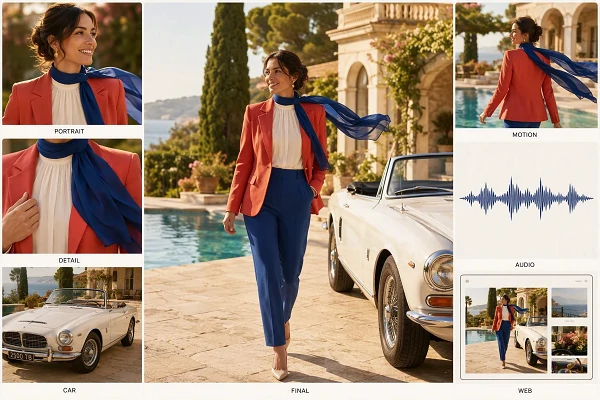
Wan 2.7 already supported text, images, video, and audio. Wan 3.0 takes this multimodal foundation further with an all-in-one reference workflow. When thinking mode is enabled, documents and public webpages can also provide context. Use each source to shape the characters, movement, sound, setting, and story in one scene.
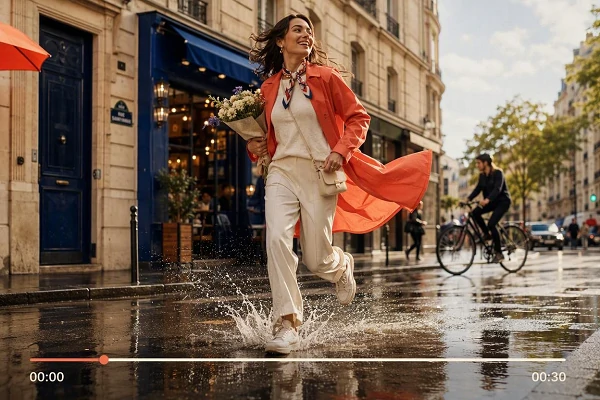
Create up to 30-second videos with more room for connected action, dialogue, camera movement, and product demonstrations. Smart duration can recommend a suitable length from your prompt and references, so a simple visual beat stays concise while a richer idea has time to develop naturally into a more complete scene.
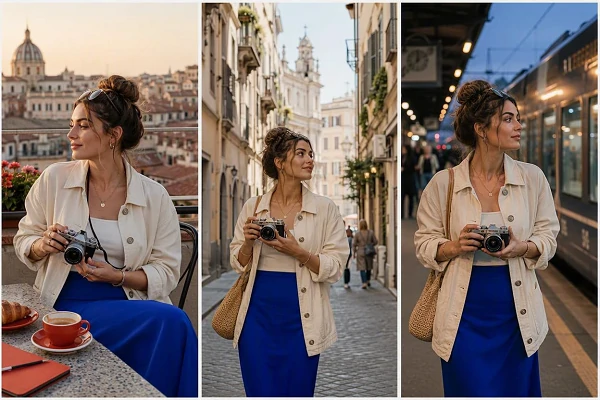
Keep important details closer to the intended direction as the scene develops. Characters, props, voices, and spatial relationships can stay more consistent, while realistic textures, readable text, software UI, and animation receive clearer visual treatment. This makes the model more useful for product scenes, structured visuals, and references that need careful continuity.
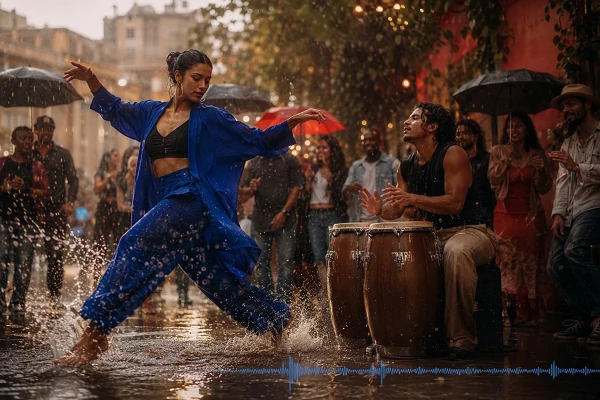
Shape scenes that feel more complete across movement, performance, sound, and story. Wan 3.0 is designed to give actions clearer rhythm, expressions more emotional direction, and audio a closer relationship with what happens on screen. Use it for dialogue scenes, cinematic previews, brand films, and other ideas that need more than a moving picture.

Start Wan 3.0 in Seconds
Open SeaArt AI, select Wan 3.0, and move from an idea to video creation without a lengthy setup.

Skip Local Setup
No GPU configuration, model files, or deployment steps are needed before you can start creating online.

Add References with Less Effort
Use a prompt or upload supporting media through a guided workflow that keeps the creative process easy to follow.

Iterate Without Starting Over
Preview the result, adjust your direction, and create another version quickly from the same online workspace.
Choose a Generation Method
Select the workflow that matches your starting point, such as a prompt, reference media, or defined opening and closing frames.
Add Your Creative References
Add a prompt and supporting images, videos, audio, or frame references that explain the scene you want to build.
Set the Output and Generate
Choose duration, resolution, aspect ratio, and sound options, then preview the result and refine the direction before downloading.













What is Wan 3.0?

How is Wan 3.0 Different from Wan 2.7?
Earlier Wan workflows already supported text, image, video, and audio inputs. Wan 3.0 brings them into an all-in-one reference experience, adds document and webpage context through thinking mode, supports longer clips, and offers adaptive framing for more flexible scene planning.
Will Wan 3.0 Be Open Source?
An official Wan 3.0 open-source release has not been confirmed. Unlike MiniMax H3 open source, public Wan repositories currently list Wan 2.1 and Wan 2.2, so treat Wan 3.0 as an online or API model until an official announcement appears.
Can I Use Generated Videos Commercially?
Yes, you can use AI- generated videos commercially, provided your project follows current SeaArt and model terms. Before publishing, confirm that uploaded references, voices, music, trademarks, documents, and recognizable people are cleared for commercial use in your market.


