

SeaArt vs ComfyUI: Which AI Art Generator Fits Your Workflow?
So, you've seen the incredible AI art flooding your social feed and you want in. But now you're stuck at a crossroads between the two big names everyone is talking about: SeaArt and ComfyUI.
I get it - it's confusing. One looks like a friendly website, and the other looks like a sci-fi control panel. Which one is actually right for you? Do you need a fancy computer? Is one "better" than the other?
Don't worry. I'm going to skip the boring technical jargon and help you figure out exactly which tool fits your vibe, your hardware, and your creative goals.
Let's Meet the Contenders: SeaArt & ComfyUI
Before I compare specs, let's look at what using these tools actually feels like.
SeaArt AI: The Cloud ComfyUI Platform
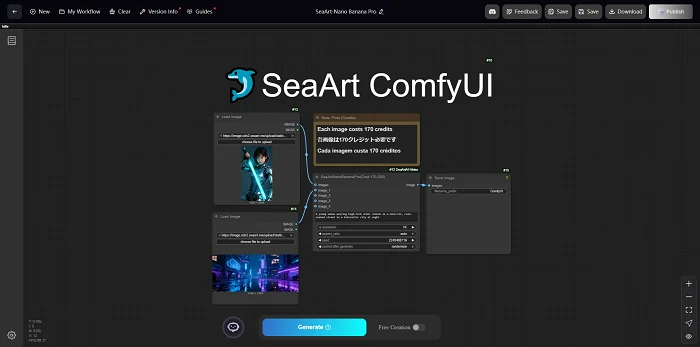
Here is the misconception: many people think SeaArt is just a simple "click-and-create" AI art generator. In reality, SeaArt is a full-featured cloud platform that hosts ComfyUI directly.
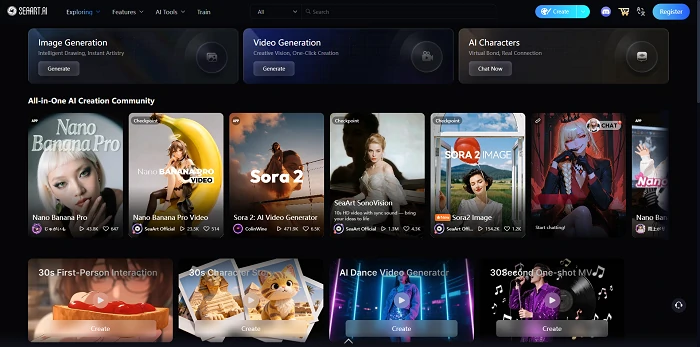
SeaArt ComfyUI gives you the complete ComfyUI node interface right in your browser, running on high-speed cloud GPUs. You get the raw power of node-based creation without installing Python, managing environments, or buying expensive hardware.
Why it's a game changer:
- Integrated ComfyUI: Access the full node workflow interface instantly.
- Free Cloud Computing: Run heavy workflows using daily free credits (no subscription needed).
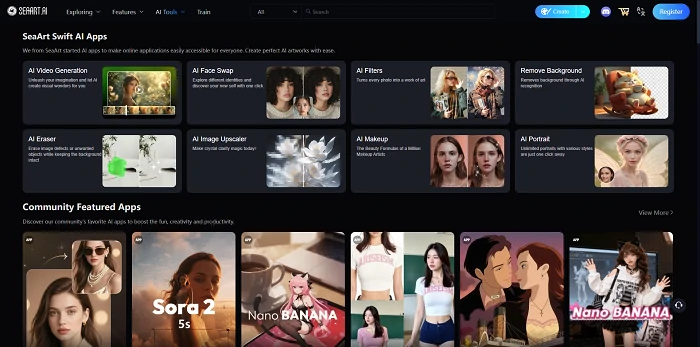
- The "SwiftAI" Bonus: When you don't want to tangle with nodes, you can switch to "Easy Mode" (SwiftAI) for one-click tasks like background removal or HD upscaling.
Native ComfyUI: The "Build It Yourself" Option
Now, if SeaArt is a fully equipped kitchen where you can order off the menu or cook from scratch, Native ComfyUI (Local) is like building the kitchen itself before you can start cooking.
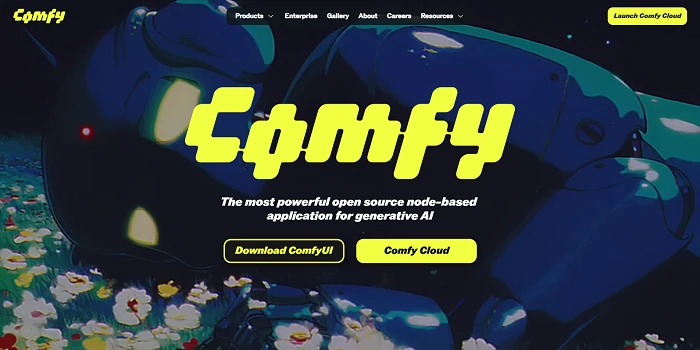
It is a standalone, node-based program that you run on your own machine. It offers total freedom, but it requires you to manage everything - from the hardware to the software environment.
Why people love it:
- Total Control: You decide exactly how every pixel is generated.
- Privacy: Everything runs offline on your own computer.
- Free (mostly): The software is free, but you need your own hardware to run it.
SeaArt vs ComfyUI: What Matters to You?
Let's put them side-by-side on the things that actually impact your daily workflow.
| If you care about.. | SeaArt (Cloud) | ComfyUI (Local) |
|---|---|---|
| Getting Started | Instant. Log in and go. | Slow. Needs large downloads & setup (even with the portable version). |
| Your Hardware | Works on anything (even your phone). | Needs a powerful NVIDIA GPU. |
| Ease of Use | Flexible: "Easy Mode" for speed, "Pro Mode" for full node control. | Complex: Always manual; looks like a flowchart. |
The "Community Loop" Difference
There is one massive difference that technical specs often miss, and it's about how you learn and grow.
ComfyUI generally offers two paths: the Cloud version typically requires a paid subscription to run, while the free Local version involves downloading JSON workflow files and installing custom nodes individually to match the setup.
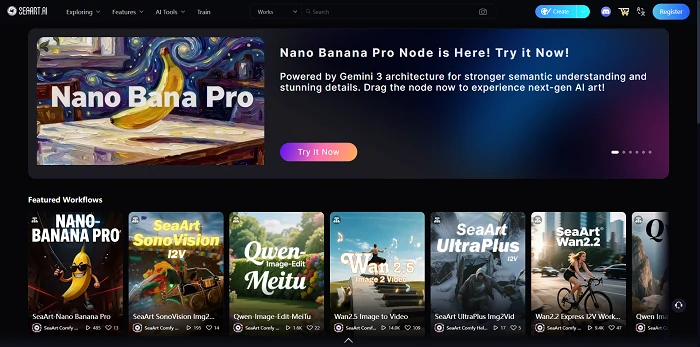
SeaArt is built around a social "Remix" culture. If you see workflows and images you love, you just hit the "Remix" button. The system instantly loads that artist's prompts, models, and settings for you - all for free using their daily credits.
It's the fastest way to learn because you aren't starting from a blank page - you're standing on the shoulders of giants.
So, Which One Should You Choose?
Option A: Choose SeaArt (Cloud ComfyUI)
Best for: 95% of users - from beginners to advanced workflow creators.
If you want the full power of ComfyUI nodes but want it to be free, accessible, and social, SeaArt is the answer. You get the exact same node-based control as the local version, but with massive advantages:
- No Hardware Required: Runs on the cloud, free to use with daily credits.
- Remix Ecosystem: One-click copy of complex workflows.
- Bonus Tools: Access to SwiftAI for quick fixes when you don't need nodes.
Option B: Choose Native ComfyUI (Local Install)
Best for: Privacy purists and offline engineers.
The only reason to choose the native local installation today is if you require absolute privacy (your data never leaves your room) or if you are developing custom nodes that aren't supported on cloud platforms yet. It's powerful, but it puts the burden of hardware and maintenance 100% on you.
Conclusion
At the end of the day, the "battle" between SeaArt vs ComfyUI isn't about choosing one tool over the other. It's about choosing how you want to access that power.
Do you want to spend your time managing Python updates and buying graphics cards? Or do you want to spend your time creating?
SeaArt effectively is ComfyUI - just upgraded with a free cloud engine, a social ecosystem, and a "SwiftAI" mode for when you need to move fast. It gives you the best of both worlds: the raw power of nodes when you need it, and the simplicity of an app when you don't.