

15 Mixed Media Prompts for Art - Beginner's Guide
I've spent weeks testing AI prompts for mixed media collage art. Most results look flat. Generic. But here's what I found 💡: the right combination of materials, textures, and conceptual depth creates images that actually feel handmade.
Mixed media combines photography, painting, found objects, and text into layered compositions. Think vintage portraits with newspaper clippings, dried flowers, wax seals, and paint splatters. The challenge? Getting AI to capture that tactile, assembled-by-hand quality.
These 15 prompts are tested and ready to use. Copy them as-is or adjust the elements to match your project needs.
What is Mixed Media & Why It Works for AI Art
Mixed media art layers different materials in one composition. Think vintage photos + newspaper clippings + dried flowers + paint textures. Started with Picasso's 1912 collages, now it's everywhere from album covers to Instagram posts.
TL;DR: Mixed media = combining 3+ materials (photo, paper, paint, objects) with visible texture and layering.
The style has evolved. Traditional mixed media (think hand-cut paper collages with buttons and dried flowers) now coexists with modern digital installations using screens, projections, and AI-generated elements. AI tools bridge both worlds—they can recreate that vintage, grainy film aesthetic or generate sleek contemporary compositions.
Why AI Generation Beats Manual Collage
| Aspect | Manual Collage | AI Prompt |
|---|---|---|
| Time | 3-4 hours (material gathering + assembly) | 30 seconds + 10 min refinement |
| Iteration | Start over for each version | Change 1 word, regenerate |
| Copyright | Risk with scanned vintage materials | AI-generated elements (check model terms) |
| Materials | Limited by what you can find/buy | Unlimited combinations |
The catch? ⚠️ Most people type "collage portrait" and get flat, Photoshopped-looking results. The trick: specify material texture, layer order, and how elements physically overlap.
Key insight: AI needs physical details. "Newspaper" produces clipart. "Torn vintage newspaper with yellowed edges and visible print texture" creates something you want to touch.
3 Rules for Mixed Media Prompts That Actually Work
I tested 100+ prompts. These three rules separate good results from garbage.
Rule 1: Layer Order = Prompt Order
AI reads left-to-right as background-to-foreground. List materials in the order you want them stacked.
| ✖ Vague | ✔ Layer-Specific |
|---|---|
| "Portrait with newspaper, flowers, buttons" | "Portrait photo base layer. Layer torn newspaper behind the face, add dried flowers across the forehead, scatter brass buttons on top" |
Why it works: Describe materials in spatial order from back to front. Use position words like "behind," "across," "on top" to guide the AI's layering logic. This creates actual depth, not just random overlaps.
Rule 2: Texture Words Are Non-Negotiable
Generic materials produce clipart. Physical descriptors create tactile realism.
| Material | ✖ Generic | ✔ Physical Detail |
|---|---|---|
| Paper | "newspaper" | "torn newspaper with yellowed edges, frayed corners, visible print grain" |
| Flowers | "roses" | "dried roses with curled brown-edged petals, pressed flat, natural decay" |
| Metal | "buttons" | "brass buttons with ornate engraving, tarnished edges, catching light" |
| Paint | "paint" | "oil paint texture with visible brushstrokes, thick impasto, matte finish" |
Pro tip: Add 2-3 physical descriptors per material. Texture + color + condition (aged, torn, faded, etc.)
Rule 3: Add One Conceptual Hook (Secret Weapon)
This surprised me. Prompts with narrative phrases arrange elements 3x better than purely descriptive ones.
Add one phrase that gives meaning:
- "symbolizing lost memories through vintage ephemera"
- "representing identity fragmentation and self-construction"
- "exploring beauty standards through deconstructed advertising"
- "evoking nostalgia for analog communication"
Why it works: The conceptual hook tells AI why these materials are together. It arranges composition to support the story, not just fill space randomly.
Test it yourself. Generate the same material list with and without a conceptual phrase. The one with narrative context will feel intentional. The other looks like Pinterest spam.
15 Copy-Paste Mixed Media Prompts
These are the exact prompt directions behind the example images we discussed. Copy-paste, then swap 1-2 materials to keep results original and reduce lookalike risk.
Vintage & Analog Collage
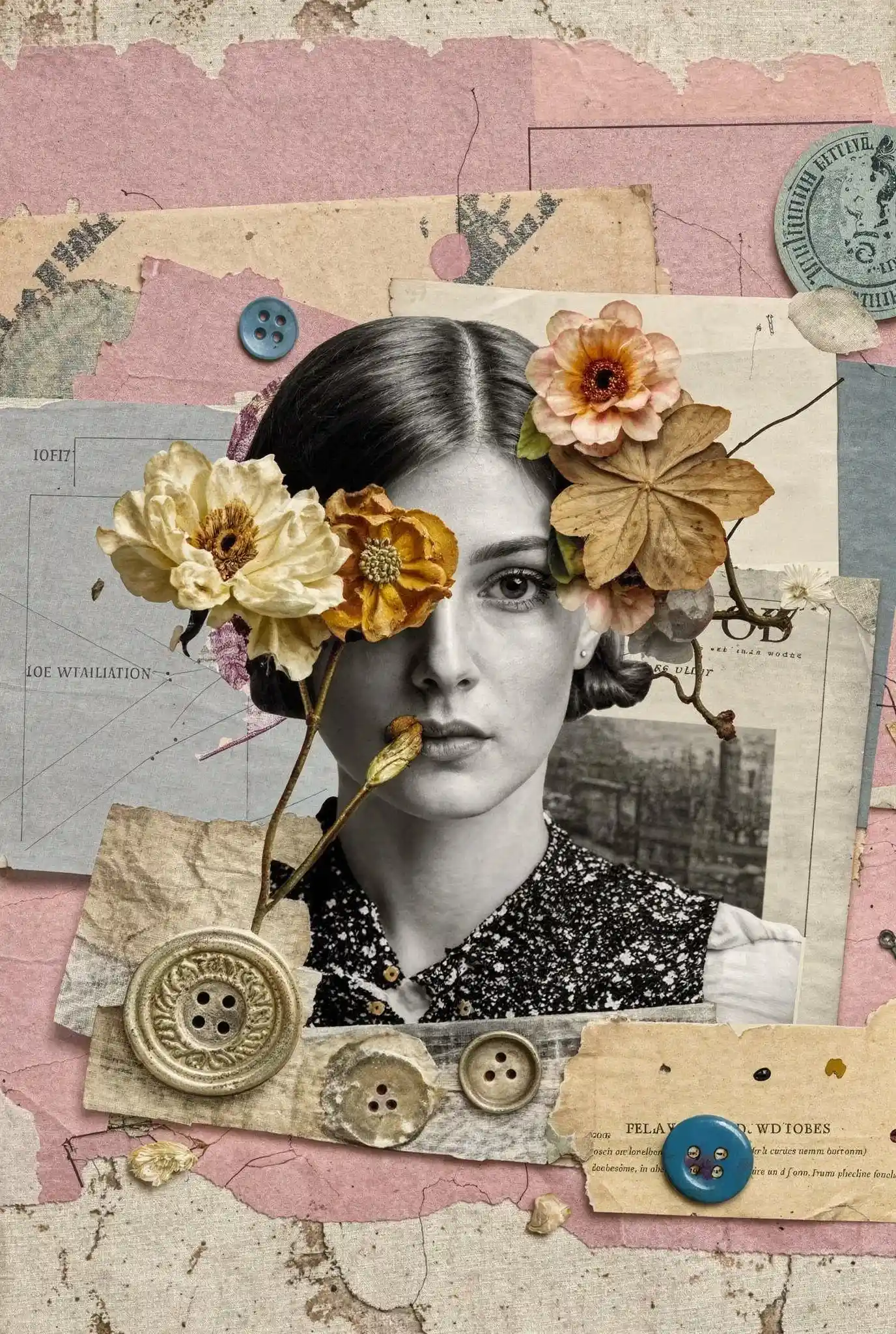
1. Vintage Portrait Collage with Flowers, Buttons, and Paper
Vintage black-and-white portrait photo on aged paper, symbolizing fading memories through layered ephemera. Layer torn scrap newspapers and archival documents behind the face, add dried flowers pinned across the forehead, scattered vintage buttons and stitched fabric strip, wax seal stamp, subtle oil paint brushstrokes and paper grain, muted pink and beige palette.
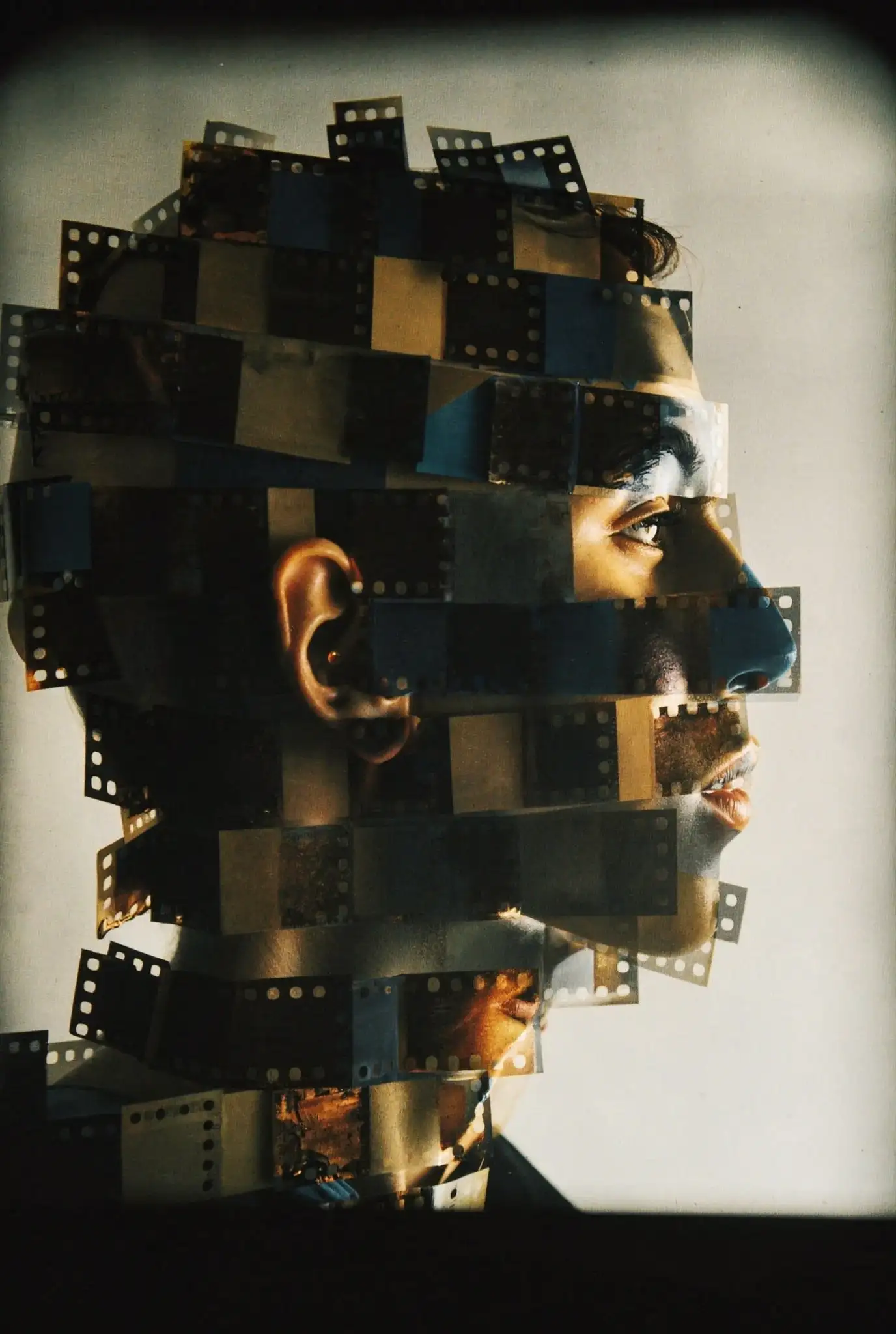
2. Film-Negative Fragment Portrait (Old Photographs + Contact Sheets)
Side-profile portrait constructed from overlapping 35mm film negatives and contact-sheet frames, evoking nostalgia for analog photography. Visible sprocket holes and light leaks, old photographs chopped into rectangles, layered like a mosaic with slight offsets, warm analog grain, faded sepia highlights, soft studio background, tactile cut-and-paste collage realism.
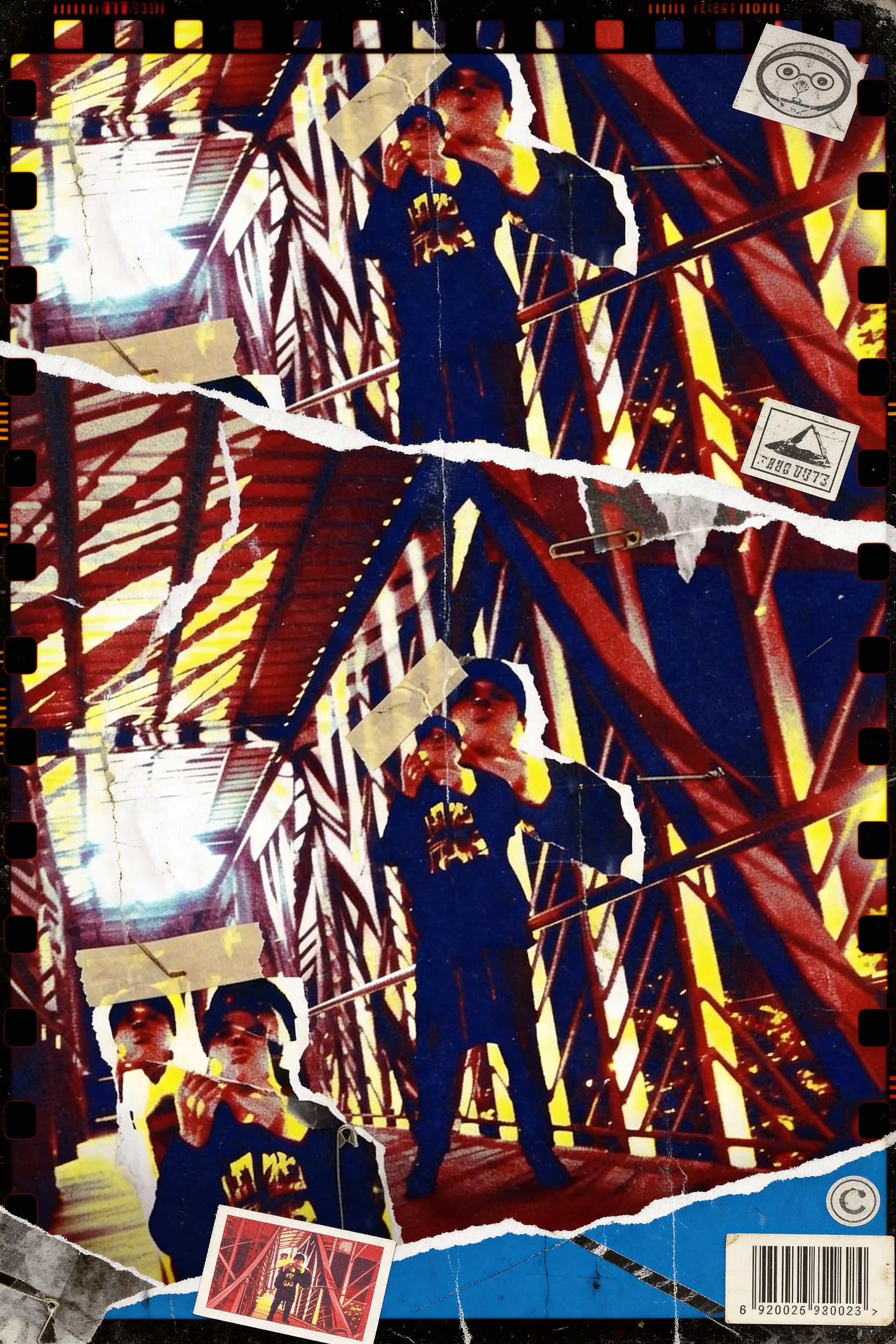
3. Constructivist Double-Exposure Collage (Torn Paper + Geometry)
Double exposure mixed media collage on gritty film texture, representing revolutionary aesthetics and identity fragmentation. Bold red diagonal geometric beams over deep blue shadows, repeated figure cutouts, torn paper seams and tape marks, distressed photo grain, high-contrast yellow highlights, avant-garde constructivist poster vibe, imperfect handmade edges and scratches.
Surreal Identity & Anatomy Collage
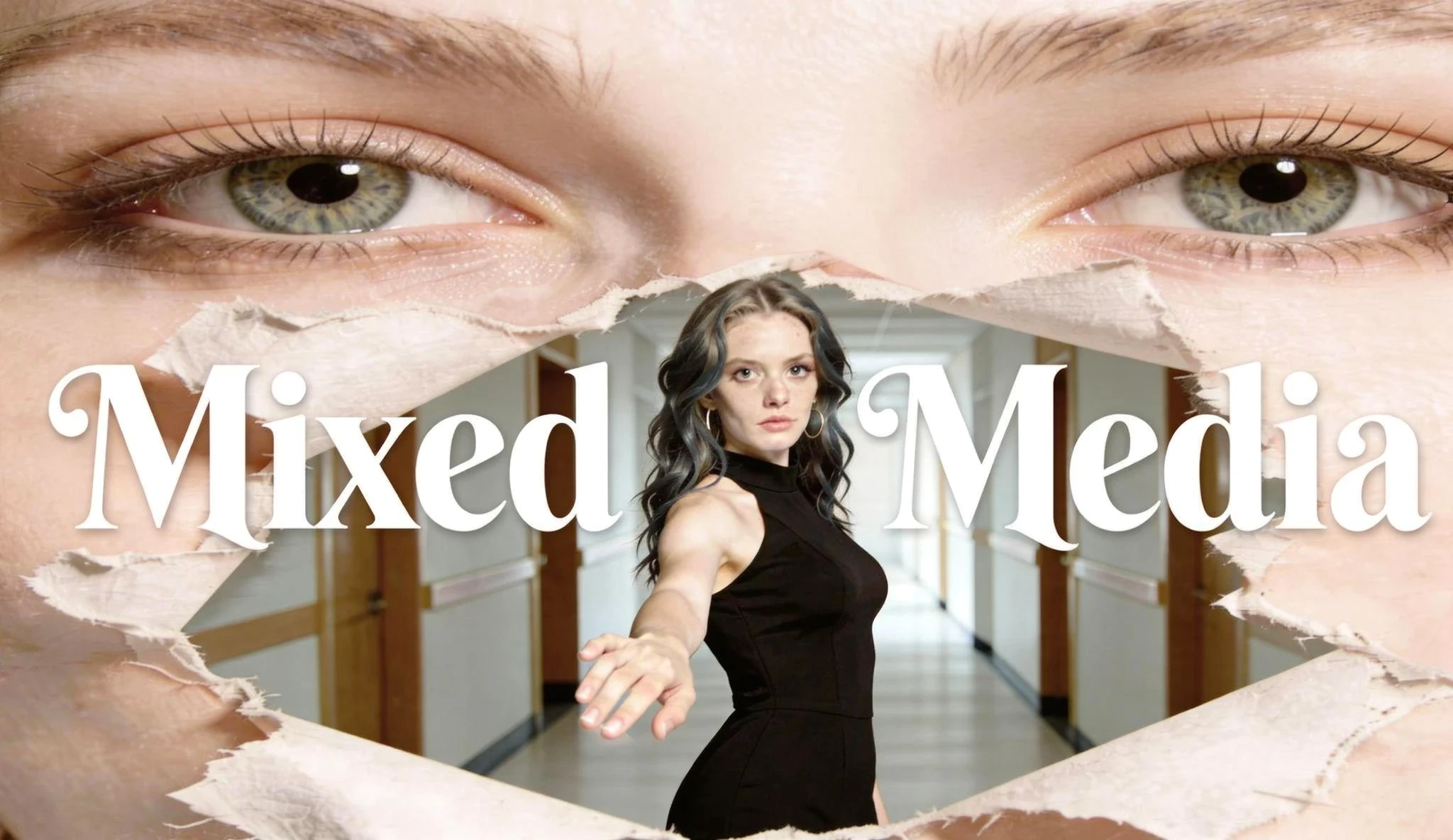
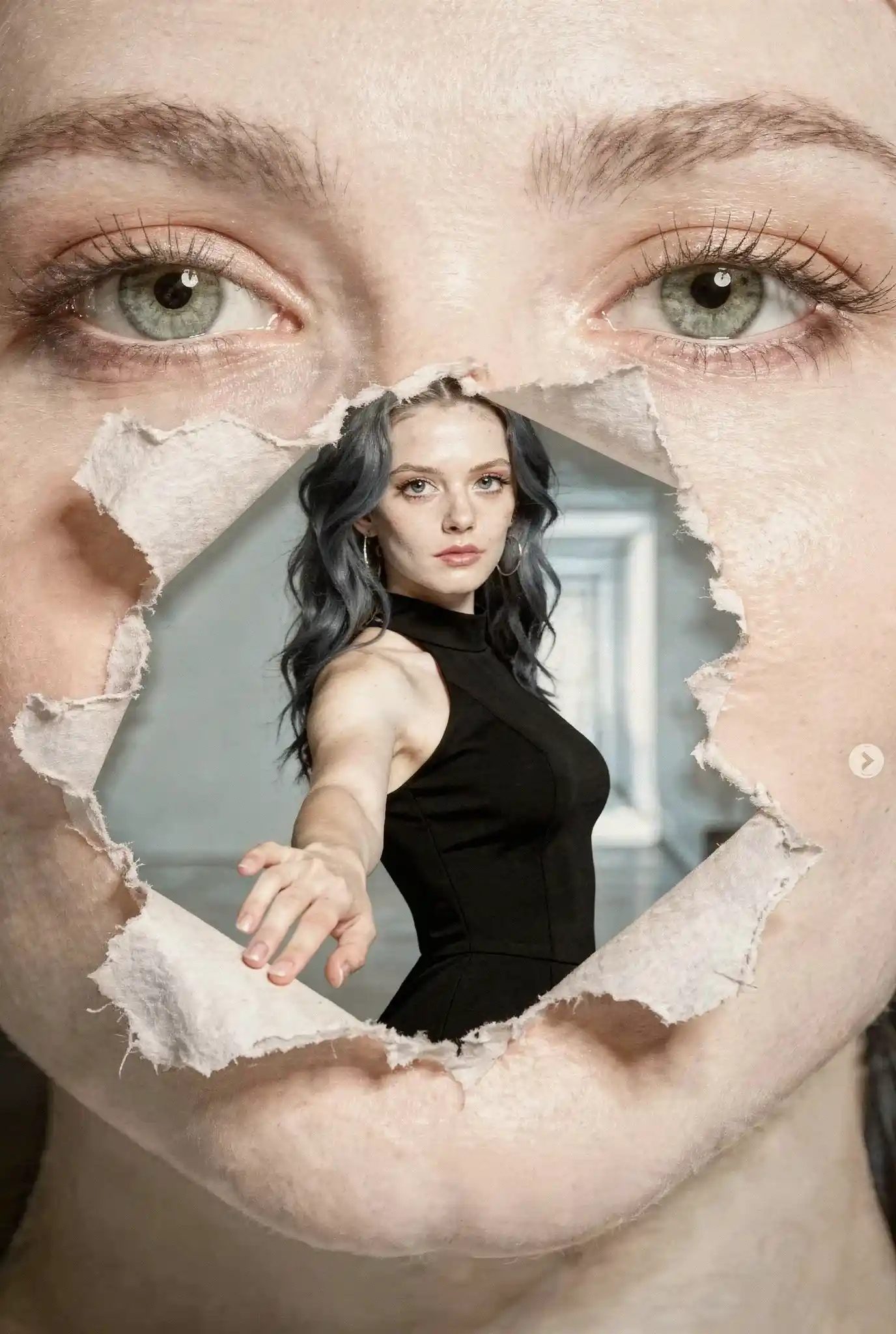
4. Torn-Paper Identity Portal (Outer Face vs Inner Self)
Mixed media collage exploring the gap between outer appearance and inner self. Giant close-up face as background layer, a torn paper hole reveals a woman with wavy dark-blue hair in a black dress reaching forward, bright cyan hallway behind her. White ripped paper fibers, layered photography, soft skin texture, surreal identity concept art.
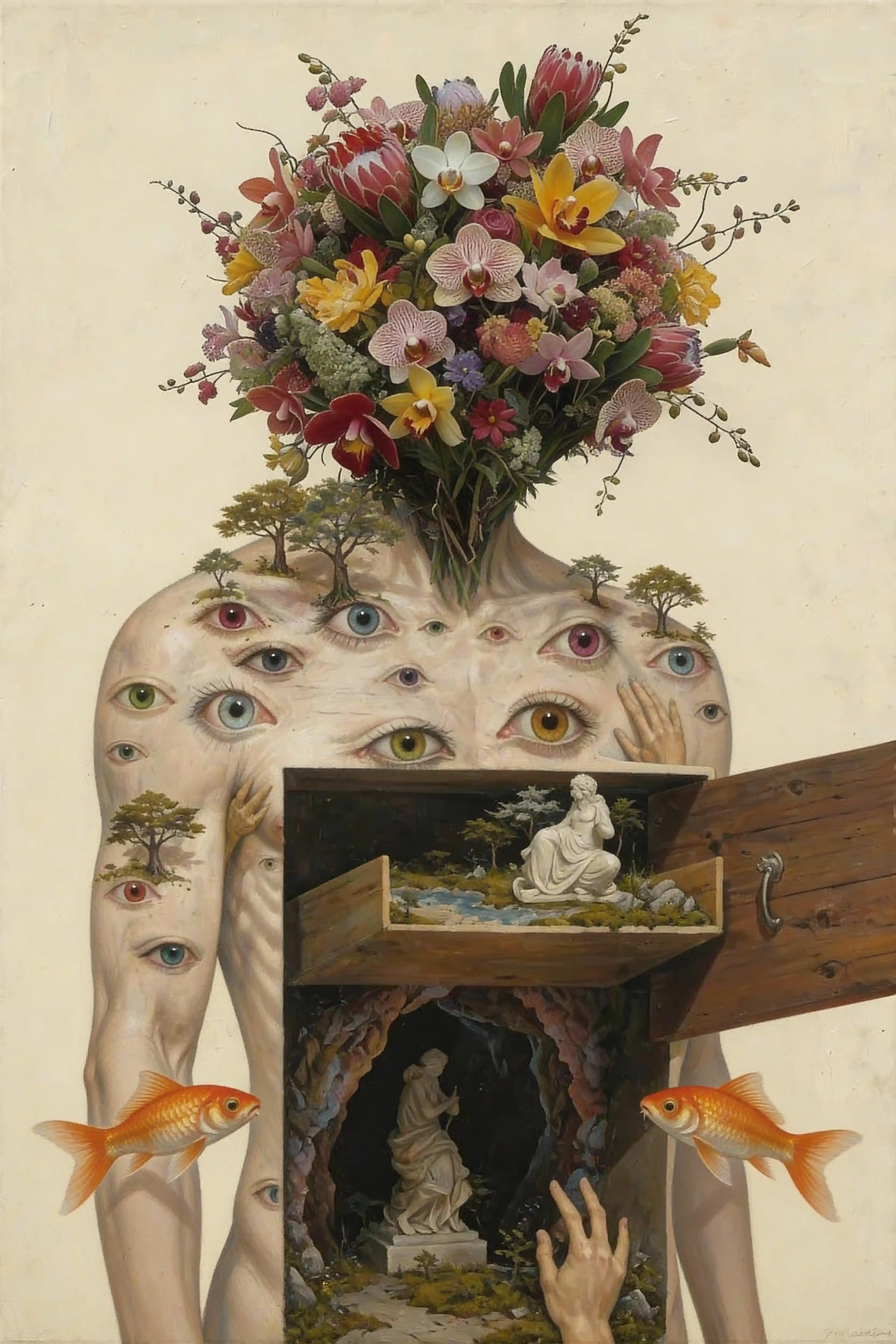
5. Headless Bouquet Figure with Chest Cabinet (Perception + Inner Worlds)
Headless humanoid figure symbolizing how perception shapes internal worlds. Elaborate flower bouquet growing from neck stump, skin covered with multiple human eyes in mixed colors, small acacia trees sprouting from shoulders. Chest opened like wooden cabinet doors: upper drawer at chest level shows a miniature garden with classical sculpture, lower cavity reveals a cave grotto with statue. Two orange goldfish floating nearby, aged paper background, Dutch still life oil-paint aesthetic.
Digital Pop & Doodle Overlay
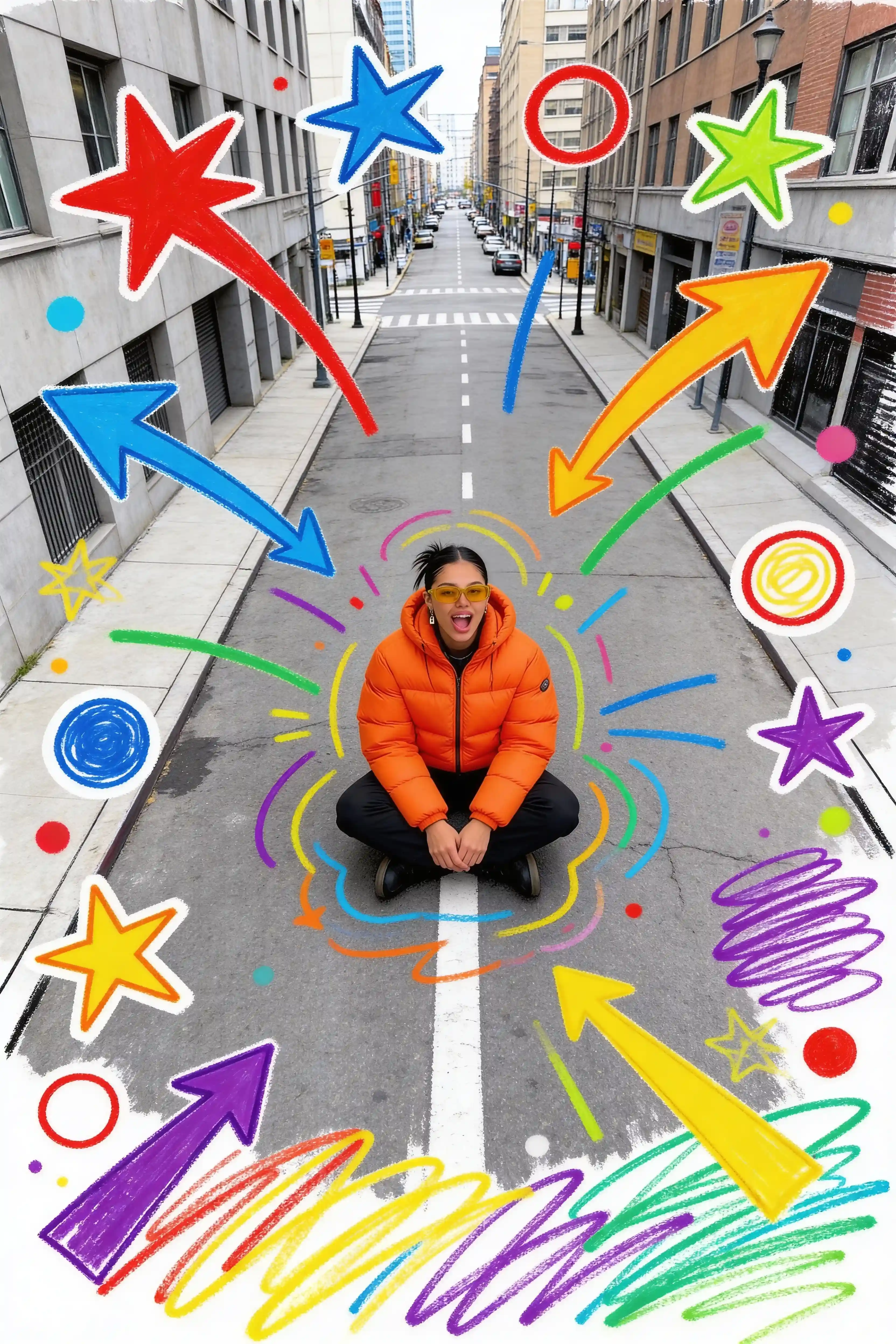
6. Urban Street Photo with Marker Doodles (Stars + Arrows + Scribbles)
Street photography base celebrating spontaneous joy through playful visual noise. Centered subject in bright orange puffer jacket sitting on an empty city road, add colorful hand-drawn marker doodles over the photo: oversized arrows, stars, circles, scribbles in red, blue, green, yellow, purple. White glow halo around subject, playful mixed media collage, clean daylight realism.
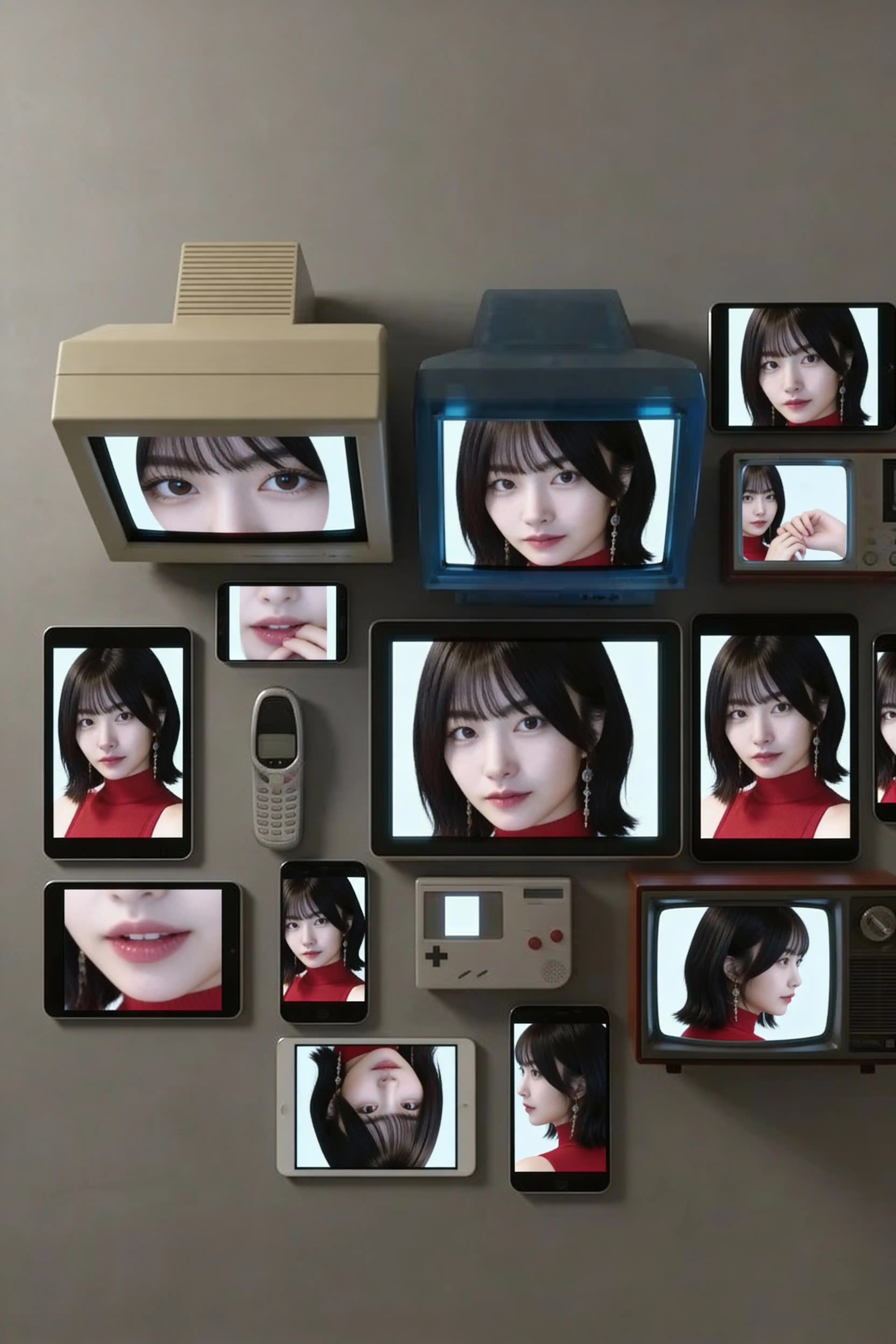
7. Multi-Device Portrait Mosaic (Analog Nostalgia + Screen Culture)
Top-down view exploring digital identity across obsolete and modern screens. Vintage and modern devices clustered together (CRT monitor, flip phone, iMac G3, Game Boy, smartphones, tablets, retro TV), all screens display cropped sections of the same face, together forming one coherent portrait. Photorealistic rendering, soft ambient light, neutral background.
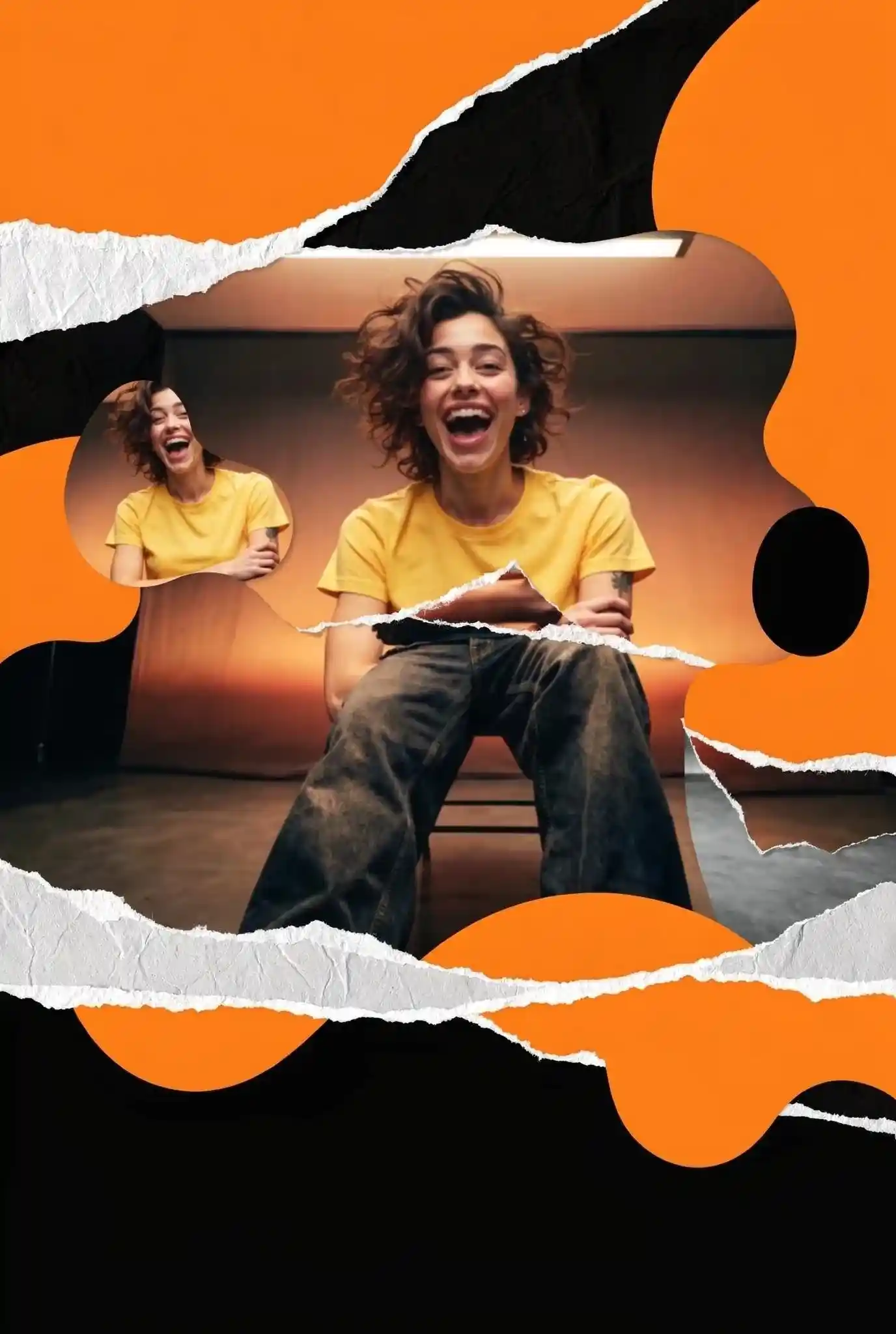
8. Torn Paper Geometric Collage (Bold Colors + Repeated Portrait)
Modern digital collage representing contemporary identity construction through bold layers. Portrait photography base, subject in bright yellow t-shirt on warm background, surround with torn white paper edges creating organic frame shapes, bold orange circles and black geometric cutouts layered over composition, smaller repeated portrait in corner, high-contrast color blocking, social media ready aesthetic, playful contemporary mixed media style.
Social Systems & Commentary (Prompts 9-10)
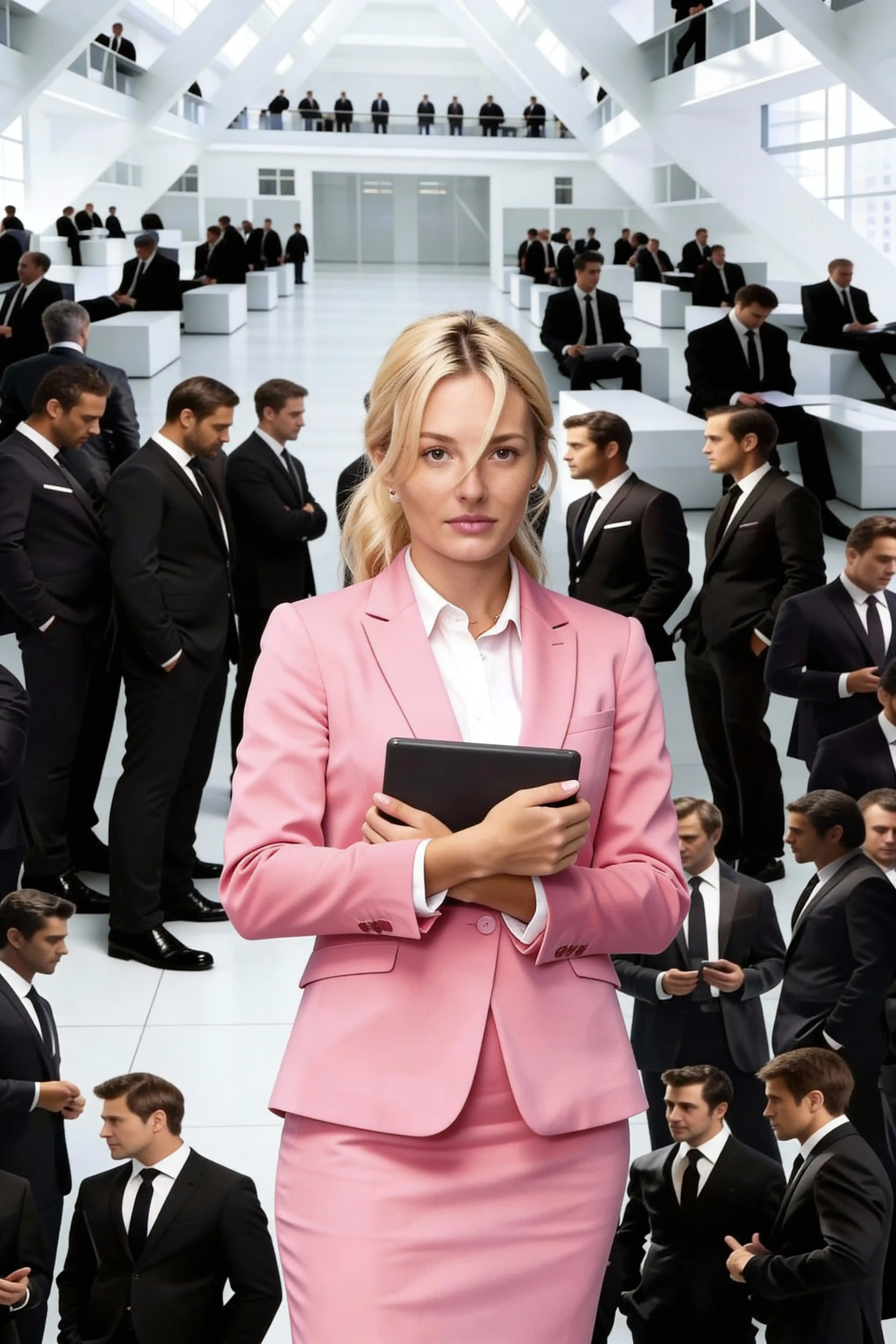
9. Corporate Gender Isolation (One Woman, Many Suits)
Modern corporate atrium highlighting gender isolation within rigid corporate systems. Repeating white desks and many men in black suits forming a grid, center subject: woman in a pastel pink suit holding a tablet, sharp focus and slightly warmer tone than the crowd. High-key lighting, architectural symmetry, social commentary on systemic isolation.
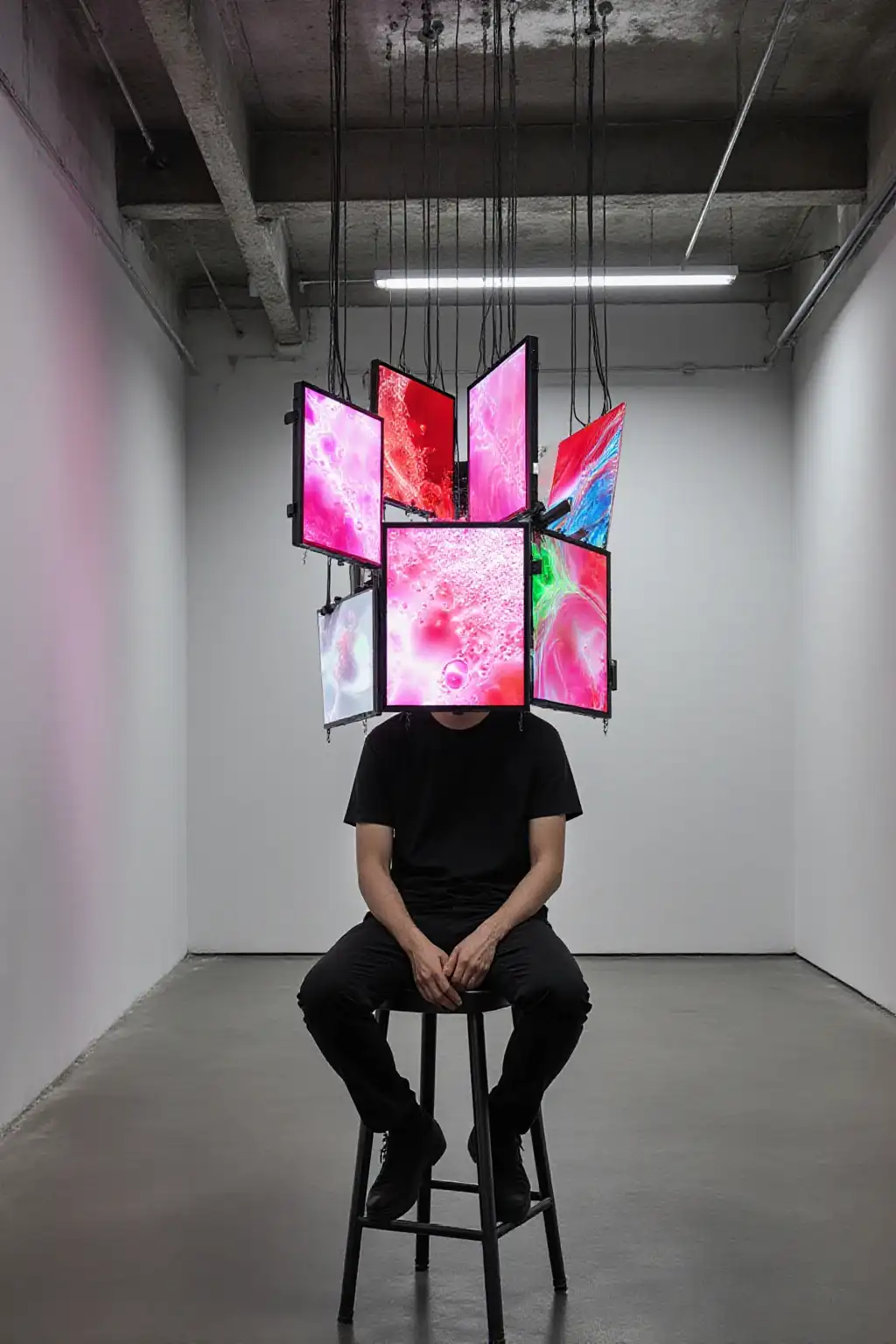
10. Media Saturation Installation (Screens as a Head)
Minimal white gallery room questioning information overload and attention economy. Seated person on a stool wearing a hanging cluster of monitors as a head, multiple screens form a geometric crown, each showing abstract neon liquid visuals, cables suspended from the ceiling. Photorealistic installation photography, soft overhead light, clean concrete floor.
Fine Art & Painterly Mixed Media
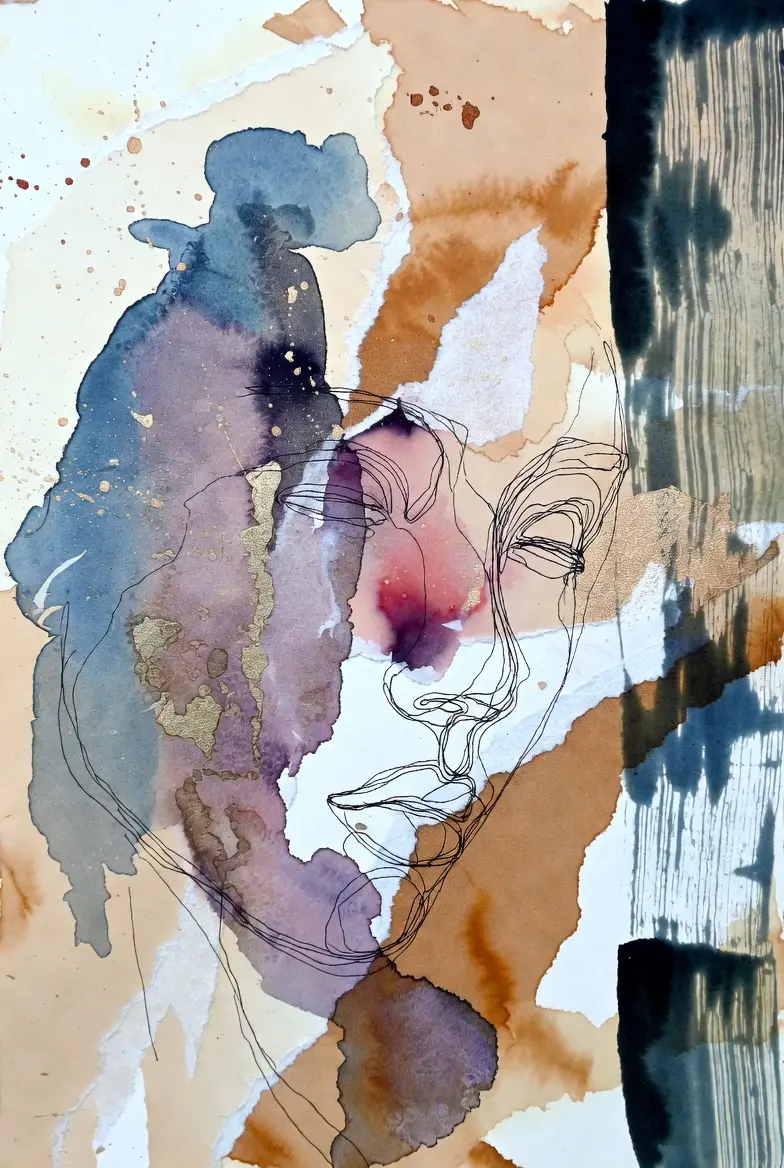
11. Watercolor + Ink Line Face Study (Matte Paper Texture)
Abstract mixed media portrait exploring emotional abstraction through minimal color studies. Textured watercolor paper base, torn paper shapes layered in cream and warm brown, watercolor washes in indigo and muted mauve, ink splatters, and a single continuous black line drawing of a face. Matte finish, visible paper fibers, minimal palette, gallery-ready fine art composition.
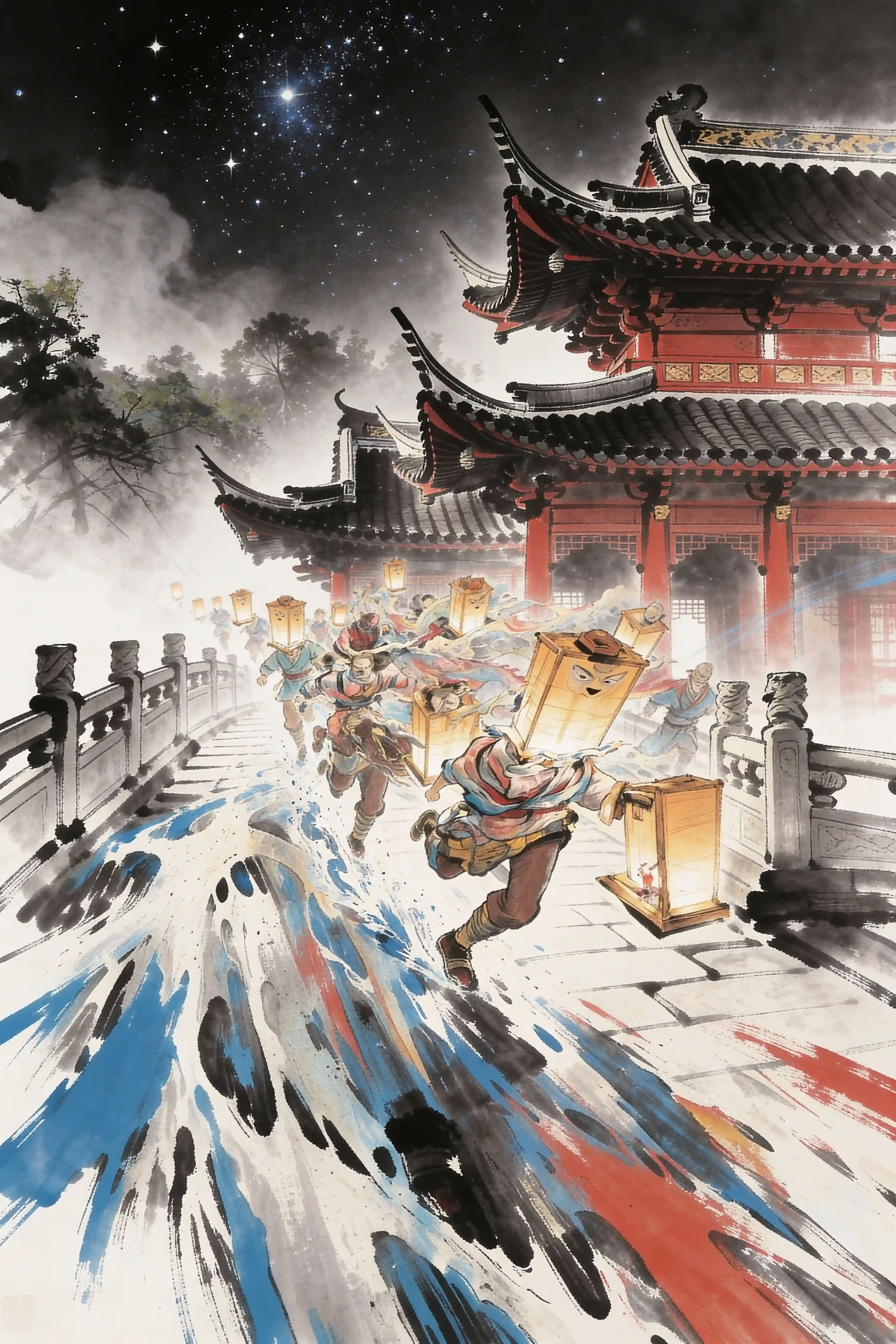
12. Ink-Wash Action Scene (Brush Splashes + Lantern Characters)
Chinese ink-wash mixed media illustration capturing motion and cultural heritage through traditional techniques. Night temple architecture with mist and starry sky, dynamic runners carrying glowing lanterns, explosive brushstroke splashes in blue, black, and rust red across stone pavement. Rice paper texture, calligraphy-like linework, watercolor bleeding edges, cinematic motion and depth.
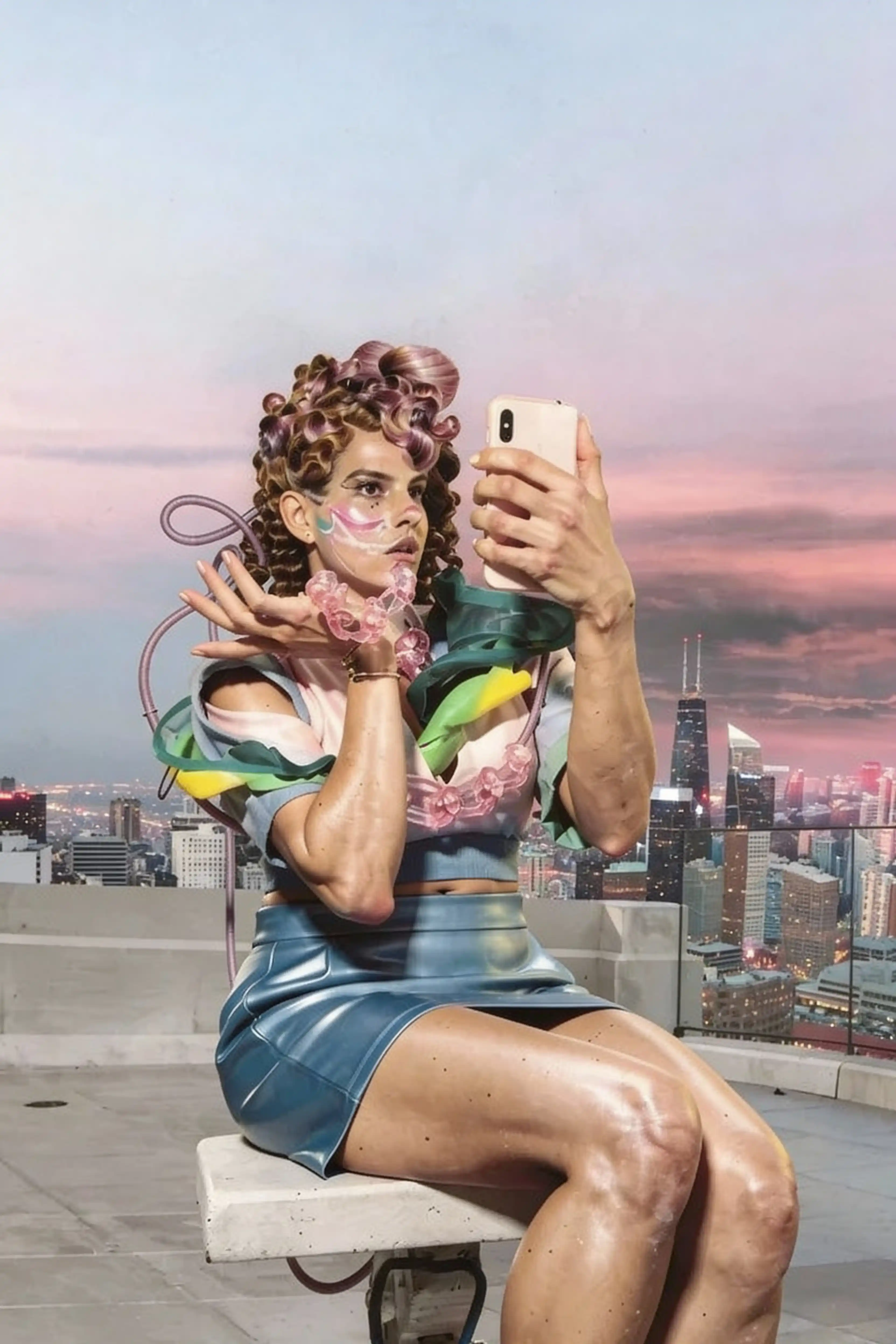
13. Rooftop Cyber Fashion Selfie (Photocollage + Futuristic Styling)
Fashion photography blending past and future through transparent textures. Rooftop at sunset with a city skyline, a model sits on a block taking a smartphone selfie, wearing glossy futuristic accessories and sculptural hair, with translucent tubing and plastic textures as collage elements. Soft pastel sky, high detail skin, subtle grain, modern mixed media editorial vibe.
Urban Surrealism & Spatial Illusion
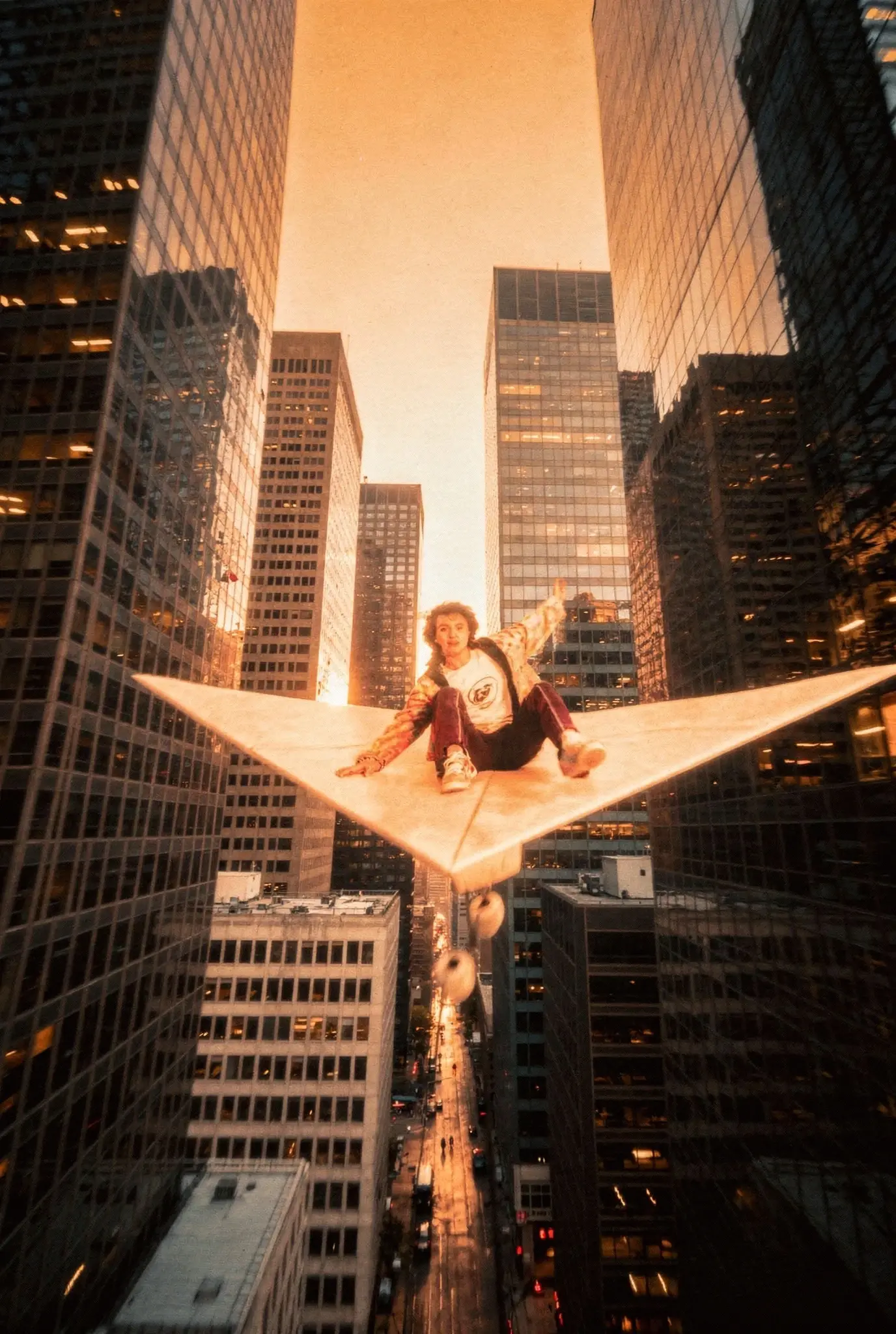
14. Floating Star Platform Urban Suspension (City + Levitation)
Worm's eye view defying gravity to represent limitless ambition. From street level looking up between towering skyscrapers at golden hour, person sitting cross-legged on giant white star-shaped platform suspended mid-air, burgundy jacket and white shirt, warm orange sunset glow illuminating glass facades, surreal floating installation photography, vertiginous perspective, urban exploration aesthetic.
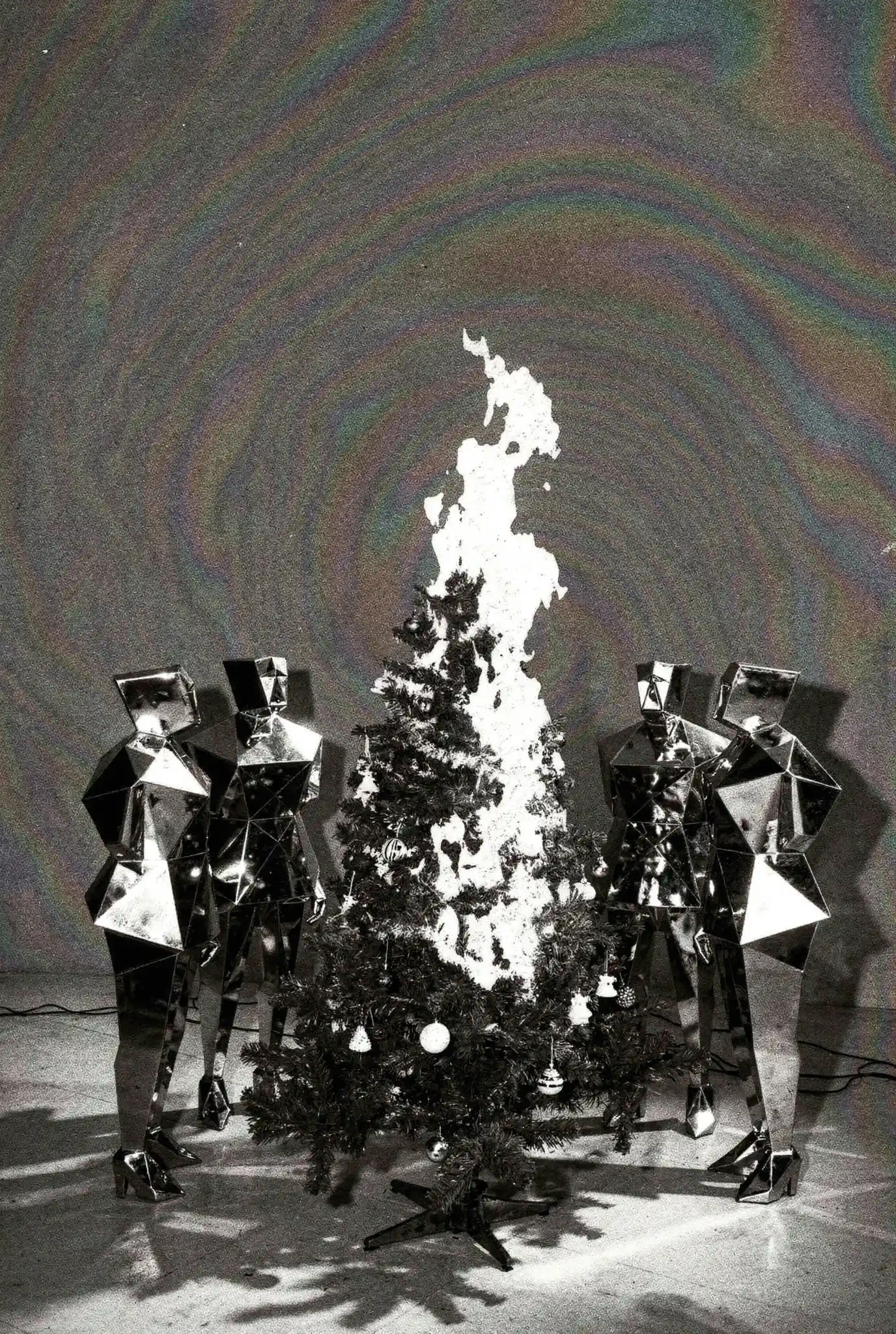
15. Geometric Mirror Figures Ritual (Burning Tree + Holographic Backdrop)
Black and white photography deconstructing tradition through surreal ceremonial imagery. Two figures wearing geometric mirrored faceted costumes surrounding burning Christmas tree with white flames, holographic rainbow concentric circles background texture, reflective angular armor-like surfaces, ceremonial stance, high contrast monochrome with chromatic aberration backdrop, surreal holiday concept art.
How to Use These Prompts in SeaArt AI
Here's my workflow 👇. Takes about 5 minutes per final image.
Step 1: Pick your model. For mixed media, I use SeaArt's AI collage generator with Realistic models when the base layer is a photograph. If you're going full illustration style, try the Artistic models. FLUX-based models work too but sometimes over-smooth the texture.
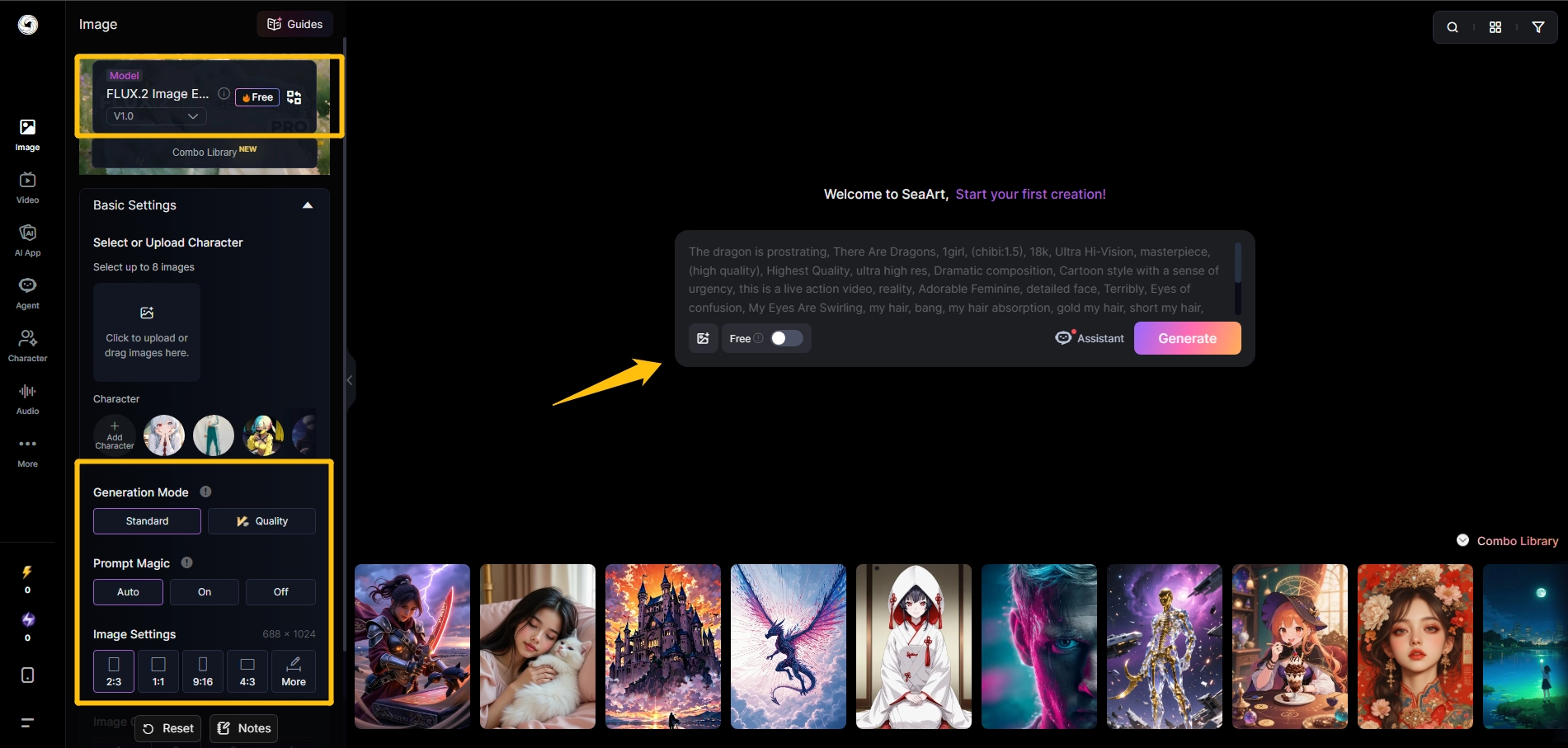
Step 2: Paste the prompt. Copy it exactly as written. Then adjust the specific materials to match your needs. Want poppies instead of roses? Swap it. Need sheet music instead of newspaper? Change one phrase.
Step 3: Set your aspect ratio. Portraits work best at 2:3 or 3:4. Full compositions with lots of negative space? Try 16:9 or 4:3.
Step 4: Generate multiple variations. I always run 4 images per prompt. Pick the one with the best material overlap and focal hierarchy. The AI interprets layering differently each time.
Step 5: Refine if needed. Use SeaArt's Inpaint tool to adjust specific elements. Found a weird button placement? Paint over it and regenerate just that area.
One thing I learned the hard way 💥: if your first result looks too clean or digital, add "rough paper texture, handmade imperfections, visible material edges" to your next iteration.
What Makes Mixed Media Prompts Actually Work
I tested over 100 prompts. Here's what separated good results from garbage.
Material specificity beats element quantity. A prompt with 3 well-described materials (torn newspaper with yellowed edges + dried roses with curled petals + brass button with ornate engraving) outperforms a prompt listing 10 vague items (newspaper, flowers, buttons, paint, fabric...).
The AI needs physical details to render texture. "Dried roses" produces flat clipart flowers. "Dried roses with brown-edged petals, visible stem, pressed flat" creates something you want to touch.
Color limitation creates cohesion. My best results use 2-3 main colors plus one accent. Example: sepia base + faded pink + brass gold accents. When I let AI choose colors freely, compositions look chaotic.
Test this yourself. Take prompt #1 (Victorian portrait) and specify "muted burgundy, sage green, cream, gold accents only." Then try it without color direction. The constrained version will feel 10x more intentional.
Conceptual hooks organize compositions. This surprised me 😮. Prompts with phrases like "symbolizing lost memories" or "representing identity fragmentation" produce more balanced layouts than purely descriptive prompts.
Why? The AI arranges elements to support the narrative. Without a conceptual anchor, materials just pile up randomly.
Layer order matters. Always describe materials in spatial sequence using position words. Start with the base layer (photo or paper), then add middle elements "behind" or "layered under," finish with accent details "on top" or "scattered across." This natural language tells AI exactly what's behind what.
Conclusion
These 15 mixed media art prompts cover vintage collage, surreal concepts, digital pop, social commentary, urban surrealism, and fine art styles. Copy them. Adjust the materials. Generate multiple versions.
The key is specificity. Don't say "flowers." Say "dried roses with brown-edged petals, pressed flat, showing natural decay."
Start with SeaArt's AI collage generator and test these prompts. Pick one style, generate 4 variations, keep the best composition. That's your client-ready asset.
Related Articles
15 Grok Imagine Prompts for Creative Ideas – AI Art in Seconds
24 Gemini prompts for High-Quality Professional Headshots 2026
30+ Best Friendship Prompts for Gemini AI to Create Stunning Photos in 2026
Introducing SeaArt AI 2.0: Agentic, Multimodal, and Creator-First
Seedance 1.5 Pro VS Sora 2: Which AI Video Generator Wins?