SeaArt Film is a high-quality, cutting edge AI image generation model developed by SeaArt developer team. Model performance is way ahead compared to its competitors like Flux, Stable Diffusion 3.5, HiDream and more. SeaArt Film aims to bring cinematic quality to AI image generation with multiple styles it can produce. You can create realistic, 3D, anime, cartoon and more style with this model. It has impressive prompt following skills and create your composition with highest accuracy, even smallest prompt parts are effective on final result. SAF has best text rendering you can see in AI models and this makes it perfect for creating posters, cards and more. Additionally model's resolution is above standarts of Flux. Flux model's sides are limited to 1024px for good quality and accuracy but SAF has 1472px based resolution options.
Before Start | Noticeable Differences
SAF Model ignores negative prompts due to it's guidance, which means it doesn't matter if model has negative prompt box or not, it will be ignored anyway. It has different encoder system (T5) than other AI models and it bring some differences inside of prompting:
- Keyword Weighting does not work. e.g. `(term:1.3), [[term]], (((term)))`
- Keyword Blending/Edit tools does not work.
- BREAK does not effect.
- Better understanding of natural language prompts.
- Model can create impressive text renders with high accuracy.
- It can create different subjects in image without any effort.
e.g. `dog and cat` generates two different anatomically correct animal on SAF while most of other models tends to generate creatures that are a combination of these two animals.
What This Model Excels At
- Creating cinematic quality images with various styles.
- Recognizes popular characters from different media including cartoon, movie, anime, game and more. It can't recognize all characters but easily craft popular characters.
- Most advanced text rendering capability that allows you to make covers, posters, gift cards and more.
- Improved 1472px based resolution options for generation.
- Impressive prompt adherence and accuracy.
- Effective light and shadow usage over composition.
- Capable of creating dynamic effects.
- Generating multiple subjects without blending them.
- Creating photograph and style filters over images.
- Generating mesmerizing scenes and landscapes.
- Perfect realistic human ? and skin quality.
Cautions For Optimal Usage
- Don't use brackets in your prompt.
- All settings are already chosen, only thing user have to do is prompting.
- Describe style of image to get correct art style in images. Default style is realism.
- It's recommended to use with resolution options selected by SeaArt.
- It's not best model to generate ???? but it's better than Flux models.
- Text must be used inside of quotation marks `"`.
Prompt Style
SAF has only positive prompt input and has better understanding of natural language prompts compared to other models. It's best to use descriptive natural language prompts and reinforce it with certain tag style prompts.
- `cinematic, ultra realistic` like terms can be used to improve quality of outputs.
- Using only name of character is enough to create it, if it's recognized character.
Text Render | Typography
SAF has outstanding text renders compared to Flux and other models, user must write `text` inside of quotation marks `"` to seperate it from prompt. e.g.
`"SeaArt Film" written with a smoke on sky by jet, jet is flying under text`
Unwanted Stuff
Unfortunately SAF doesn't have negative input but prompts like `a road without any car` can be used in positive prompt to avoid unwanted stuff such as `car`. This is not an 100% working method for all prompts but useful trick.
Recommended Prompt Order
- Subject
- Subject Details
- Style/Medium
- Additional Details
- Lighting/Shadow
- Additional Modifiers
Natural Language Prompt
Start with your subject and describe subject's details, style and medium. Then add additional details to create composition of image such as lighting, background, effects. After that you can add last modifiers to complete your prompt.
Note: Dot `.` can be used inside of prompt after finishing sentences.
Suggested Usage
Use natural language prompt and don't seperate every word with comma `,` then reinforce composition of image with additional tags.
Testing & Prompt Examples
Test Prompt 1
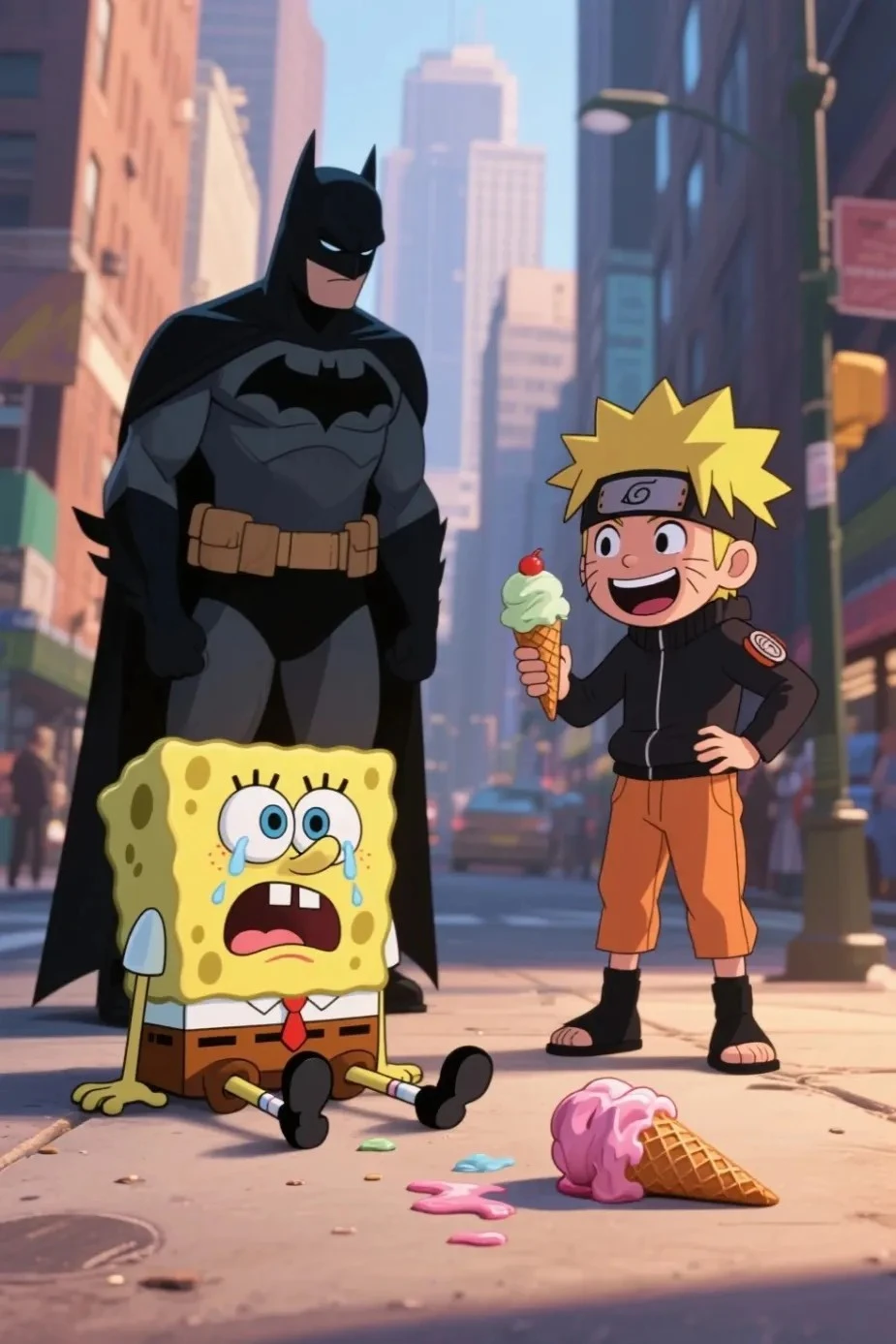
- Recognized characters from different type media. 3/3
- Different background and character styles. 2/2
- Multiple characters without any blend.
- Prompt adherence and accuracy. 7 of 10 images was generated correct with all details.
2 image had "SpongeBob holding ice cream". 2 image had "Naruto while sitting"
Other elements of composition was accurate in wrong generated images.
Prompt
`SpongeBob is sitting on ground and crying, there is a ice cream on ground that SpongeBob dropped, Naruto is holding a ice cream and laughing at SpongeBob while standing, Batman is looking at them from background, 2D cartoon style characters, city background, ultra-realistic background, cinematic quality, dynamic lighting, soft shadow, depth of field`
Test Prompt 2 (Realism)
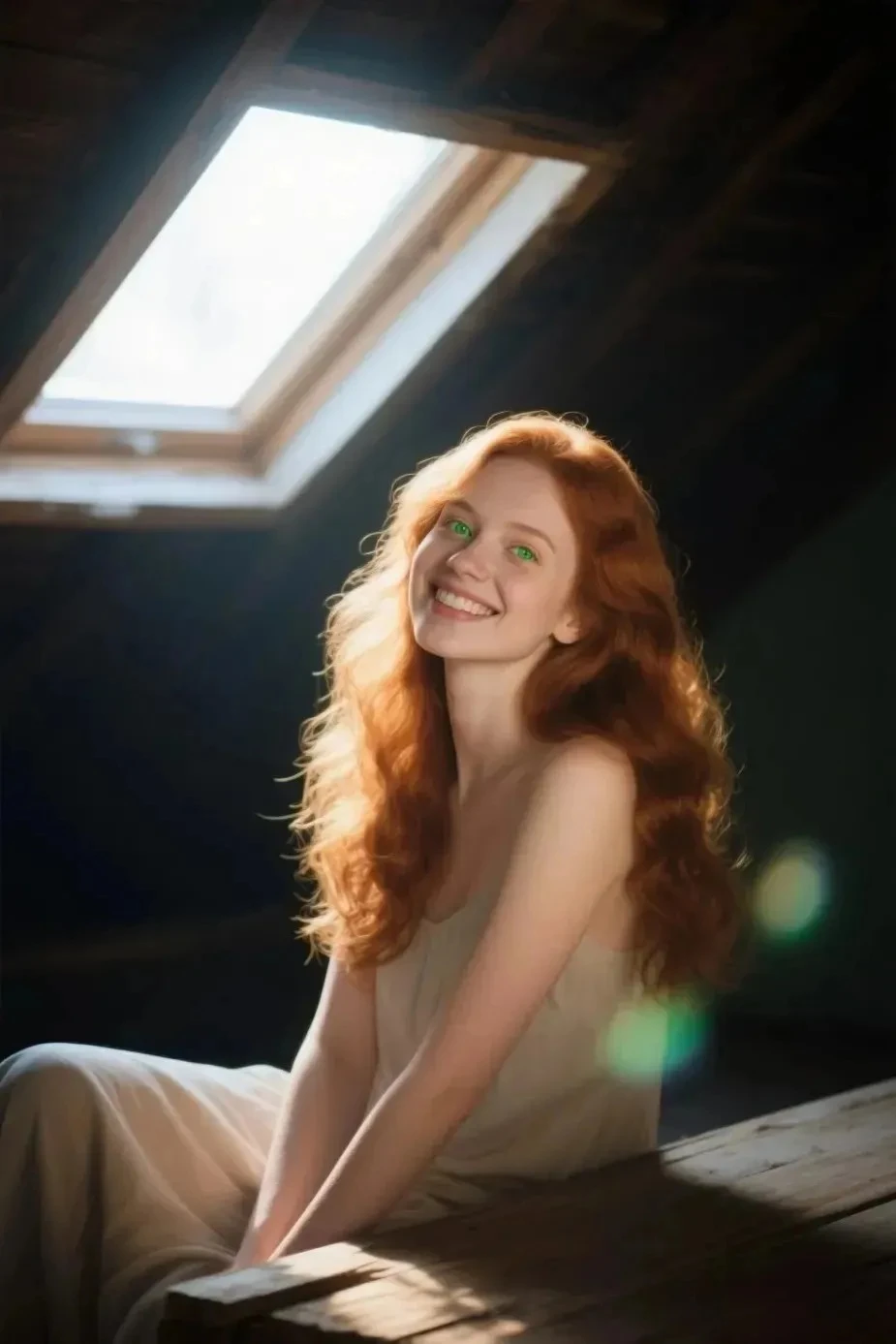
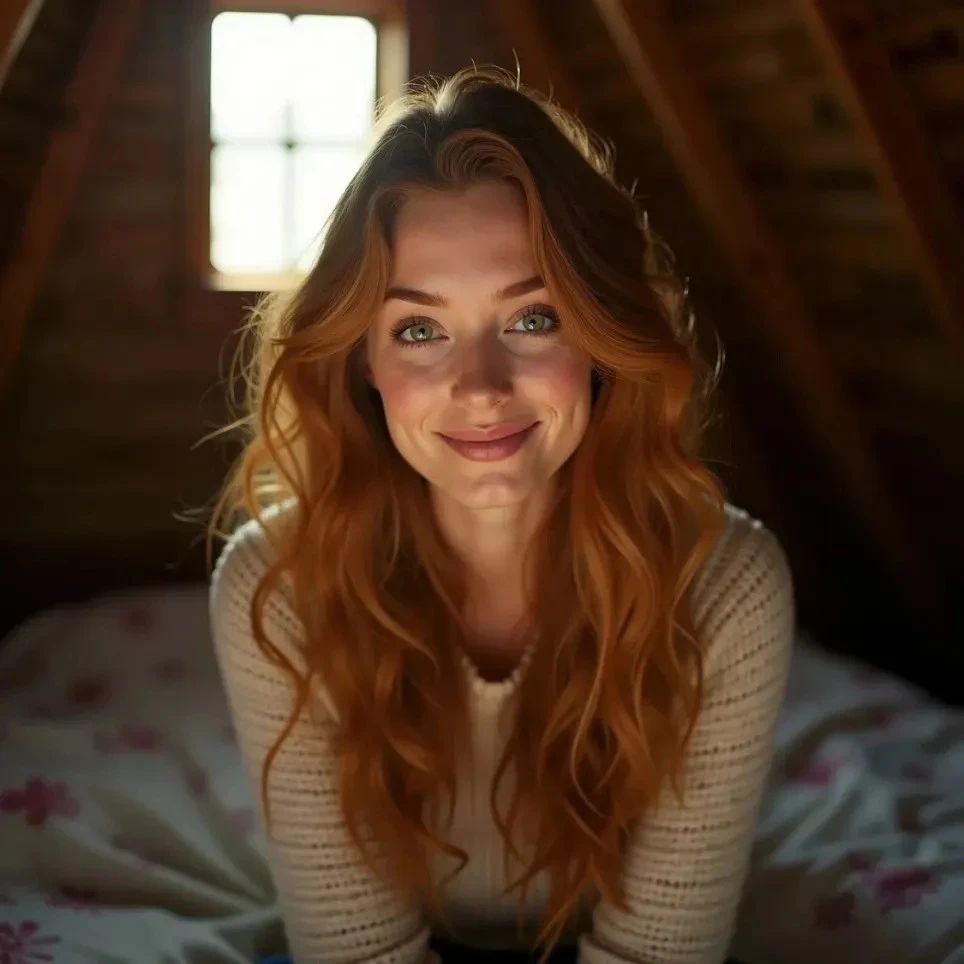
- I used this familiar prompt from SeaArt Infinity model guide to test.
- Model literally creates everything you mentioned, whether it's important detail or just an portrayal. This means you should be careful about descriptions. For example:
`her green eyes shining with reflection of light` really made her eyes shine like a green light.
`pastel bokeh` is really effective, more than expected.
`dark ambient` makes environment really dark. Of course it should do that but usually this type descriptions are not that effective and only improve quality of image. So, you should pick your words carefully.
- Model is more open to edit with terms but narrative prompting can cause confusions.
Note1: This is not for comparing quality of two model. I wanted to show how narrative prompting is being handled by SAF and Flux. They have different syntax, SAF is more straight forward.
Note2: Second image is SeaArt Infinity (Flux) to compare.
Prompt
`professional photographic shot of a beautiful woman, she has slightly wavy long ginger hair, her green eyes shining with reflection of light, she sitting on attic, sunshine comes inside from single square window, she smiling to the viewer, slightly tilted head, pastel bokeh effect, depth of field, subsurface light scattering, backlighting, dark ambient.`
Post Apocalypse
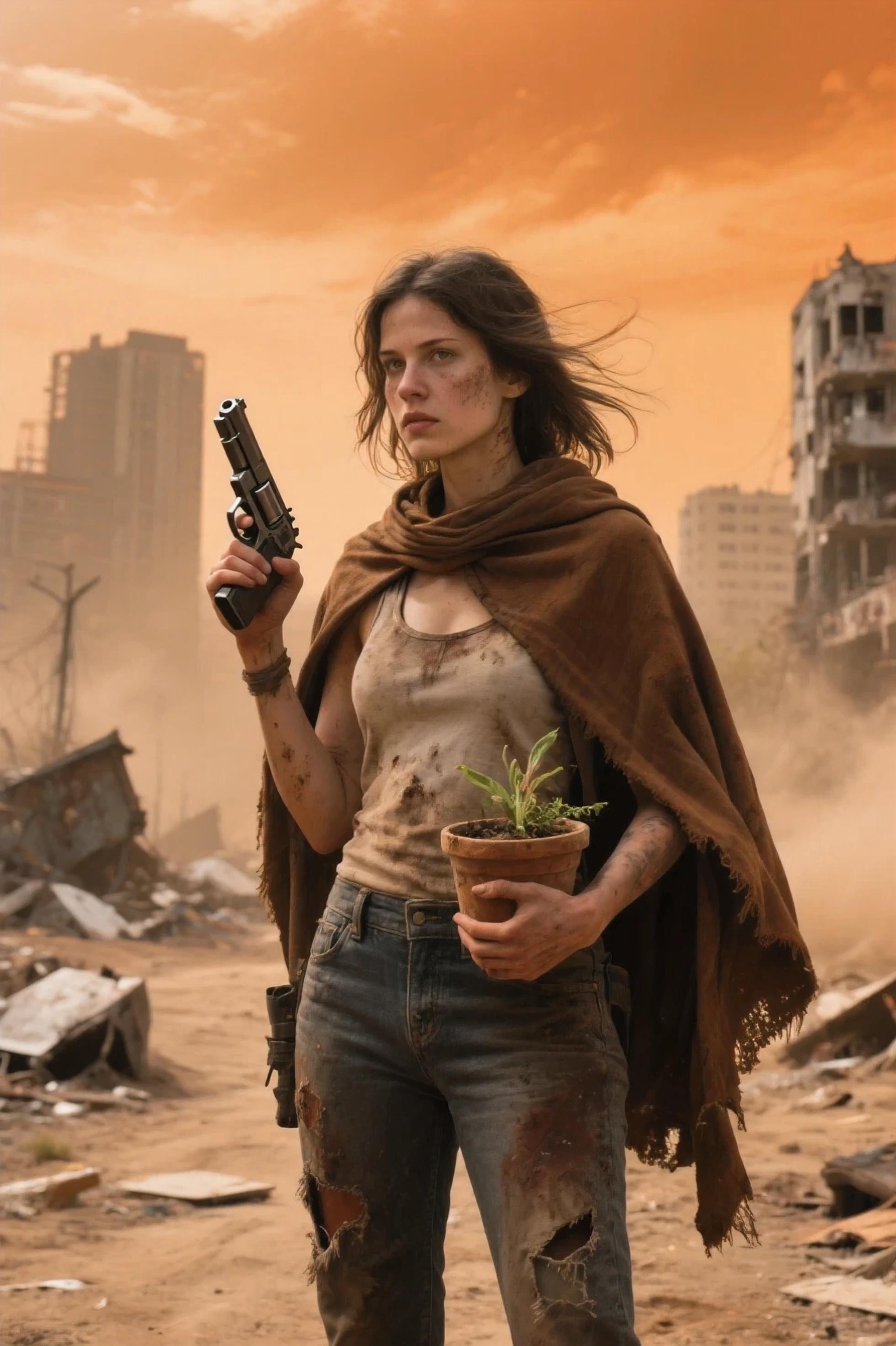
Prompt
`a woman in a post-apocalypse wasteland, she is wearing a tank top and jeans, she has a cloak made by brown cloth piece, her outfit is ? and damaged, she is holding a plant pot with her hand, she is holding a pistol on her other hand, sky is orange, dusty filter, ruined city background, scrap pieces, dirt roads, ultra realistic, cinematic, dynamic lighting, dust wind, depth of field, sharp focus, film grain`
Dawn of The Third Era
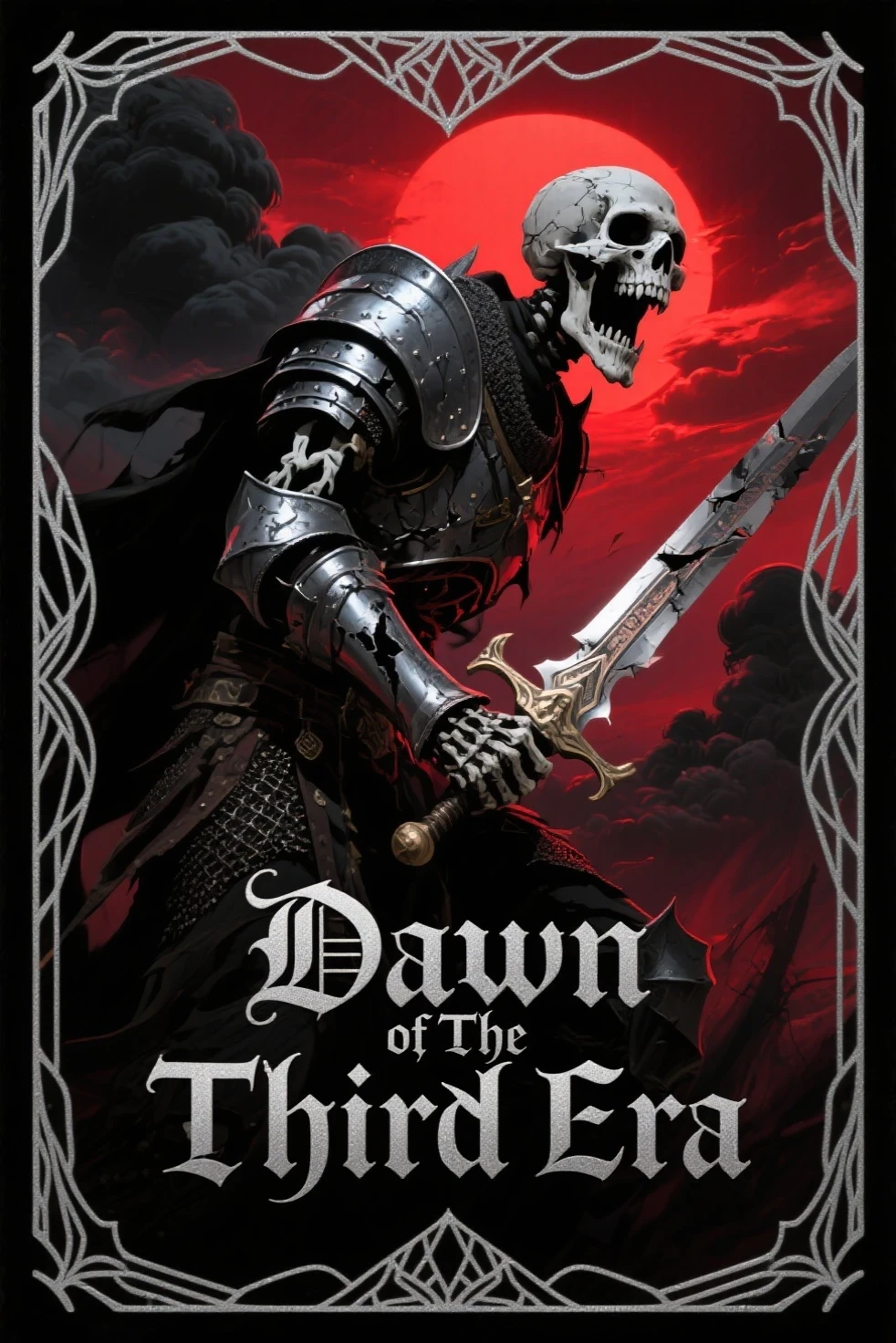
Prompt
`Fantasy card design, screaming skeleton warrior, holding sword, damaged armor, black clouds, red sun, red lighting, crimson sky, "Dawn of The Third Era" written under card with silver letters, fantasy card lines, fractal line design`
Old Photo of Sensei
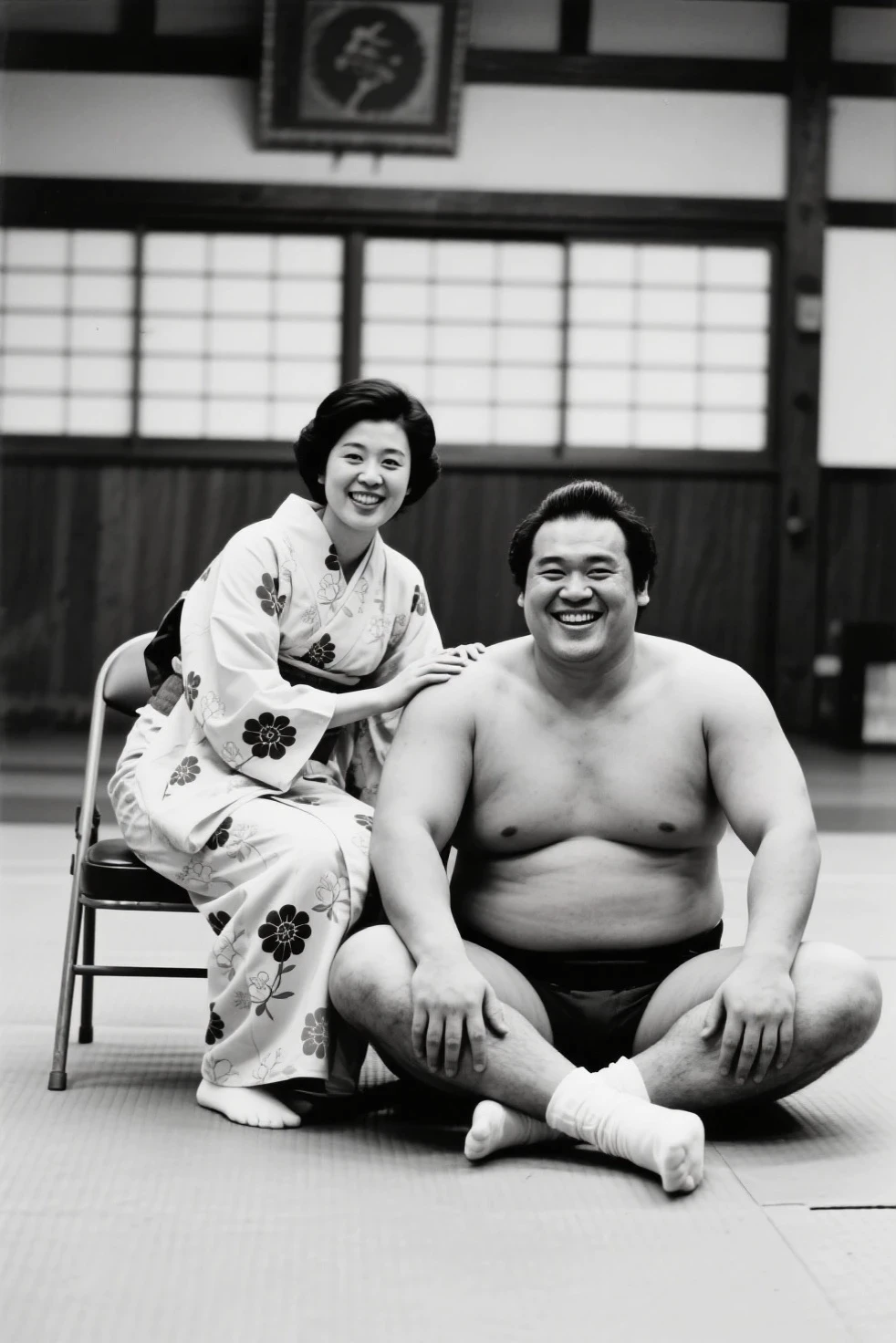
Prompt
`a sumo fighter man sitting on ground and smiling at viewer, a woman sitting next to him on a chair, her hand is on his shoulder, she has a yukata with flower design, dojo arena, polaroid filter, candid portrait, 1970s style, monochrome, professional photography`