Remove Signature from Photo Online
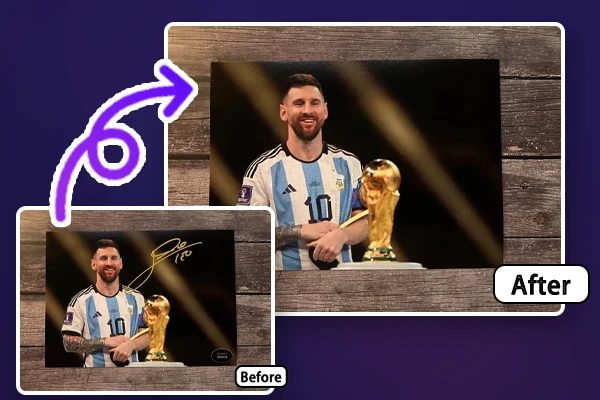
Remove signature from photo online quickly and easily with advanced SeaArt AI eraser. Achieve flawless, high-quality results in seconds without downloads or technical expertise.
Remove Signature from Photo with Ease
Experience seamless signature removal for free with AI eraser and enjoy high-quality results with ease.
Quick Signature Erasure with AI
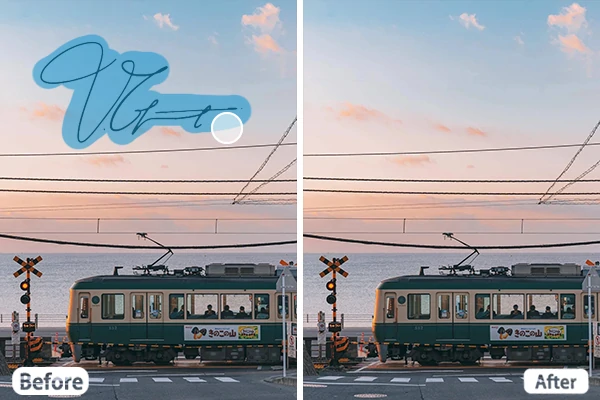
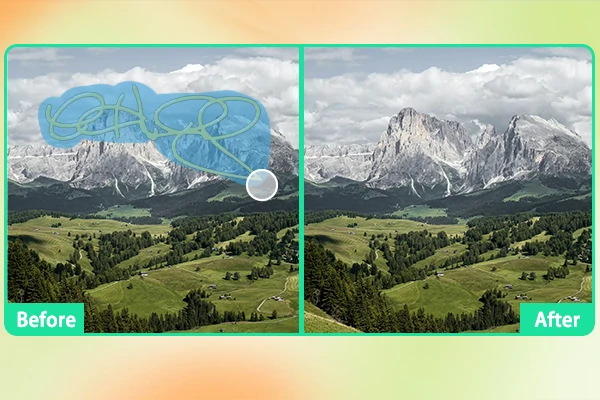
SeaArt AI leverages powerful AI technology to quickly remove signature from photo. Simply upload your image, use a brush tool to select the signature you want to remove, then let the AI handle the rest. In seconds, SeaArt's advanced algorithms detect and erase the signature, ensuring flawless results without affecting the photo's quality. This efficient, user-friendly AI signature eraser offers precision with minimal effort.
Flawless Signature Removal without Losing Quality
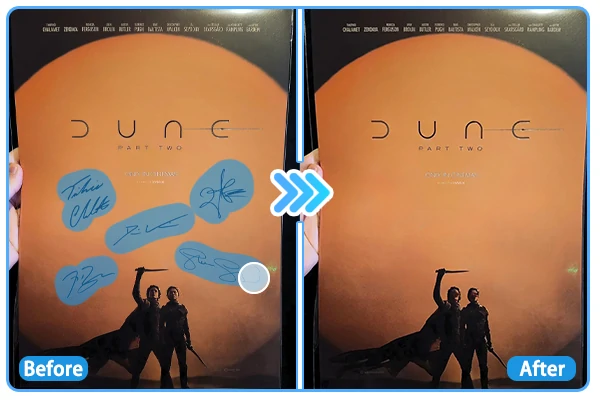
Easily remove signature from photo online free without compromising quality. SeaArt AI text remover ensures smooth and precise signature removal, preserving every detail. You can fine-tune the process with simple editing tools for flawless results. Available online and compatible with all devices, SeaArt AI guarantees artifact-free removal, maintaining the integrity of your image, no matter how complex the signature is.
Remove Signature from Photo for Every Need
The AI signature eraser serves diverse purposes, from enhancing business visuals to perfecting personal photos. It helps businesses remove watermark from image for clean, polished product images, while photographers and designers can refine work for portfolios or marketing materials. You can also easily clean up vacation photos or social media posts, ensuring you share professional images with ease and confidence.
Why Choose SeaArt's AI Eraser?


Advanced AI Technology
SeaArt AI uses cutting-edge AI to accurately remove signatures, watermarks, and other unwanted elements while maintaining the image's integrity.

User-Friendly Interface
Designed for both beginners and experienced users, the interface is intuitive and easy to navigate, ensuring a smooth editing experience for everyone.



Free of Charge
Access the AI text remover at no cost, with no need for subscriptions. Enjoy all features without any charges.

How to Remove Signature from Photo
Remove signature from photos with SeaArt AI eraser.
Step 1: Upload the image
Please choose your photo and upload it to SeaArt's AI signature eraser.
Step 2: Select the Signature
Use the brush tool to remove the signature from your photo. You can choose from three different selection tools to achieve the best result.
Step 3: Erase and Download
Click "Start Erasing" to remove the signature form photo online free. Then review and download the photo if you're satisfied.
FAQs

Does the AI signature removal compromise the image quality?

Does SeaArt AI easer support undo/redo functionality?
Yes, SeaArt AI eraser allows you to undo and redo signature removal. After selecting the remove tool, just click on the left arrow icon to dismiss this step. It'll return to the step before removal.
Does AI eraser work on mobile devices?
Absolutely. SeaArt AI eraser can be used across different platforms and is accessible from any smartphone, tablet, or computer with internet access.