
Replace Color in Image Online Free
Quickly replace any color in your photos with the SeaArt color replacement tool. Help you achieve the perfect color palette within seconds. Start recoloring now!
Why Use This Tool to Replace Color in Image?


Instant Color Adjustments
Replace colors in images in a matter of seconds. Save you time and effort to edit photos manually.

Customizable Colors in Photos
Fully customize the colors effortlessly in your photos to match your brand, personal style, or design needs.



Unaffected Image Quality
Preserve the original image quality for you as the color replacement process is non-destructive, so the image will remain sharp and clear.

A Simple Way to Change Colors in Your Photos

Replace the Colors in Image with AI in Seconds
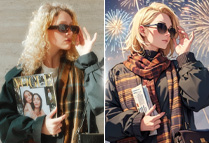
Transform your images instantly with AI-powered color replacement. Simply upload your photo, describe the color you want to change, and let the AI do the rest. No need for complex editing skills - just a few clicks and your photo will be vibrant and ready to go. Brightening up a dull picture or changing the hues of clothes, the SeaArt AI tool makes the process quick, easy, and fun!

Dye Your Old Monochrome Pictures to Brilliance
Breathe new life into your old black-and-white photos! With SeaArt free AI art generator, you can instantly add color to those vintage memories, turning them into brilliant, modern images. Perfect for a family portrait or an iconic historical photo, you can bring color and vibrance to moments that were once in grayscale. Make your cherished memories stand out in a whole new way.

Customize Colors to Match a Brand Palette
Match your images to your brand's unique color palette with ease! Customizing colors ensures that your visuals are on-brand and cohesive across every platform. Whether you're updating product photos or promotional materials, replacing color in images makes your product catalog more dynamic and engaging by offering a variety of colors at a glance.

Replace Backgrounds Colors for Any Purpose
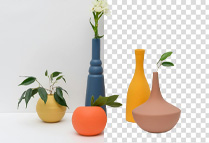
Replace different backgrounds for your image in seconds! Enhance the focus on your subject, create contrast, or simply match your project's theme. Change colors in your images for variations. No need to take extra shots - just switch out the background color and get the perfect look instantly. Use a batch of pictures with distinct backgrounds for presentations, social media, marketing materials, and more.
How to Replace Color in Image?
Upload Your Image
Upload the image you want to edit directly from your device.
Enter the Prompts
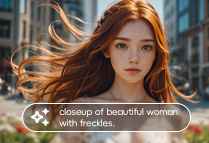
Input the prompts concerning what color you want to change, what do not change, and a positive as well as a negative prompt.
Preview and Adjust
Preview the changes to make sure the new color looks perfect. If needed, fine-tune the prompts of color replacement to suit your preferences.
Replace Color in Image - FAQs

Can I change the color of anything in an image?

Will my image quality be affected after using this color replacement tool?
No, the tool will preserve the quality of your image while replacing colors. The AI ensures that the final result maintains the original resolution and clarity of your image without worrying about pixelation or degradation of quality.
Can I replace color in images on mobile devices?
Yes, this tool is optimized for both desktop and mobile devices. Just download the SeaArt app and use this tool on your mobile phone.
Is the color replace tool free to use?
Yes, you could use it for free, as in SeaArt, you can explore all its features and models without any cost.