
Unpixelate Image Online Free
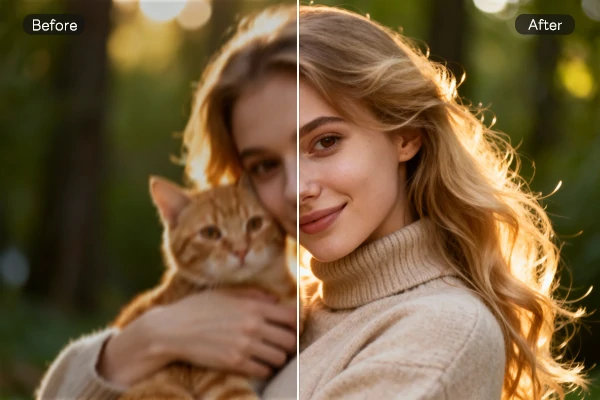
Upload a pixelated image and get sharp results in seconds. Works on old family photos, product shots, and blurry screenshots. Choose your resolution (2x, 4x, 6x, or 8x) based on how much detail you need.
See Your Images the Way They Should Look
Transform pixelated images into crisp, detailed masterpieces on SeaArt AI. Rediscover the true beauty of your photos with just a few clicks!

From Pixelated Mess to Sharp Image
Pixelation ruins good photos. We fix that. Upload your image, pick a resolution multiplier, and the tool rebuilds it at higher quality. Works best on photos with clear subjects - faces, products, or text. Takes about 10-30 seconds depending on file size.
Simple, Customizable Resolution Options
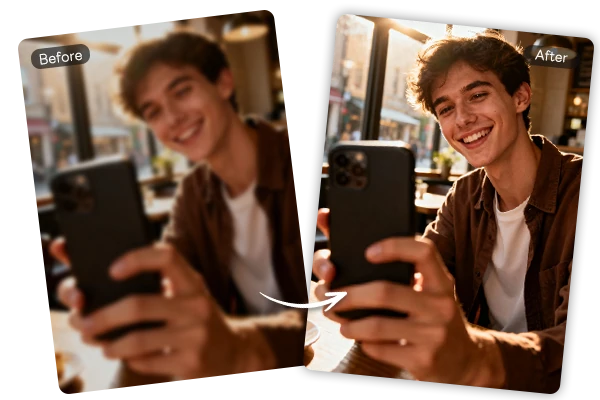
Four resolution options: 2x, 4x, 6x, or 8x. Start with 2x if you're unsure - it's faster and works for most cases. Need more detail? Go higher, but expect longer processing times. Photos and illustrations get different treatments automatically. The system picks the right enhancement approach based on what you upload.

Works on Photos, Screenshots, and More
Old family photos? Check. Blurry product shots? Check. Low-res screenshots that need rescuing? We've got you. The tool handles most image types, but works best when there's clear detail to work with. Super pixelated or heavily compressed images might not turn out perfect - just being honest. Upload and see what you get. For old photos with scratches or stains, try our AI eraser tool after upscaling.
How to Unpixelate Images Online
Get back the sharpness and detail you've been missing with just a few simple steps.
Step 1: Upload Your Image
Start by uploading the pixelated or blurry image you want to enhance.
Step 2: Customize Edit Upscaler Options
Edit customizable options to match your image's needs perfectly, improving both resolution and detail.
Step 3: Download & Save
Download your enhanced image and save it. You can also preview all your past creations in the History list for easy access anytime!
FAQs About Unpixelate Image

What does unpixelate or depixelate mean?

Can I unpixelate an image?
Yes, you can easily unpixelate an image in SeaArt AI. Our AI depixelate image tool works by improving low-resolution or pixelated images, making them clearer and more defined.
Can blurred images be reversed?
Blurry images can often be improved with AI technology. While not all blurs can be fully reversed, AI Image Upscaler significantly enhances blurred images, making them sharper and clearer.



