50M
+Creator

Create cinematic short videos from text or images with FLUX 3. SeaArt AI brings the powerful new multimodal FLUX 3 video model directly to you with an easy, fast, and high-quality online experience.


Move from idea to finished clip in 3 simple steps
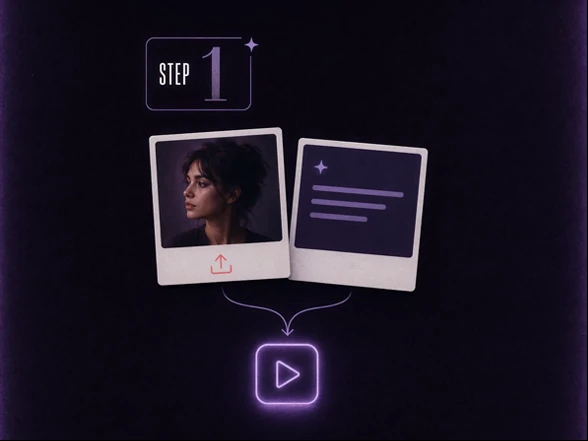
Direct the Moment
Write a clear scene description or upload a reference image. Include the subject, action, setting, and camera movement to guide the result.
Generate and Refine
Click generate to create your video. Adjust the prompt or reference image and run new versions until the output matches your vision.
Save and Share
When you are happy with the result, download the video and share it wherever you need.
No waitlist, no complex setup, just powerful AI video generation ready whenever inspiration strikes.
Describe any scene in plain language and watch the FLUX 3 AI video generator bring it to life. SeaArt AI delivers smooth animations, expressive characters, accurate physics, and synchronized native audio. Ideal for quick social hooks, explainers, or narrative clips, all generated in minutes with excellent prompt understanding.
Upload a photo or a still created with FLUX 3 Image Generator and transform it into dynamic video. The tool preserves your original composition, lighting, and details while adding realistic movement. Perfect for animating product images, character designs, or still concepts into engaging reels and demonstrations.
Enjoy physics-aware movements and built-in audio generation. Faces, gestures, and environmental interactions look natural, while sounds sync perfectly with on-screen actions. This creates immersive, high-quality clips that stand out on any platform without extra editing.
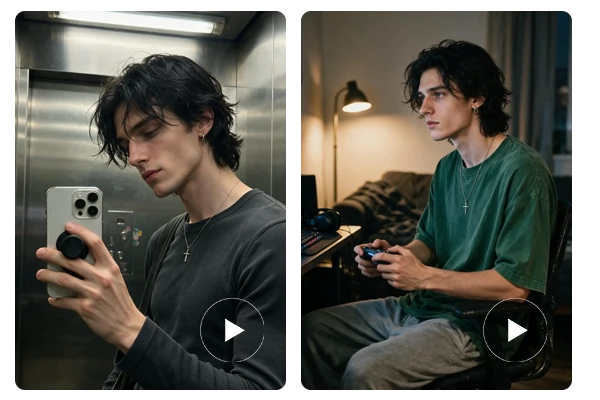
Maintain the same subjects across generations for cohesive storytelling. FLUX 3 Video supports diverse styles from realistic and cinematic to artistic, giving you full creative control while ensuring character consistency and high visual quality.

Text or Image as Your Starting Point
Begin with a clear text prompt or a reference image. Choose the input that best captures your creative direction from the first frame.

Native Audio Built In
Every generation includes synchronized audio, so sound and motion are planned together from the start for more complete results.

Strong Character Consistency Across Scenes
Maintain the same subjects and visual identity when extending clips or creating multi-shot sequences for cohesive storytelling.

Designed for Fast Iteration
Adjust one element at a time, generate new versions quickly, and refine until the result matches your final vision.

What is FLUX 3 AI video generator?

Does FLUX 3 include audio?
Yes. FLUX 3 generates videos with native synchronized audio, so sound and motion are created together in a single pass.
What lengths and quality can I expect?
You can generate clips up to 20 seconds with strong realism, native audio, and support for a wide range of styles and aspect ratios.
Transform your ideas into high-quality video clips in minutes. Enjoy realistic motion, native audio, and effortless creativity, all powered by FLUX 3 Video Generator.