50M
+Creator

Start with a prompt, photo, clip, or audio, compare creative directions as you build, then turn the version that works into a finished video, image, or talking portrait.

One Creative Workspace
Keep every stage of a project in view, from rough direction to final polish.

100+ Tool Paths
Choose from video, image, editing, speech, and avatar workflows as the project changes direction.

10,000+ Templates
Open channel-ready formats for ads, intros, product demos, and short-form stories.

Start Before Signup
Try supported creation tools in the browser before deciding whether to create an account.
Choose a Template
Browse the template library and pick a UGC format shaped for your product.
Use a Random Prompt
Use a random prompt to reveal a product-led concept ready for refinement.
Generate and Download
Generate the final cut, check product clarity, then download the version for delivery.
Pick the input that already matches your idea, then keep the next creative decision close at hand.
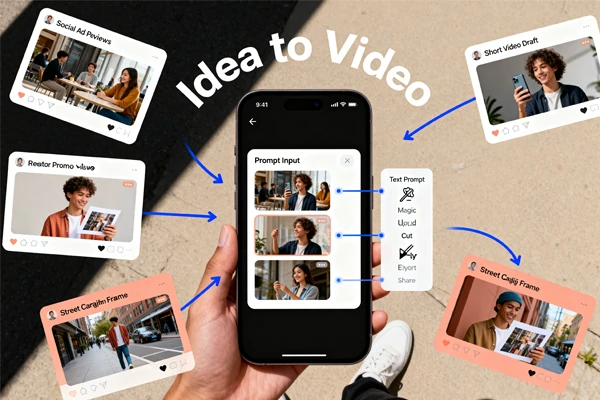
Build a scene from written direction using text to video to set camera movement, subject action, pacing, and visual style before reviewing the first pass. For a composition that already works, switch to image to video and refine the motion without remaking the scene.
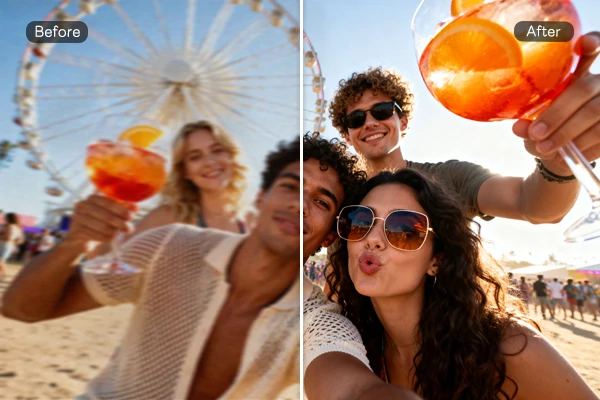
Turn a concise brief into a campaign visual with an AI image generator, then edit only the details that need correction. Magic Hour-style workflows suit product scenes, portraits, thumbnails, and social assets, keeping the established art direction while an AI image editor handles background, layout, and finish.
Start with a creator-style ad template or a random prompt, then shape the draft around a product close-up, a spoken hook, and a clear final action. Use a presenter-led frame when the concept needs a human point of view, then tune pacing and product focus before export.
Set the camera language, refine the moment, and generate a cut worth developing.













What can Magic Hour create?

Can I start with text or an image?
Yes. Build a scene from written direction when there is no reference frame, or animate an existing composition when the look is already decided.
Can a talking photo use my own audio?
Yes, a clear portrait and a speech track can guide the result. Check mouth timing, expression, and framing because small face details can still need a second pass.
Are templates useful for vertical social videos?
They can shorten the first draft by giving you a starting layout, pacing idea, and visual direction. Choose a template close to the channel and then adjust the subject, text, colors, or clip order.
Is Magic Hour free to try?
Supported video, image, and editing tools can be tried for free, and some entry points work before signup. Available modes, queues, export options, and usage limits vary by tool and plan.
Can I use generated files commercially?
Commercial rights depend on the plan and the specific output, so check the current terms before publishing paid work. You also need the rights to uploaded faces, music, logos, footage, and other source material.