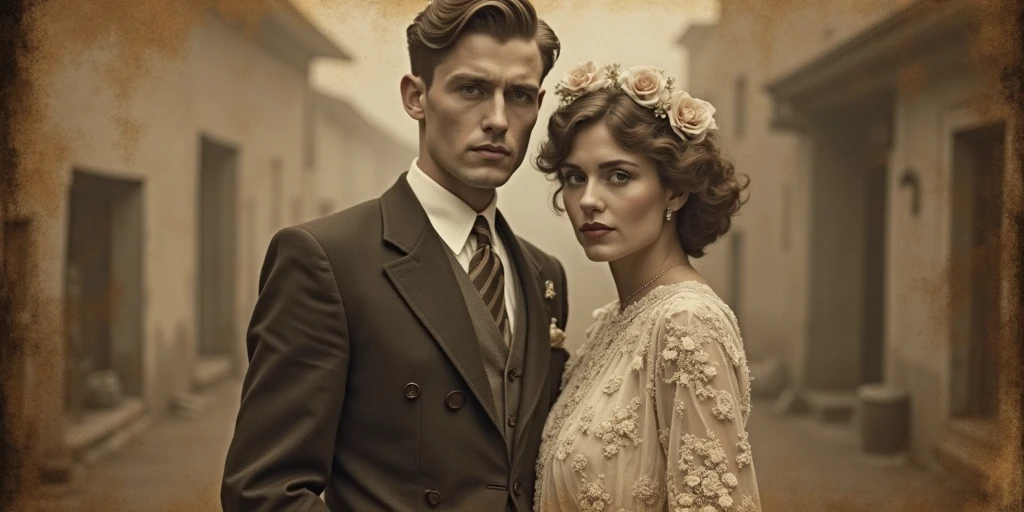
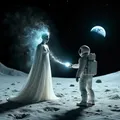
Welcome, aspiring creators, to this detailed and comprehensive guide on the art of recreating vintage aesthetics and exploring unique "hybrid" styles using the SeaArt platform.
The allure of memory-tinged film photographs, the subtle elegance of classic art movements, or the fascinating precision of technical drawings from a bygone era are endless sources of inspiration. However modern AI models to achieve these styles requires a certain understanding, as they are often designed for the sharpness and colors of the digital age.
This article has been compiled to provide a clear, accessible roadmap, helping you – even if you are new to AI image generation – to confidently master the tools on SeaArt to create works imbued with historical character or surprising combined creations.
Part I: Solid Foundations – Recreating Pure Vintage Styles
Fundamental Principle: Intelligently "Guiding" Modern AI Models
The core of this method is to provide the AI model with clear, strong, and specific instructions (prompts) about the vintage style you desire, while using Negative Prompts to eliminate unnecessary modern elements, and crucially, understanding how your chosen model will interpret those instructions.
Step 1: Selecting a Suitable AI Model on SeaArt – "Choosing Your Champion"
The initial choice of AI model significantly impacts the result and how you construct your prompts. Each model has unique characteristics and reacts differently to various instructions.
- SDXL (Stable Diffusion XL) and other SDXL-based models (e.g., Juggernaut XL, and many other high-quality Realistic/Fantasy models):
- Advantages: Generally very powerful, capable of understanding complex prompts and generating high-quality, detailed images. Most of these models effectively support the use of weights (keyword:value) and recognize artist names for style guidance.
- Note: Optimal parameters like CFG Scale may vary slightly among specific models within this group.
- High-Quality Realistic Models (often based on SD1.5 or similar architectures):
- Advantages: Many models in SeaArt's library fall into this category (e.g., Deliberate, Realistic Vision). They usually understand weights and artist names.
- Note: May require more detailed prompts compared to SDXL to achieve similar complexity.
- SeaArt Film
- Characteristics: This model might be specially fine-tuned for creating videos or images with a cinematic style.
- IMPORTANT NOTE: Based on experience and feedback, this model may not understand or may interpret prompt weights differently from the traditional SD1.5/SDXL manner. Instead of weights, detailed descriptions and keyword repetition might be more effective. The optimal CFG Scale might also be much lower (e.g., in the 1.5 - 4.0 range).
- Flux Models (including SeaArt Infinity) and models based on new architectures like SD3.5 (if available on SeaArt):
- Characteristics: These are newer model architectures with potentially significantly different prompt processing.
- CRITICAL NOTES:
- The use of weights (keyword:value) often has no effect with these models.
- Artist names in prompts are also often not recognized by these models for style guidance.
- CFG Scale often has no effect or is optimized at a fixed value (typically 1.0 for Flux models). Changing this parameter in the interface may not affect the outcome.
- To emphasize an element when using these models, you need to focus on detailed descriptions with words, repeating important keywords, or using other advanced prompting techniques specific to that model type.
Step 2: Building the Prompt – The "Detailed Script" for the AI (Note Model Differences)
The prompt is the "soul" of the artwork. Crafting effective prompts requires understanding how your chosen model interprets information.
General Suggested Prompt Structure:
[Description of main subject and setting], [style keyword 1], (style keyword 1 with weight if model supports), [effect keyword 1], [material keyword 1], [era/time period keyword], [supplementary keywords]
- [Description of main subject and setting]: Always the most crucial part, describing what you want the AI to draw, where, and what it's doing. (Example: "a detailed portrait of a thoughtful Victorian gentleman in his study, surrounded by books and scientific instruments").
- (style/effect/material keyword:weight):
- Examples: sepia tone, film grain, chiaroscuro lighting.
- weight (e.g., :1.2, :1.4): Should only be used and expected to have a clear effect with SD1.5, SDXL, and compatible models. For SeaArt Film, Flux, SD3.5, omit this weighting. Instead, to emphasize, try repeating the keyword (e.g., sepia tone, sepia tone effect, strong sepia) or using strong descriptive adjectives.
- [era/time period keyword]: Crucial for setting the historical atmosphere. Use circa [year] (e.g., circa 1930s), period names (Victorian era, Art Deco period), or suggestive keywords.
- [supplementary keywords]:
- Artist names (in the style of [artist's name]): Only effective with SD1.5, SDXL, and some similar models. DO NOT use for Flux models (including SeaArt Infinity) and newer models that don't recognize artist names.
- Words describing the general mood (nostalgic, ethereal, dramatic, gritty).
Sample Prompt Library by Time Periods (With Model Adjustment Guidance):
I. Vintage Photography Styles:
- Late 19th Century (Example: c. 1870s - 1890s - Victorian Era):
- General Characteristics: Often monochrome (black & white, sepia), possibly soft edges, old photo paper texture, distinct contrast.
- Sample Prompt (For SDXL/SD1.5 with weight support):
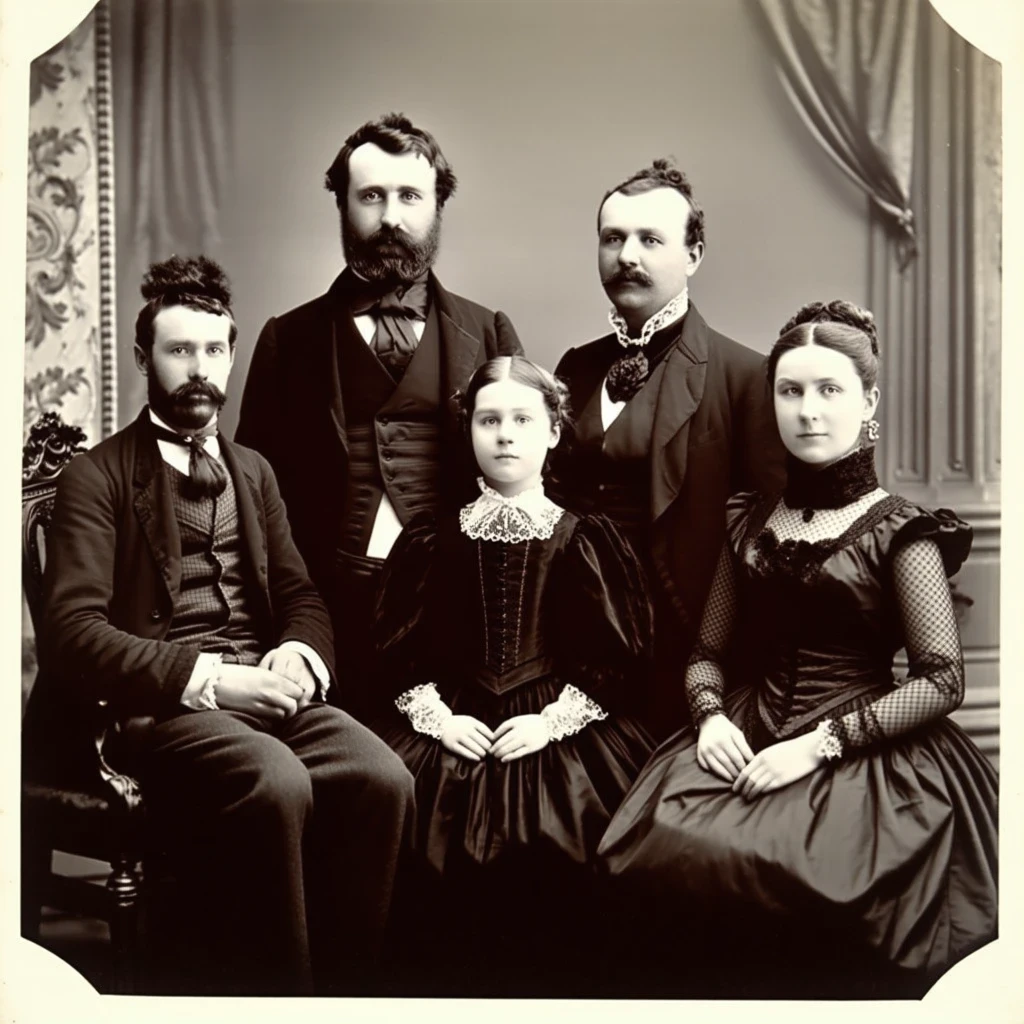
a formal studio portrait of an aristocratic family in elaborate Victorian attire, (daguerreotype aesthetic:1.3), (monochrome, rich deep blacks and highlighted whites, high contrast:1.4), (slight optical vignetting:1.1), (antique textured albumen paper print:1.2), circa 1885
- Sample Prompt (For SeaArt Film/Flux/SD3.5 - No weights, emphasize with words):
formal studio portrait, aristocratic family, elaborate Victorian attire, daguerreotype aesthetic, strong daguerreotype look, monochrome, rich deep blacks, highlighted whites, high contrast, slight optical vignetting, antique textured albumen paper print, circa 1885
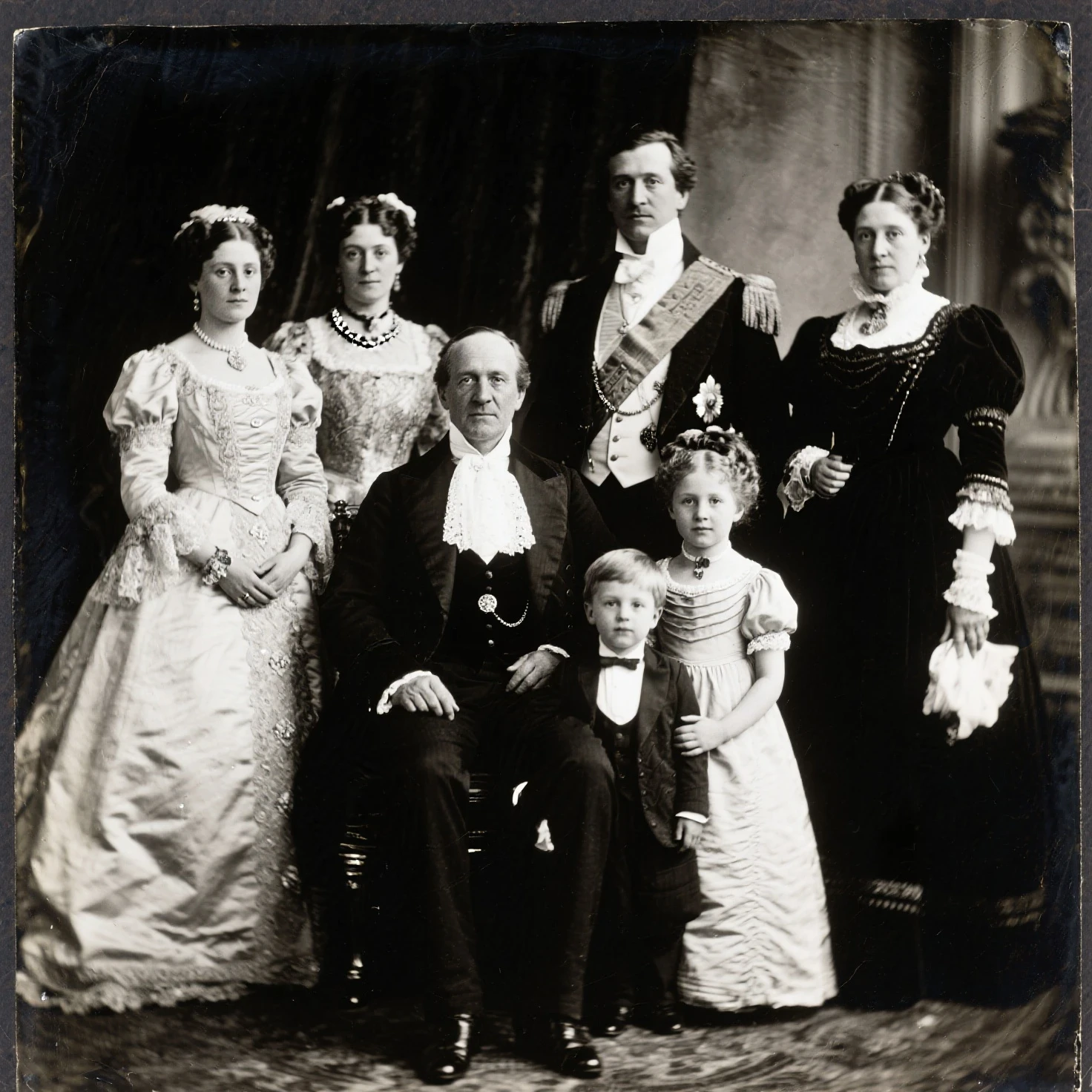
- Interpretation: A formal portrait of an aristocratic family in elaborate Victorian attire, Daguerreotype style, monochrome with deep blacks and bright whites, high contrast, slight optical vignetting, on an antique textured albumen paper print, circa 1885.
- Related Keywords (can be added to prompt): Victorian era photography, albumen silver print, cabinet card photograph, stern expressions.
2. Early to Mid-20th Century (Example: c. 1920s - 1950s):
- General Characteristics: Sepia tones, grainy black and white film, Art Deco style (1920s-30s), Film Noir (1940s-50s).
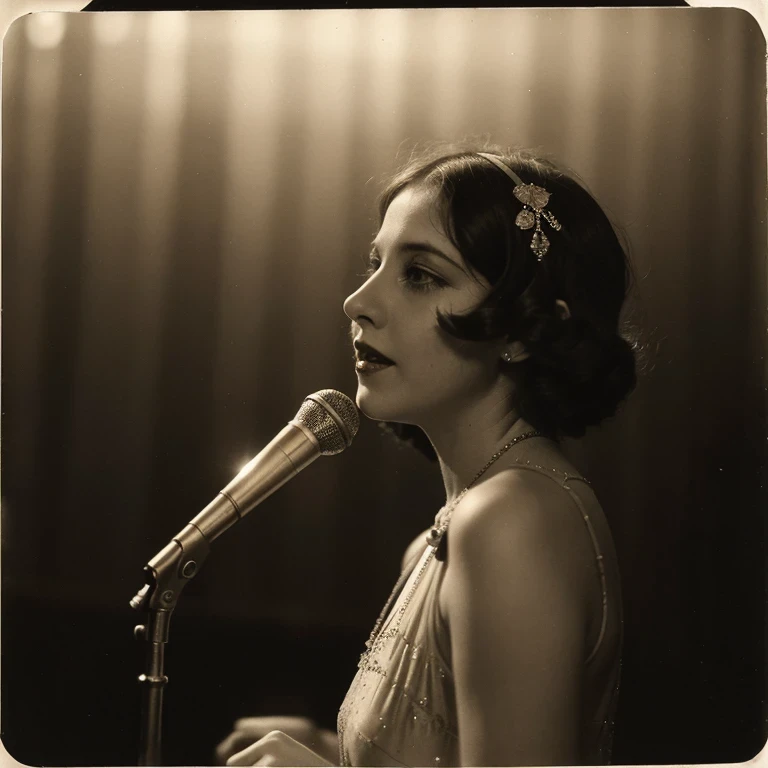
- Sample Prompt (1920s Style - For SDXL/SD1.5):
a glamorous jazz singer performing on stage in a smoky Art Deco nightclub, (sepia tone:1.25), (soft focus, atmospheric haze:1.1), (authentic 1920s silver gelatin film grain:1.3), (classic vintage photograph effect:1.4), low angle shot, dramatic stage lighting, circa 1928
- Sample Prompt (1920s Style - For SeaArt Film/Flux):
glamorous jazz singer, performing on stage, smoky Art Deco nightclub, rich sepia tone, soft focus, atmospheric haze, authentic 1920s silver gelatin film grain, strong classic vintage photograph effect, low angle shot, dramatic stage lighting, circa 1928
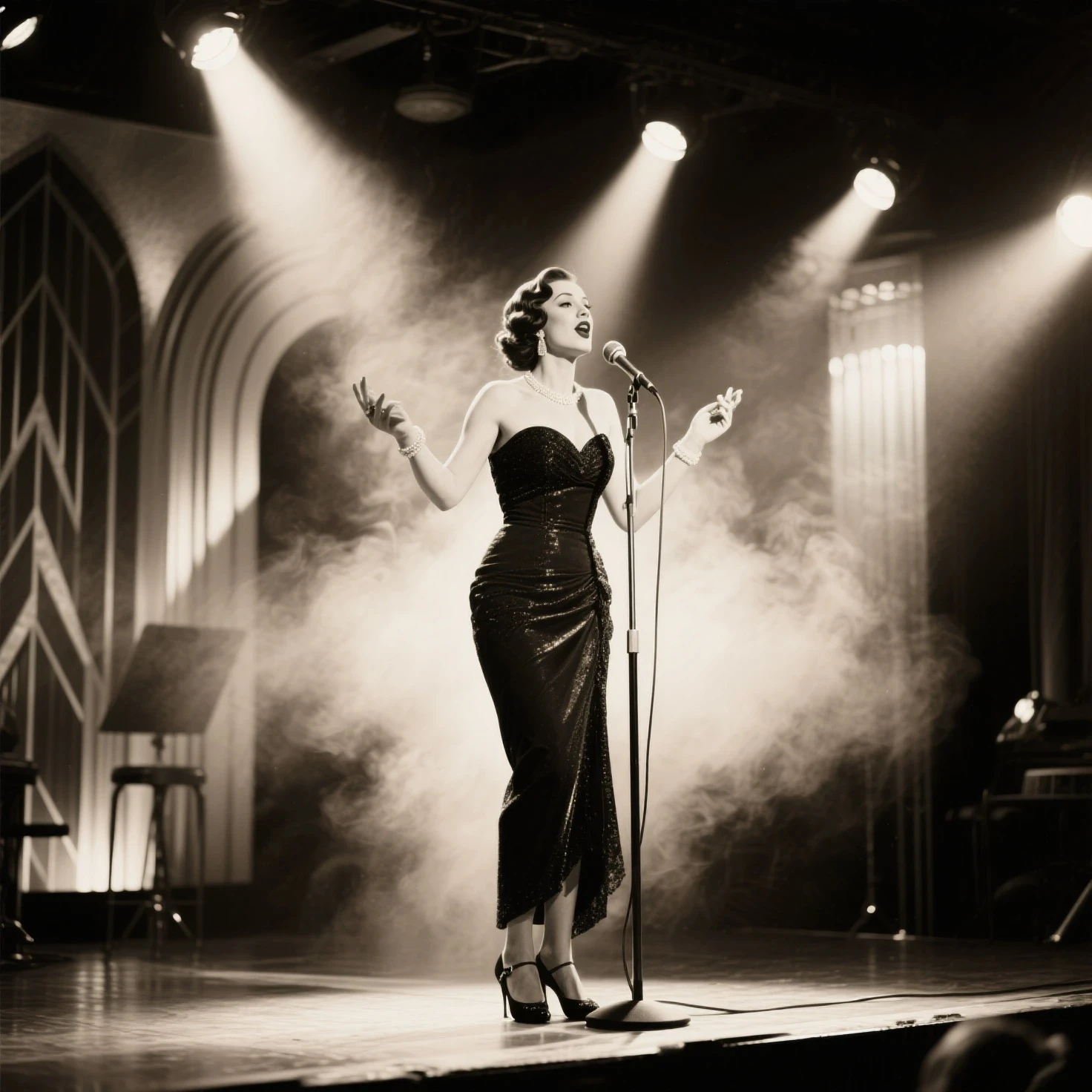
- Interpretation: A glamorous jazz singer performing on stage in a smoky Art Deco nightclub, sepia tone, soft focus and atmospheric haze, authentic 1920s silver gelatin film grain, classic vintage photograph effect, low angle shot, dramatic stage lighting, circa 1928.
- Related Keywords: Roaring Twenties fashion, Art Deco architecture, speakeasy atmosphere, Film Noir lighting, Kodachrome color film (for the 50s).
3. Latter Half of the 20th Century (Example: c. 1960s - 1980s):
- General Characteristics: Polaroid look with distinct borders, slightly faded or yellowish colors, light leaks, 35mm film grain.
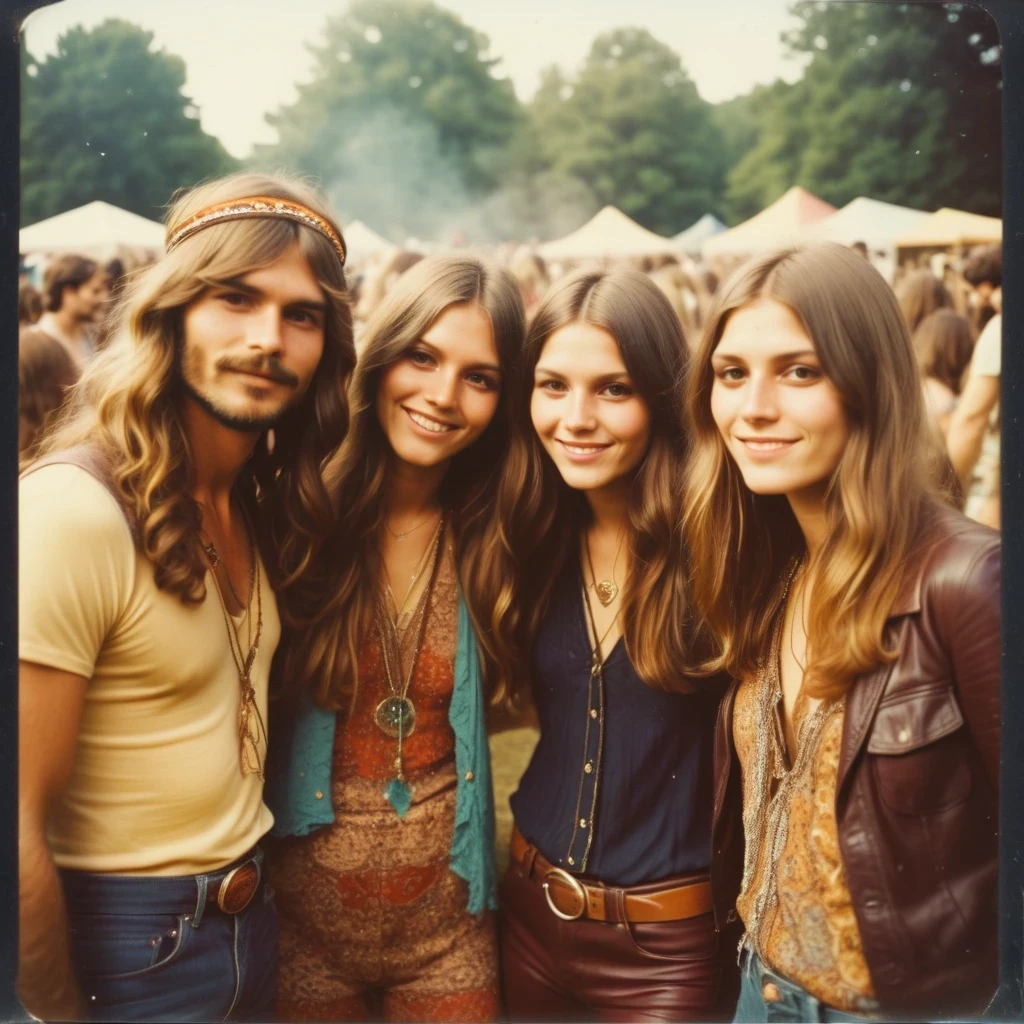
- Sample Prompt (1970s Style - For SDXL/SD1.5):
a candid snapshot of a group of friends with long hair and bell-bottoms at an outdoor music festival, (vintage Polaroid SX-70 photo effect:1.4), (faded, warm, slightly desaturated color palette:1.3), (authentic lens flare and light leaks:1.2), (grainy 35mm film look:1.1), (1970s hippie fashion and atmosphere:1.2), circa 1975
- Sample Prompt (1970s Style - For SeaArt Film/Flux):
candid snapshot, group of friends, long hair, bell-bottoms, outdoor music festival, vintage Polaroid SX-70 photo effect, strong Polaroid aesthetic, faded warm slightly desaturated color palette, authentic lens flare and light leaks, grainy 35mm film look, 1970s hippie fashion and atmosphere, circa 1975
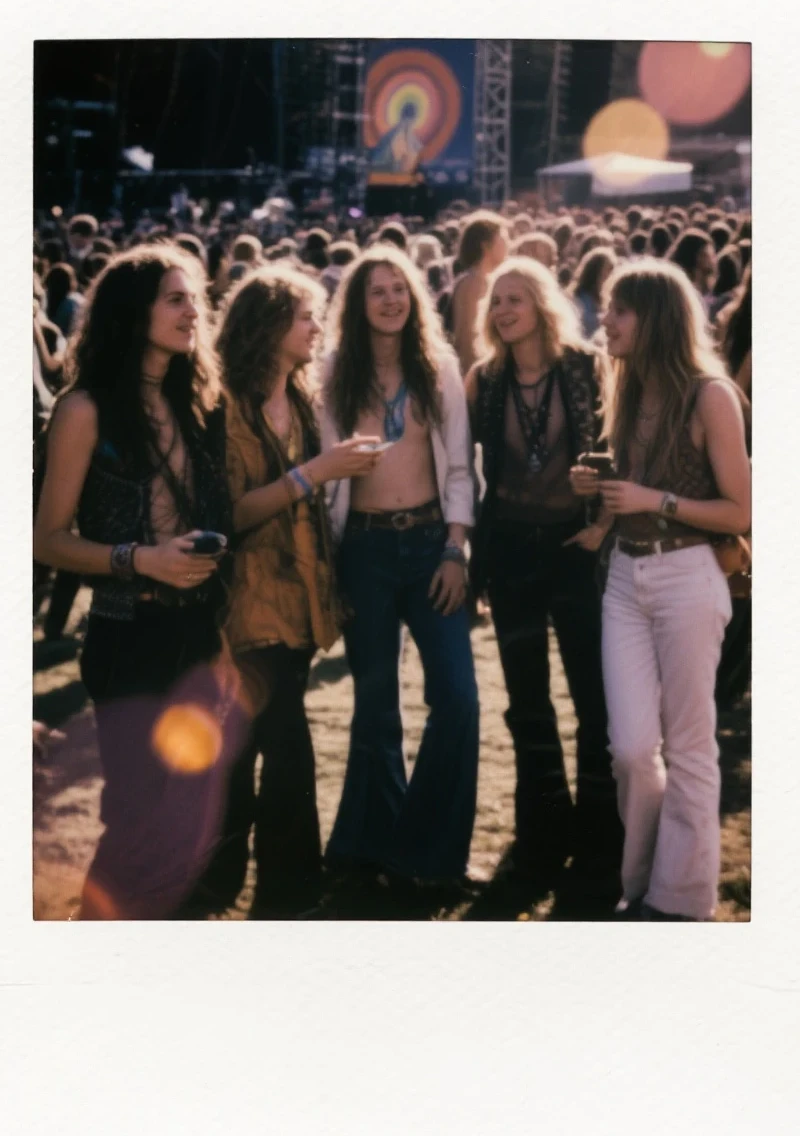
- Interpretation: A candid snapshot of a group of friends with long hair and bell-bottoms at an outdoor music festival, vintage Polaroid SX-70 photo effect, warm, faded, and slightly desaturated color palette, authentic lens flare and light leaks, grainy 35mm film look, 1970s hippie fashion and atmosphere, circa 1975.
- Related Keywords: Retro aesthetic, Pop Art influence (60s), analog photography artifacts, Ektachrome film.
II. Vintage Drawing and Print Styles:
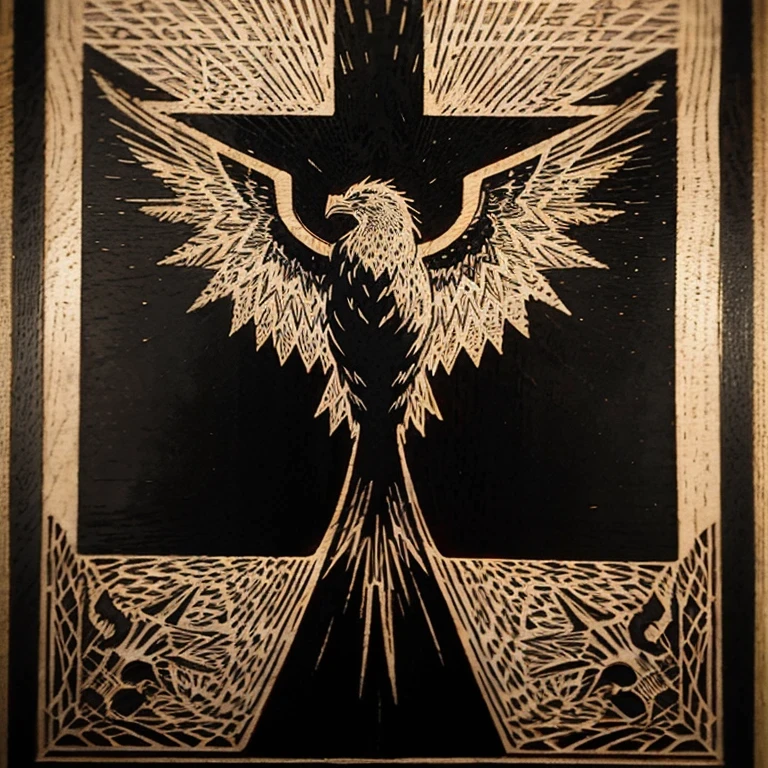
1.Woodcut Print (Example: Medieval or Renaissance):
- General Characteristics: Bold black lines, high contrast, often few colors or monochrome, textured paper surface, hatching for shading.
- Sample Prompt (For SDXL/SD1.5):
an intricate illustration of a mythical phoenix rising from ashes, (traditional European Renaissance woodcut print:1.5), (bold, stark black outlines:1.4), (detailed cross-hatching for shading and texture:1.3), (aged, yellowed parchment paper background:1.2), (limited color palette, using only black, deep red, and metallic gold ink:1.3), style of Albrecht Dürer, circa 1510
- Sample Prompt (For SeaArt Film/Flux - Omit artist name):
intricate illustration, mythical phoenix rising from ashes, traditional European Renaissance woodcut print, very bold stark black outlines, detailed cross-hatching for shading and texture, aged yellowed parchment paper background, limited color palette using only black, deep red, and metallic gold ink, circa 1510
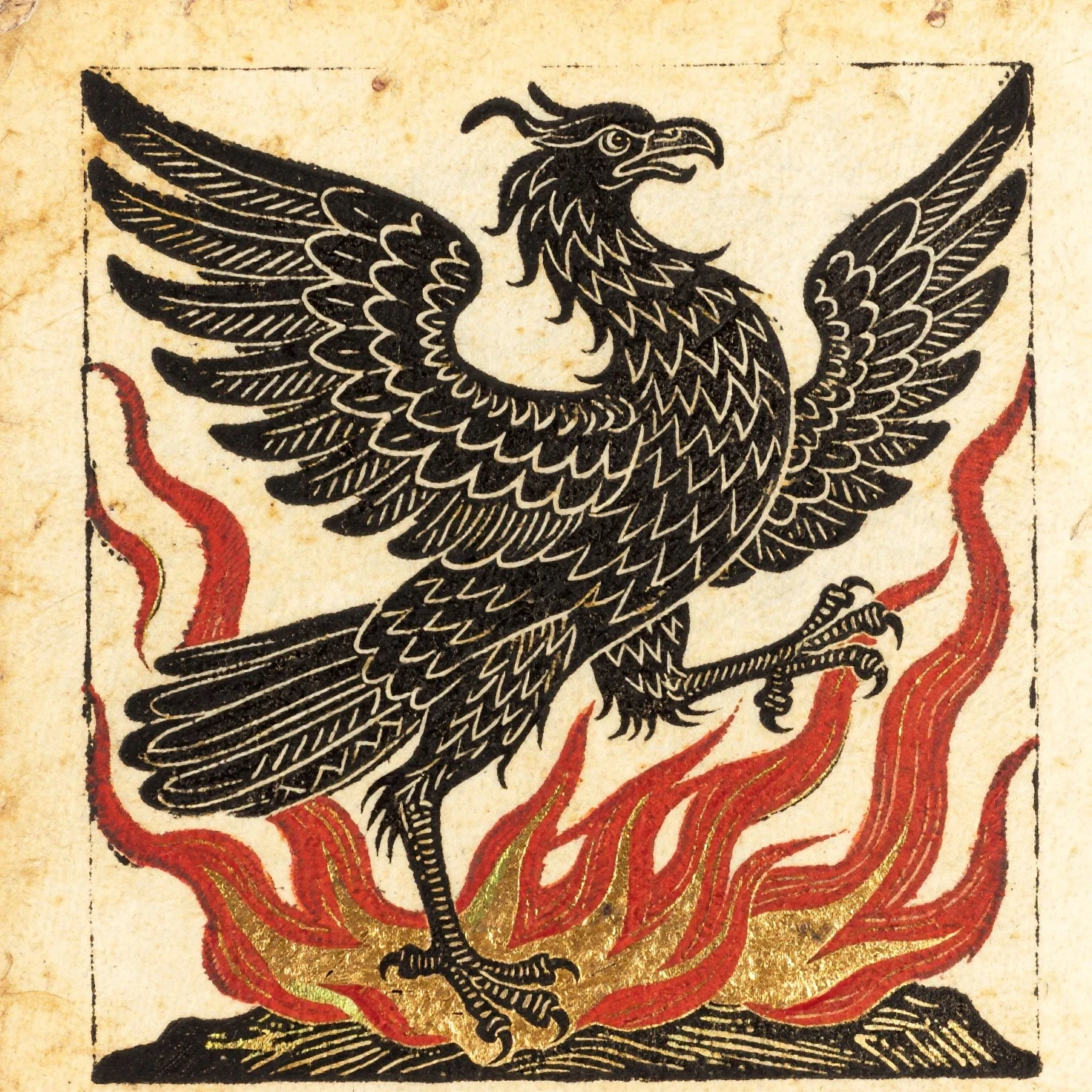
- Interpretation: A detailed illustration of a mythical phoenix rising from ashes, traditional European Renaissance woodcut print style, bold and stark black outlines, detailed cross-hatching for shading and texture, aged and yellowed parchment paper background, limited color palette using only black, deep red, and metallic gold ink, (if model supports) in the style of Albrecht Dürer, circa 1510.
- Related Keywords: Medieval illumination style, Gothic woodblock print, Japanese Ukiyo-e woodblock print (for Japanese style).
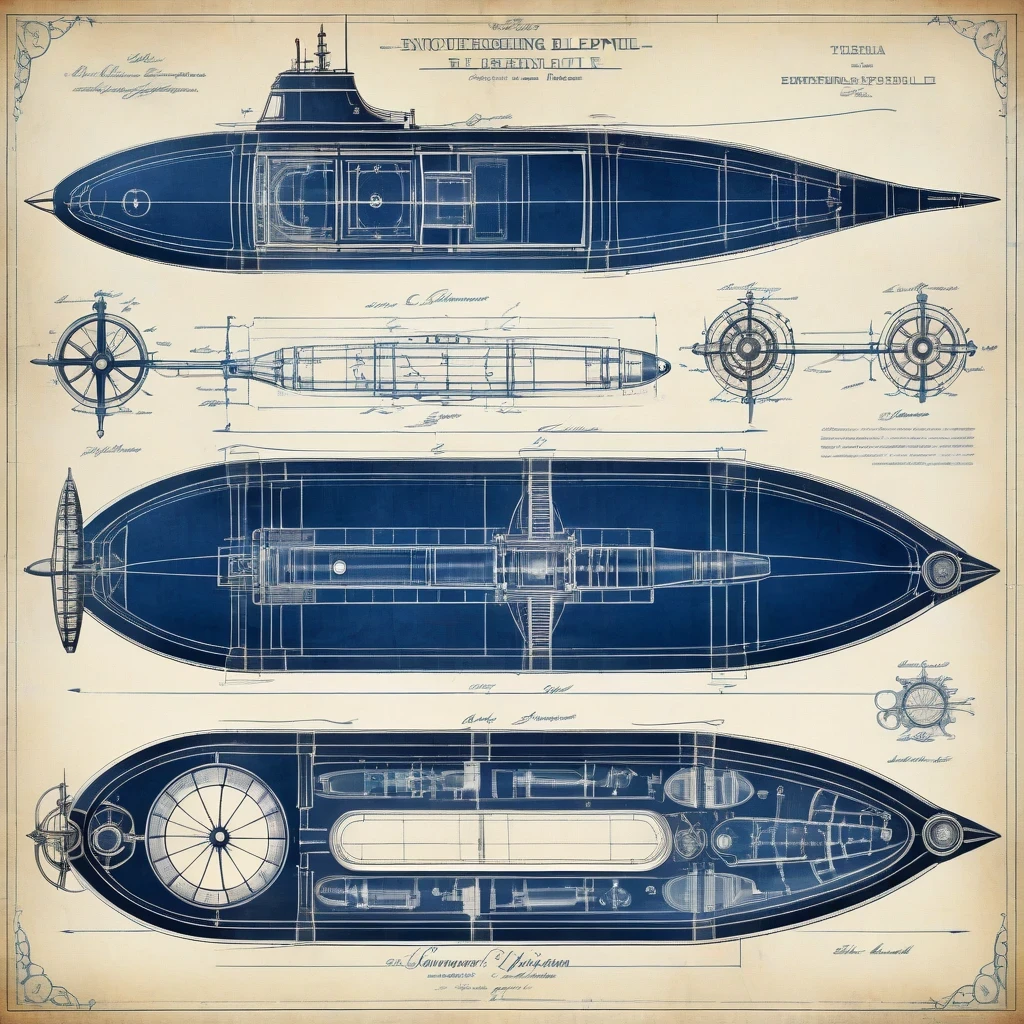
2. Vintage Technical Drawing (Blueprint/Schematic):
- General Characteristics: Often white or light lines on a deep blue background (cyanotype), featuring annotations, measurements, dimension lines, and technical details.
- Sample Prompt (For SDXL/SD1.5):
a highly detailed schematic diagram of an imaginary Victorian-era submersible exploration vehicle, (antique engineering blueprint style:1.4), (classic cyanotype printing process effect, deep Prussian blue background:1.35), (precise white ink lines for details and outlines:1.2), (handwritten annotations, technical specifications, and dimension lines in a classic script font:1.1), intricate mechanical components, cross-section view, circa 1892
- Sample Prompt (For SeaArt Film/Flux):
highly detailed schematic diagram, imaginary Victorian-era submersible exploration vehicle, antique engineering blueprint style, classic cyanotype printing process effect, deep Prussian blue background, precise white ink lines for details and outlines, handwritten annotations, technical specifications, and dimension lines in a classic script font, intricate mechanical components, cross-section view, circa 1892
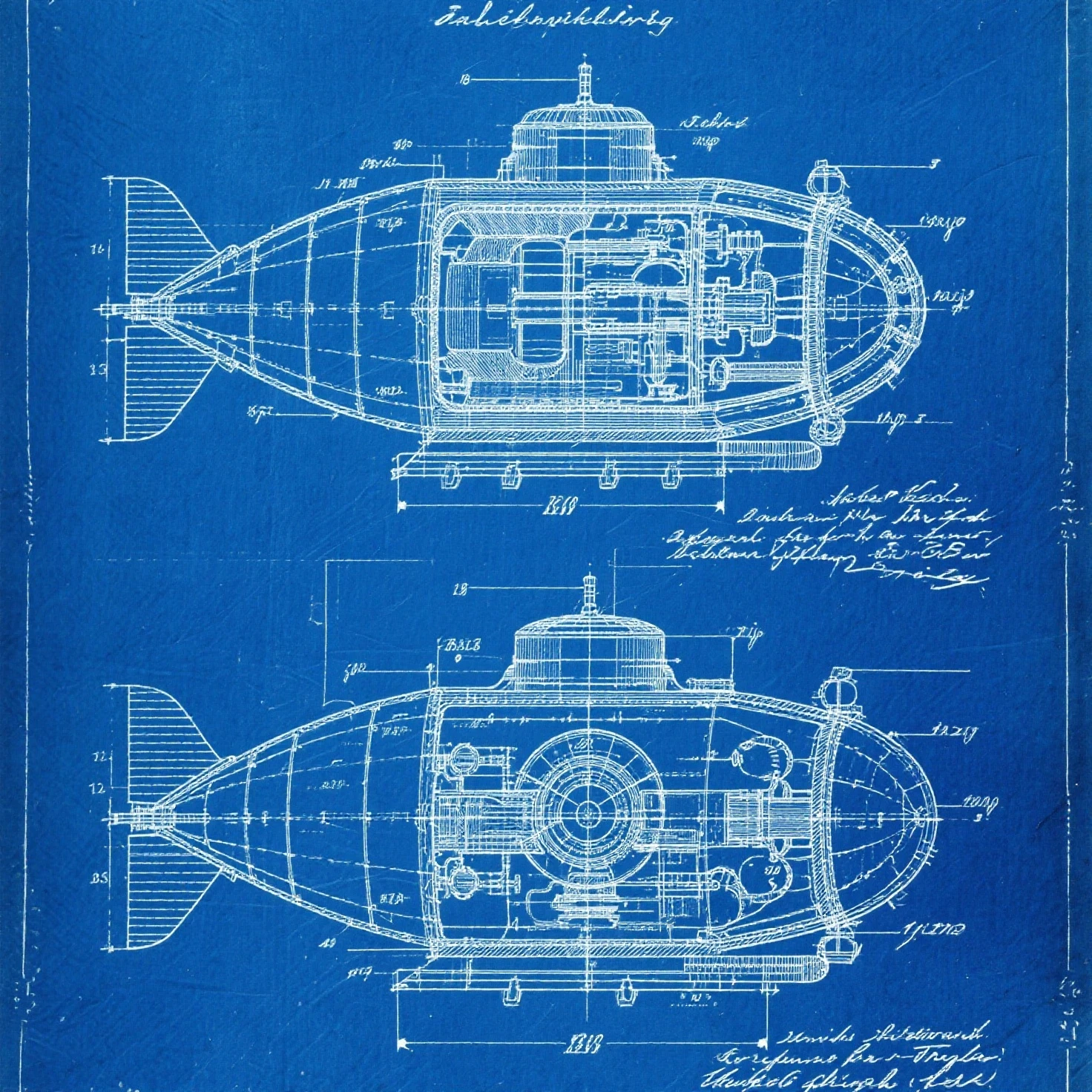
- Interpretation: A detailed schematic diagram of an imaginary Victorian-era submersible exploration vehicle, antique engineering blueprint style, classic cyanotype printing process effect with a deep Prussian blue background, precise white ink lines for details and outlines, handwritten annotations, technical specifications, and dimension lines in a classic script font, intricate mechanical components, cross-section view, circa 1892.
- Related Keywords: vintage patent drawing, architectural rendering (old style), Da Vinci anatomical sketches.
Step 3: Using Negative Prompts – The "Shield" Against Modernity
Negative Prompts list what you don't want in the image. This is an effective tool to eliminate unwanted modern characteristics.
- General Negative Prompt Suggestions: modern, contemporary, digital art, photorealistic (if you want to avoid excessive realism, style-dependent), vibrant colors, neon colors, HDR, 4K resolution, 8K resolution, glossy finish, shiny surfaces, smooth shading, clean lines, perfect details, CGI rendering, 3D graphics, futuristic, plastic look, watermark, text, signature.
- Important Note:
- Customize this list based on the specific vintage style you are aiming for. For example, if you want a black and white image, add color, colorful, vivid colors to the Negative Prompt.
- Some models like SeaArt Film or Flux models may not have a separate Negative Prompt field, or the way they handle Negative Prompts might differ. In such cases, you may need to experiment with adding negative keywords directly into the main prompt (e.g., no modern elements, avoid vibrant colors), or consult specific documentation for that model's negative prompting techniques (if available).
Step 4: Fine-Tuning Technical Parameters on SeaArt – Understanding the "Control Knobs" by Model
Besides the prompt, the following parameters also greatly influence the final result, and their optimization varies significantly depending on the model you choose.
- Sampler: Each Sampler (e.g., Euler a, DDIM, DPM++ 2M Karras, DPM++ SDE Karras) has its own image generation algorithm and can impart a different "feel" to the artwork. Some Samplers might be more suited for vintage styles or creating a "rougher" effect. Experiment with different Samplers with your chosen model.
- Steps (Image Generation Steps): This is the number of times the AI refines the image.
- For traditional SDXL/SD1.5 models: Typically 20-40 Steps. Lower Steps (e.g., 20-30) can sometimes reduce modern "smoothness," creating a more vintage effect. Avoid going too low (below 15-20) as it can result in underdeveloped or flawed images.
- For Flux models or newer generation models: May achieve good results with significantly fewer Steps (sometimes as low as 10-20).
- Always experiment to find the optimal number of Steps for your model and prompt combination.
- CFG Scale (Guidance Scale - Prompt Adherence Level): This parameter controls how strictly the AI adheres to the instructions in your prompt.
- For most SDXL models: A general rule is that higher CFG Scale values (e.g., in the 7-12 range) will make the AI follow your prompt more closely, resulting in sharper and more detailed images as per your request. Lower values (e.g., 4-7) may allow the AI more "creative freedom" but can also dilute the desired style.
- For Juggernaut XL (and other specially fine-tuned SDXL models): The optimal CFG Scale value might differ. Users should consult specific recommendations for this model or experiment to find the most suitable setting.
- For SeaArt Film Model: Experience suggests that a CFG Scale in the range of 1.5-4.0 often yields accurate and balanced results, although you can still experiment with higher values for stronger effects.
- For Flux Models (including SeaArt Infinity): These models often operate with a fixed guidance value (typically 1.0). Changing the CFG Scale setting in the interface usually has no effect on them.
- Therefore, always try to find specific recommendations for each model you use or dedicate time to experimenting to find the ideal CFG Scale for your concept.
- Resolution: Sometimes, a not-too-high resolution (e.g., 768x768 or 1024x1024 instead of ultra-large resolutions) can also contribute to a vintage feel. With some models or interfaces, you may need to specify the desired resolution directly in the prompt if there isn't a separate option.
Part II: Exploring New Territories – Combining Vintage with Modern
Once you've mastered recreating pure vintage styles, embark on a more creative adventure: blending vintage aesthetics with modern, science fiction, or fantasy elements. This is how you can forge unique genres like Steampunk, Dieselpunk, Retro-futurism, or fantastical worlds with a nostalgic touch.
Principles of "Hybrid" Styling:
- Build a Solid Vintage Foundation: Start with a prompt that establishes a basic vintage style you learned in Part I, remembering to adjust for the model you are using.
- Add Modern/Fantasy "Spices" Purposefully: Insert keywords describing these novel elements into your prompt. Be specific and clear about what you want the AI to add or change
- Balance and Blend with Weights (If Model Supports) or Descriptions:
- With models that support weights, use (keyword:value) to decide which elements will be more prominent, or how they interact and blend.
- With models that do not support weights, use strong descriptive phrases, repeat keywords, or adjust the order of keywords in the prompt to guide the AI's priorities.
"Hybrid" Style Idea Library(Adjust Prompts by Model):
- Steampunk Victorian (Victorian Classicism meets Steam-Powered Technology):
- Sample Prompt (For SDXL/SD1.5): a female inventor with a (gleaming brass prosthetic arm with gears and cogs:1.4), wearing (ornate pilot goggles on her top hat:1.2), (sepia tone:1.1), (vintage daguerreotype photo:1.2), Victorian era fashion, background of a cluttered inventor's workshop with (complex steam-powered machinery and anachronistic devices:1.3), intricate details, circa 1888
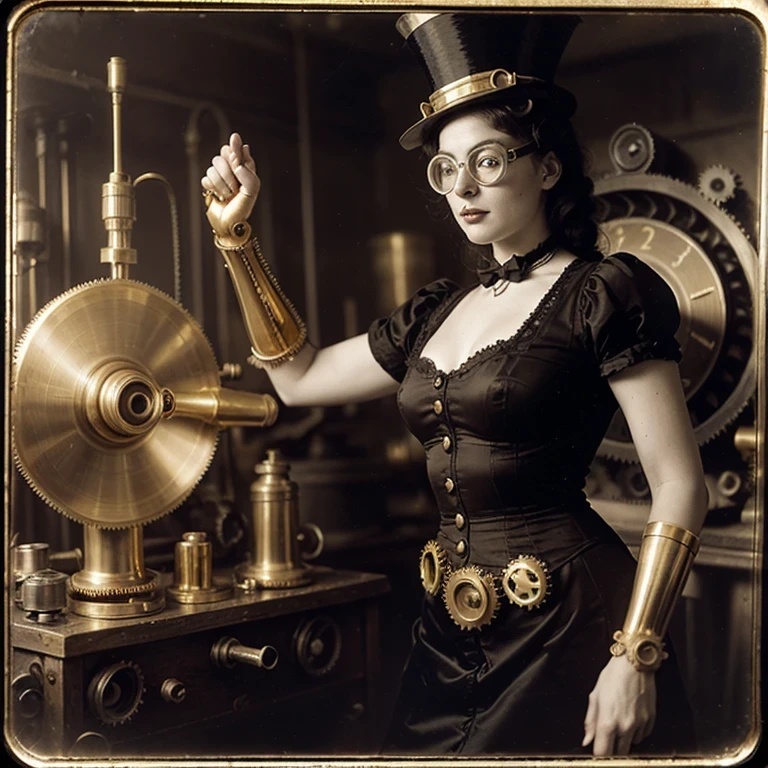
- Sample Prompt (For SeaArt Film/Flux - No weights): female inventor, gleaming brass prosthetic arm, many gears and cogs, ornate pilot goggles on her top hat, sepia tone, vintage daguerreotype photograph style, Victorian era fashion, cluttered inventor's workshop background, complex steam-powered machinery, anachronistic devices, intricate details, circa 1888
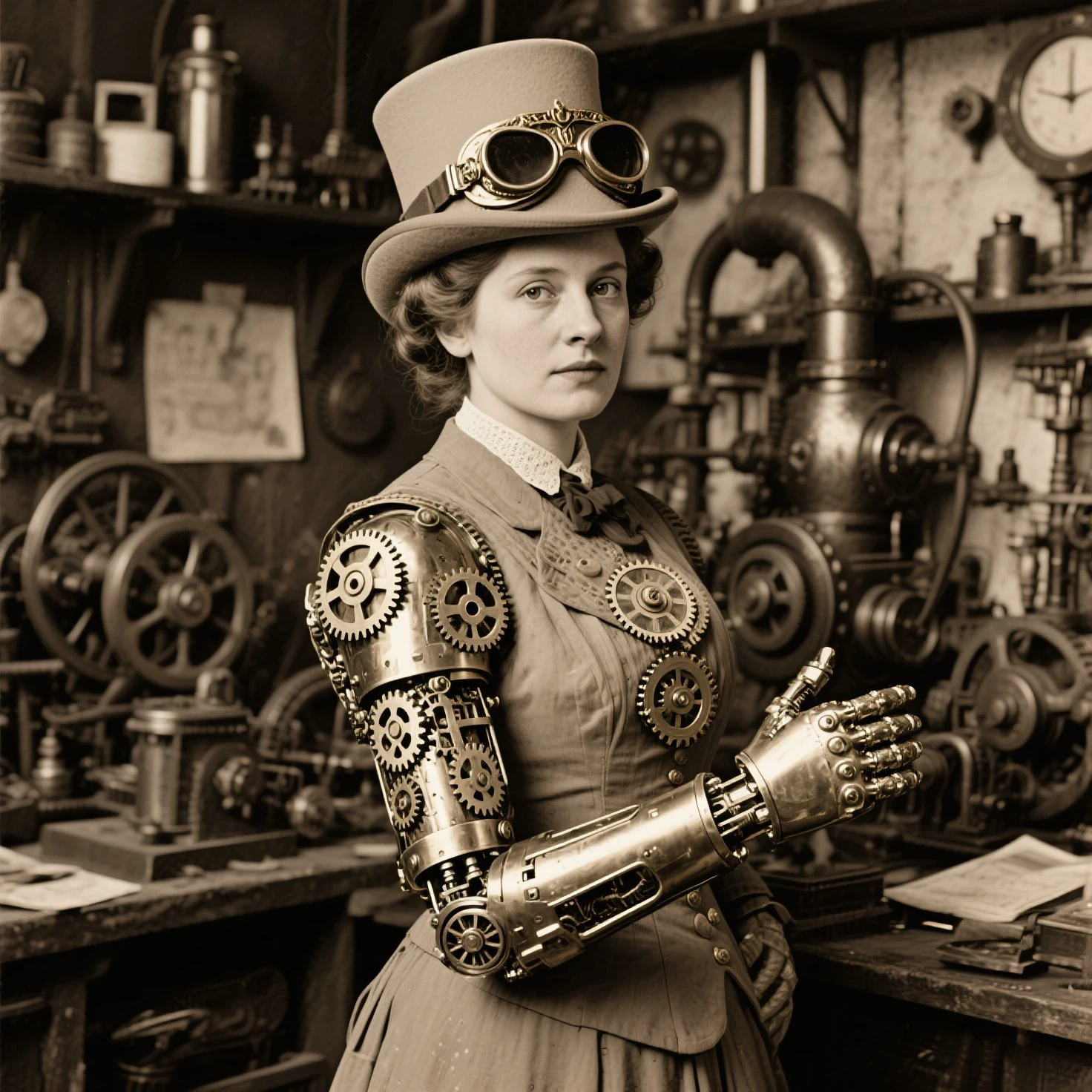
- Interpretation: A Victorian-era female inventor, Daguerreotype-style sepia photo, but with a brass mechanical arm revealing gears, wearing classic pilot goggles on her hat, in a workshop filled with steam-powered machines.
2.Retro-Futuristic Diner (Classic American Diner meets Future Tech):
- Sample Prompt (For SDXL/SD1.5): a (friendly robot waiter with a retro design serving milkshakes:1.4) in a (1950s American diner interior aesthetic:1.3) with (chrome accents, checkered tile floors, neon signs:1.2) and (interactive holographic menu displays on tables:1.2), (sleek flying cars passing by the large window:1.1), (vintage Kodachrome film look:1.1)
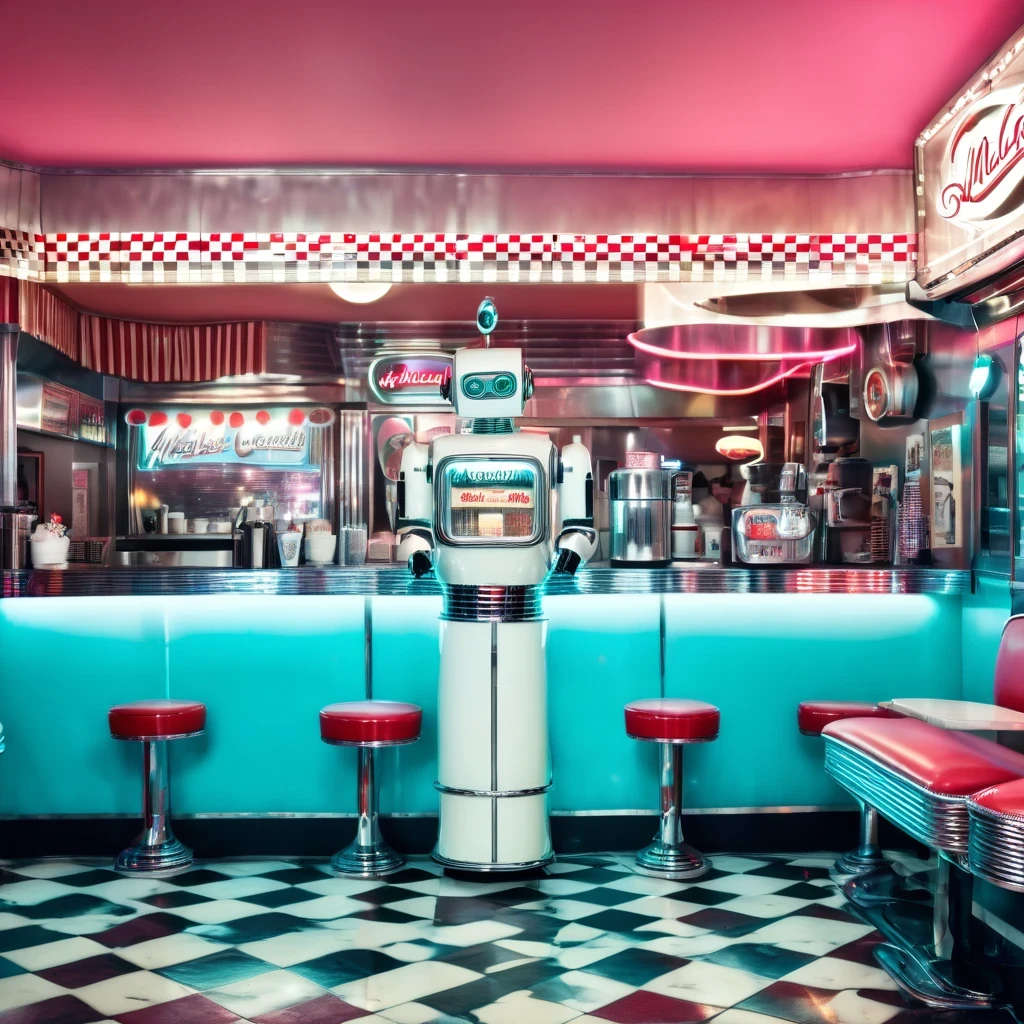
- Sample Prompt (For SeaArt Film/Flux - No weights): friendly robot waiter with a retro design serving milkshakes, 1950s American diner interior aesthetic, chrome accents, checkered tile floors, neon signs, interactive holographic menu displays on tables, sleek flying cars passing by the large window, vintage Kodachrome film look
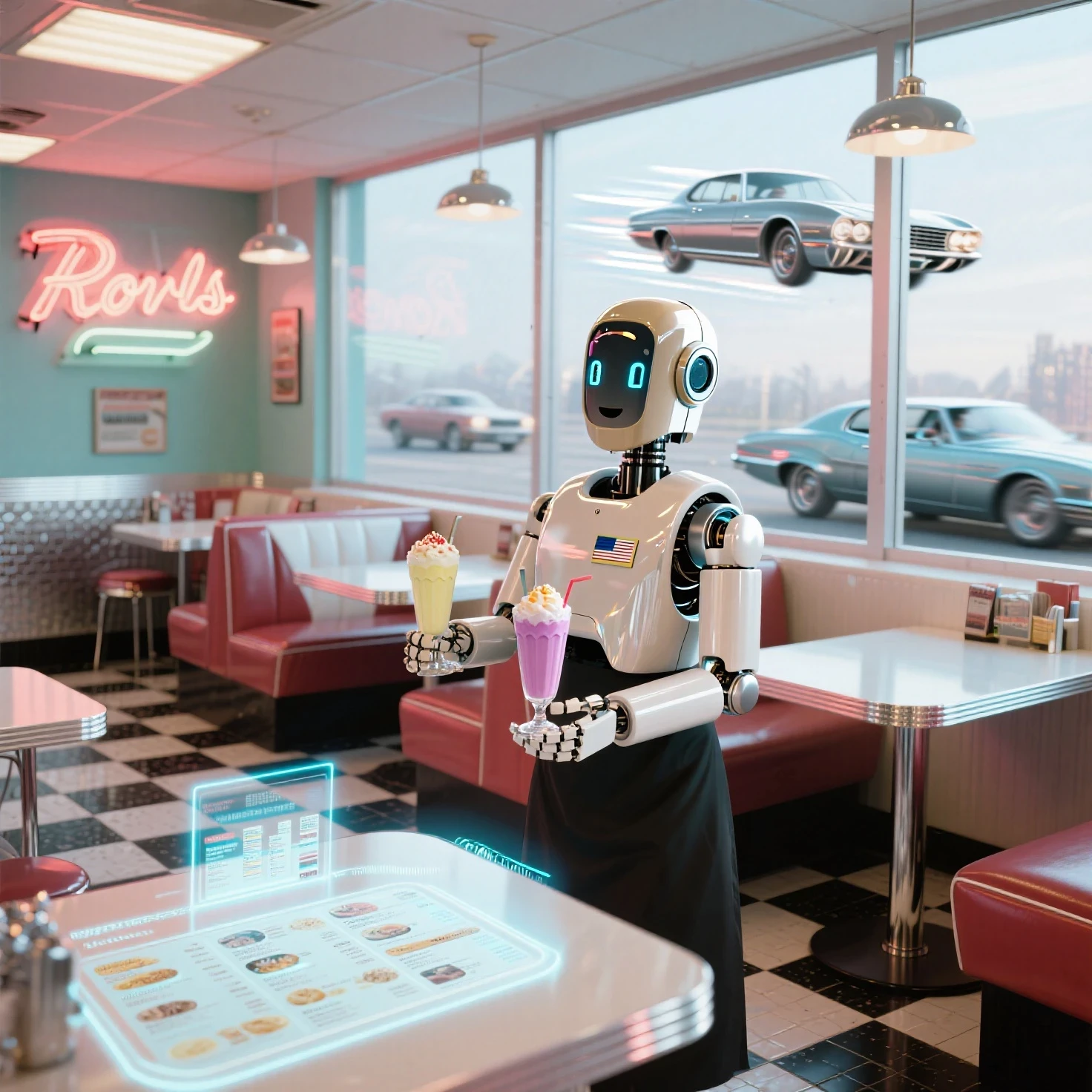
- Interpretation: A friendly robot waiter (retro design) in a 1950s American diner with chrome, checkered floors, and neon signs, but with holographic menus and flying cars outside, all with a vintage Kodachrome photo look.
Model : SeaArt Film - CFG Scale : 5
Model : SeaArt infinity - Sampling Method :Euler – Sampling Step: 24- CFG Scale :6.5
3."Vintage-izing" Modern Devices in Technical Drawings (20th Century Onwards):
- Concept: Imagine familiar modern technology (smartphones, drones) redrawn as detailed technical drawings in an early 20th or even 19th-century style.
- Sample Prompt (For SDXL/SD1.5): a detailed schematic of a (modern smartphone, showing internal components:1.5), with callouts for (microprocessor, camera module, battery, antenna:1.3), (antique technical drawing:1.4), (sepia toned paper:1.2), (fine ink lines:1.3), (handwritten annotations and labels in a classic font:1.1), (exploded view:1.2), circa 1910
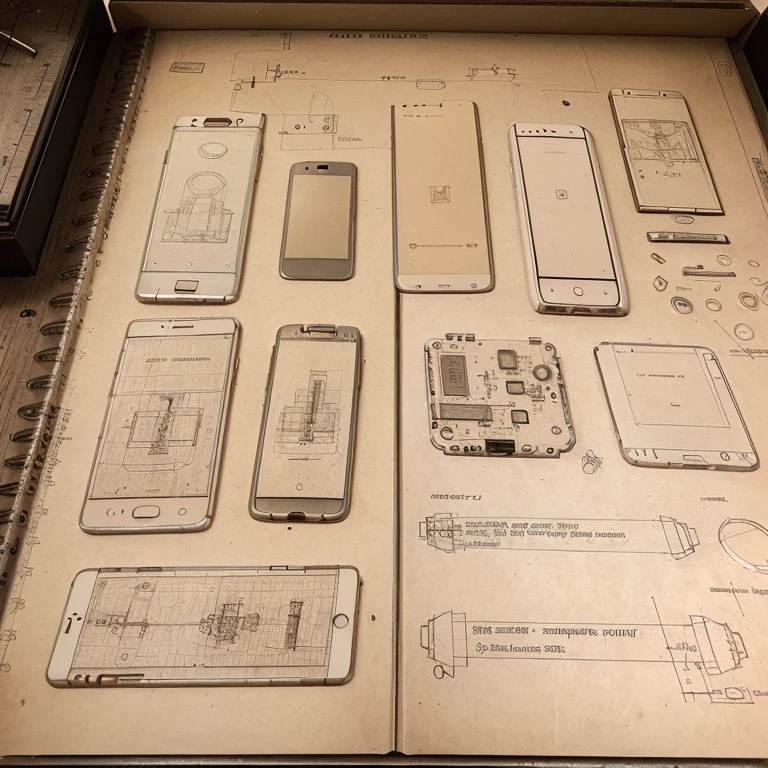
- Sample Prompt (For SeaArt Film/Flux - No weights): detailed schematic, modern smartphone, showing internal components, callouts for microprocessor, camera module, battery, antenna, antique technical drawing style, sepia toned paper, fine ink lines, handwritten annotations and labels in a classic font, exploded view, circa 1910
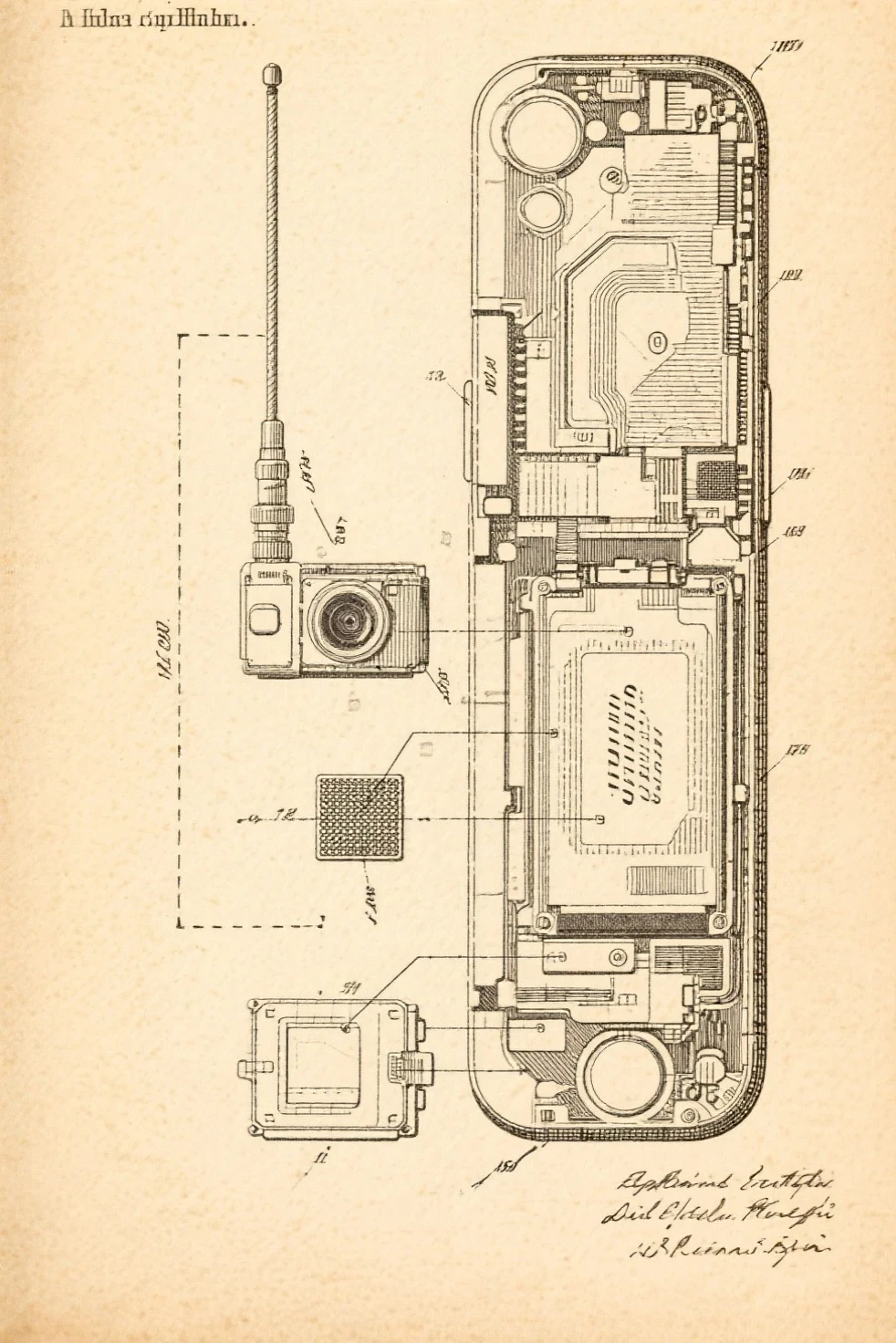
- Interpretation: A detailed technical drawing of a modern smartphone, showing internal components. The entire drawing is presented in an early 20th-century vintage style, on sepia-toned paper, with fine ink lines, and handwritten annotations in a classic font, possibly in an exploded view.
- Other Experiments: (vintage patent illustration:1.3) of a (modern drone:1.4), circa 1920s (adjust for non-weighted models if needed), or cyanotype blueprint of a futuristic Mars rover, circa 1900.
Tips for "Hybrid" Styling:
- Embrace Contrast: The delightful opposition between old and new, real and imaginary, is often what makes these works captivating.
- Experiment With Negative Prompts: You might need to adjust Negative Prompts to unwanted elements from both sides (vintage or modern/fantasy) depending on your intent.
- Endless Inspiration: Search for keywords like Steampunk art, Dieselpunk, Atompunk, Cyberpunk Victorian, Solarpunk, Retro futurism, Vintage Sci-Fi on art platforms to explore and get inspired for your own combinations.
Part III: Golden Advice for Your Creative Journey
- Start With Small Steps: Don't try to master everything at once. Begin with a simple subject and a few key style keywords.
- Experiment Systematically: When you change an element in your prompt, generate an image and compare. This helps you understand the impact of each change.
- Study Reference Images: Before recreating a style or period, look for actual photos, paintings, or artworks from that era.
- Learn Continuously From the Community: Join the SeaArt community, view works and prompts shared by others.
- Patience is Key: Creating the perfect AI image takes time and experimentation. Treat each generation as a learning opportunity.
- Save Your Successful "Recipes": When you find a combination of prompt and parameters that yields great results, note it down.
---------------------------------------------------------------
Further Note on LoRA :
If you wish to delve deeper into style refinement or apply very specific characteristics, consider learning more about using LoRA on SeaArt. LoRAs are small files that can additional styles, characters, or concepts into the main model, offering a higher degree of control. Refer to the available guides and LoRA libraries on the SeaArt platform to explore this potential. Thank!
Wishing you wonderful creative experiences! Don't hesitate to share your discoveries and works with the SeaArt community.I am always here ready to respond to your feedback.