
 企业版
企业版
开始创作
历史记录
私密创作
私密创作
创作作品私密,仅自己可见
【私密创作】是会员专属功能,升级会员后即可使用。
立即解锁
已经到底啦

暂无数据
暂无数据
详情
举报
不感兴趣



积分竞赛
Lv1
您有价值$199的奖励未领取
去领取
相关推荐










下载SeaArt App
在移动端继续你的AI创作之旅
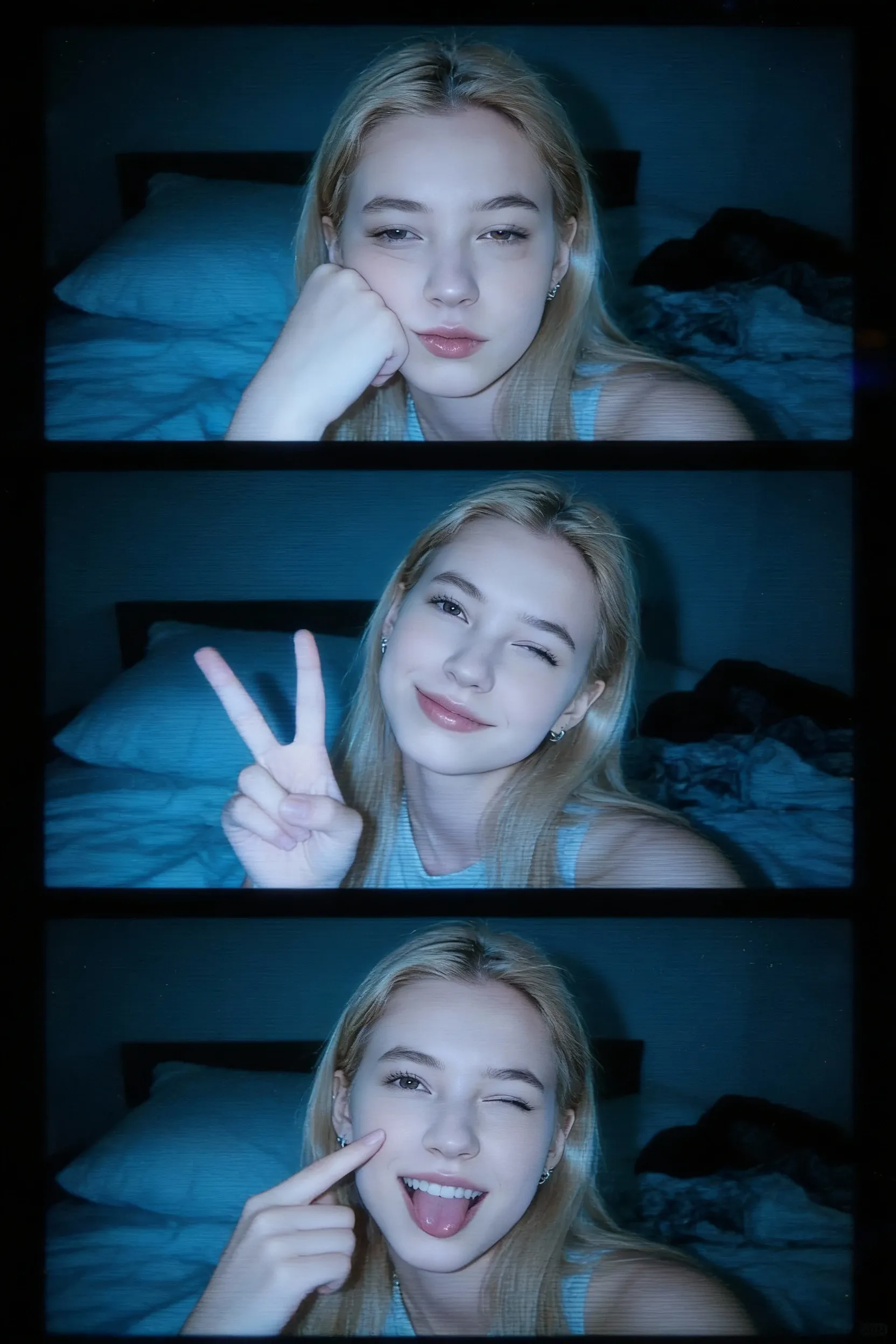
What Makes 3-Frame Low-Res Webcam Feel Real


Identity Stays Consistent
Facial structure and key styling cues remain stable across all frames while expressions shift naturally.

Fast, Repeatable Output
Generate variations quickly and keep the best strip for Story covers, posts, or profile banners.



No Editing Skills Needed
Upload, generate, download. No timeline, no layers, no manual collage work.

Authentic Lo-Fi Textures
The tool is designed to mimic the look of older hardware, adding controlled digital noise and soft focus to produce grainy webcam textures with a truly retro feel.
Photo to low-res Webcam Film Strip
Upload your image and turn it into a nostalgic webcam look: darker indoor mood, cool color cast, soft vignette, and subtle sensor grain.
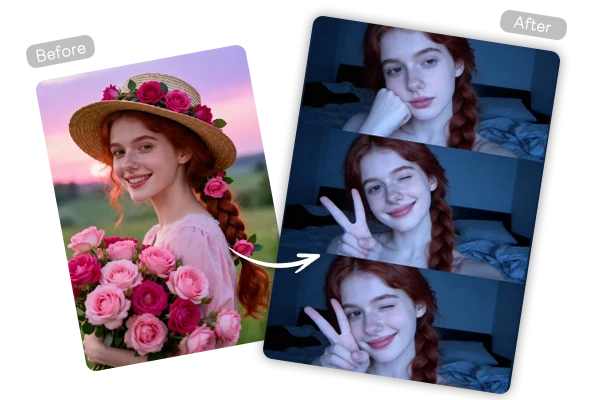
Generate Three Vertical Frames from One Upload
SeaArt AI 3-Frame Low-Res Webcam can turn your portrait into a three-frame sequence with authentic lo‑fi textures. This tool recreates the visual artifacts of older hardware - soft focus, muted contrast, and calculated digital noise - so your three-frame strip looks like a real late-night Photo Booth capture, not a modern filter. Keep your input simple and evenly lit for the most believable retro grain.
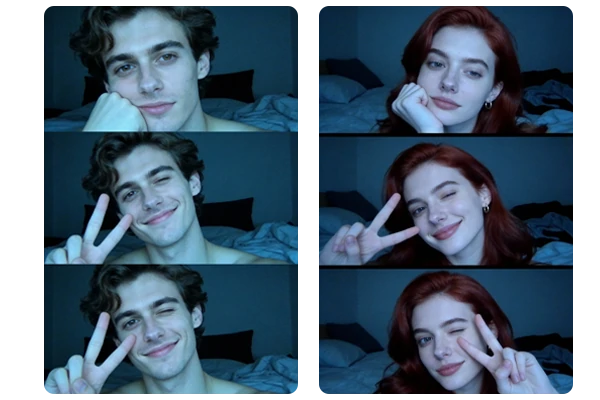
Get Realistic Low-Res Photo Booth Mood
Get the Low-Res Photo Booth Mood with authentic lo‑fi textures. 3-Frame Low-Res Webcam is a deliberate retro aesthetic that recreates older hardware artifacts. Expect softer edges, reduced dynamic range, and a cozy late-night MacBook Photo Booth webcam tone, with calculated digital noise and soft focus for genuinely grainy webcam texture. Avoid harsh studio lighting or extreme HDR edits to keep it believable.
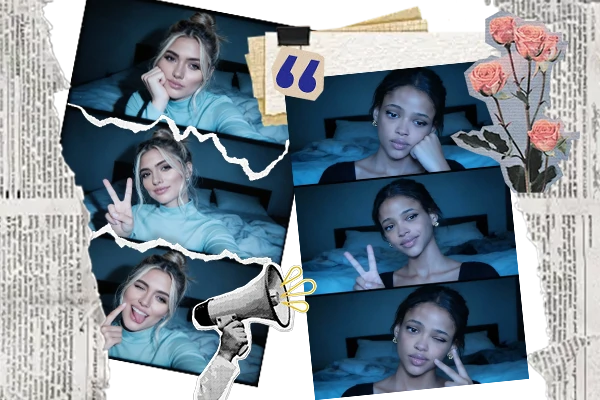
Build a Share-Ready Webcam Collage for Social
3-Frame Low-Res Webcam exports a vertical strip that's easy to use as a Story cover, profile header, or post thumbnail. Keep one consistent rule across a set including same background tone, similar framing, and the same border style - then regenerate with different expressions for a matching collection. For extra creation beyond collages, pair results with a free AI image generator.
How to Create 3-Frame Low-Res Webcam in 3 Steps
Step 1: Upload a clear portrait
Use a sharp, front-facing photo with visible eyes and even lighting for a stable identity across frames.
Step 2: Generate the 3-frame strip
Click generate and wait for a few seconds
Step 3: Download and post
Save the vertical strip for Stories, profile headers, or thumbnails, then reuse the same setup for a series.
FAQs about 3-Frame Low-Res Webcam

What is 3-Frame Low-Res Webcam?
3-Frame Low-Res Webcam is an image generation tool that turns one uploaded photo into a vertical three-frame webcam strip. It preserves identity while adding subtle pose and expression changes plus a low-resolution Photo Booth vibe.

Do I need a MacBook Photo Booth webcam to create this look?
No. The tool recreates the MacBook Photo Booth webcam mood digitally, so you can start from a normal portrait and still get the low-res grain, cool indoor tone, and film-strip framing.
How do I follow a Vertical 3-Frame Webcam Tutorial workflow for best results?
Use one clear, front-facing portrait, then generate a few variations and compare them side by side. Keep the strip where facial features match across frames, micro-movements look natural, and the border and grain feel consistent.
探索更多AI应用


更多
SUNRISEAI PTE. LTD.