ViduQ2 is now live! Video quality and speed are both improved, making it a high‑value choice for fast video generation.
Workflow link:
Key Features
Feature upgrades
Added multi‑image reference which up to 7 reference images at once and video extension;
More flexible parameters
Freely choose 2–8 s duration and adjust movement amplitude(auto/small/medium/large) as needed.
How to Use
For convenience,we integrate all generation modes into one workflow.
Toggle the corresponding section on/off via the node.
🚨Note: Each section includes detailed price info.
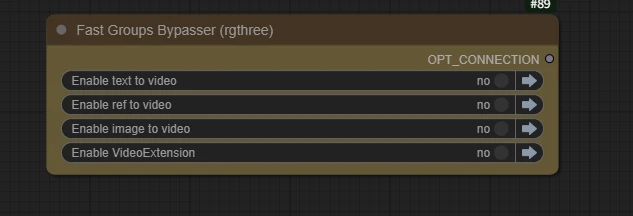
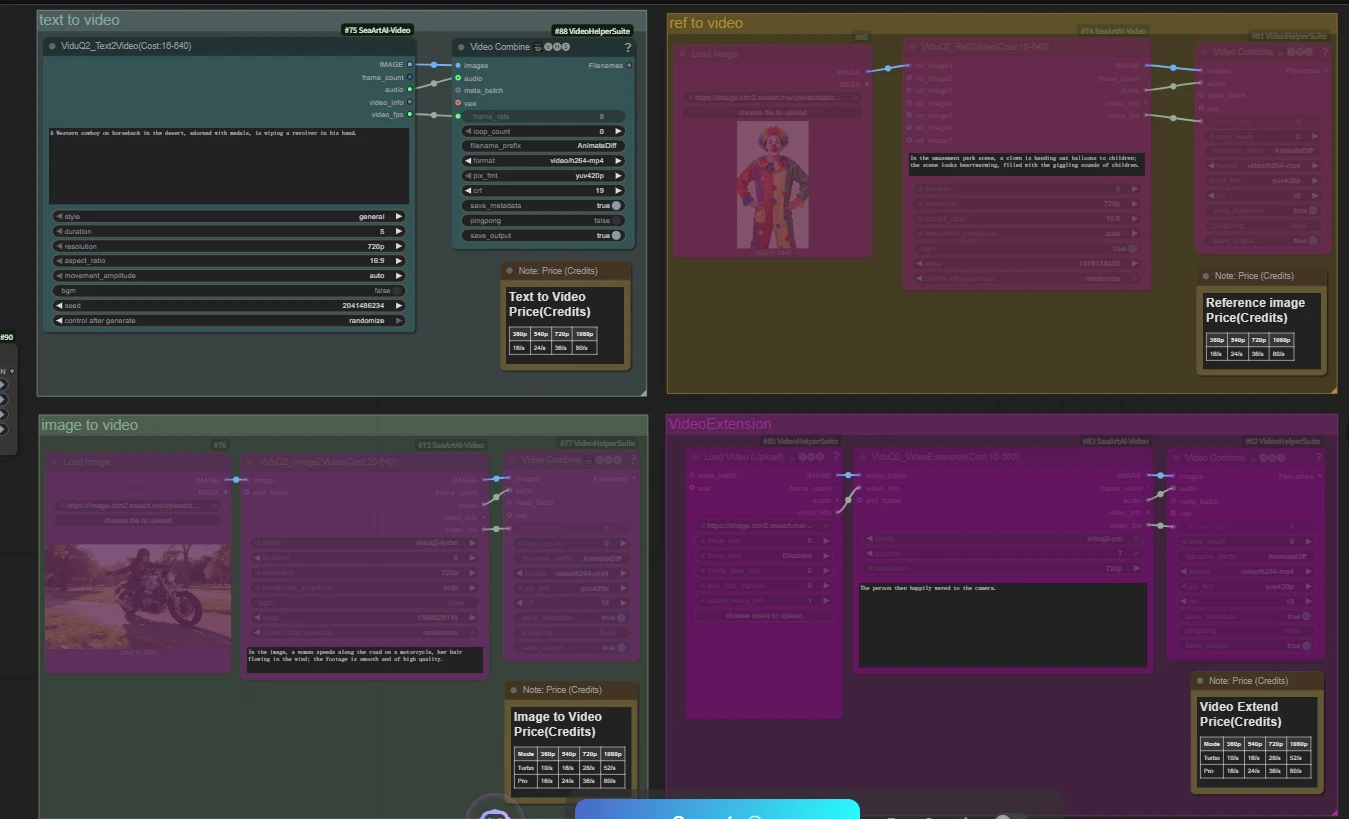
Image to Video (I2V)
Price (Credits/s)
| Mode | 360p | 540p | 720p | 1080p |
|---|---|---|---|---|
| Turbo | 10/s | 16/s | 28/s | 52/s |
| Pro | 16/s | 24/s | 36/s | 80/s |
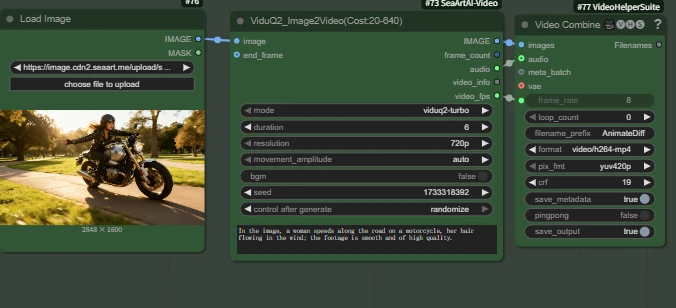
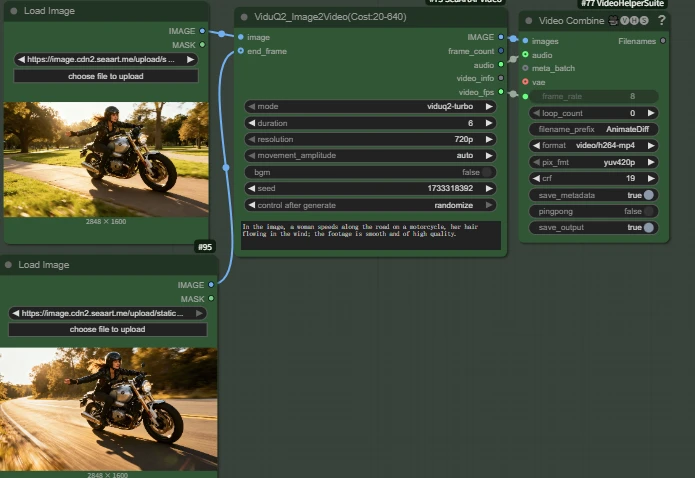
The workflow released by comfy helper defaults to Image‑to‑Video.
I2V Sample:

“A cute puppy running on the lawn; the camera follows as it plays freely. High quality.”

If you want first‑to‑last‑frame generation, connect the final frame to the end_frame input.
First/last‑frame sample:
Key Node: ViduQ2_Image2Video
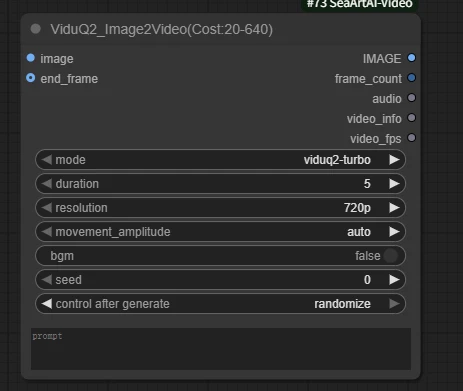
🔌Input Interface
- image (required) : image input
- end_frame (optional) : final imagefor first/last‑frame generation
📃Parameters
- prompt: positive prompt
- mode: turbo or pro (different price)
- duration: 2–8 seconds
- resolution: 360p | 540p | 720p | 1080p
- movement_amplitude: auto | small | medium | large
auto: general default; model decides from prompt
small: minimal movement
medium: moderate movement
large: strong movement
- bgm: whether to generate music (true|false)
- seed: random seed
- control after generate: seed handling
Text to Video
Price (Credits)
| 360p | 540p | 720p | 1080p |
|---|---|---|---|
| 16/s | 24/s | 36/s | 80/s |
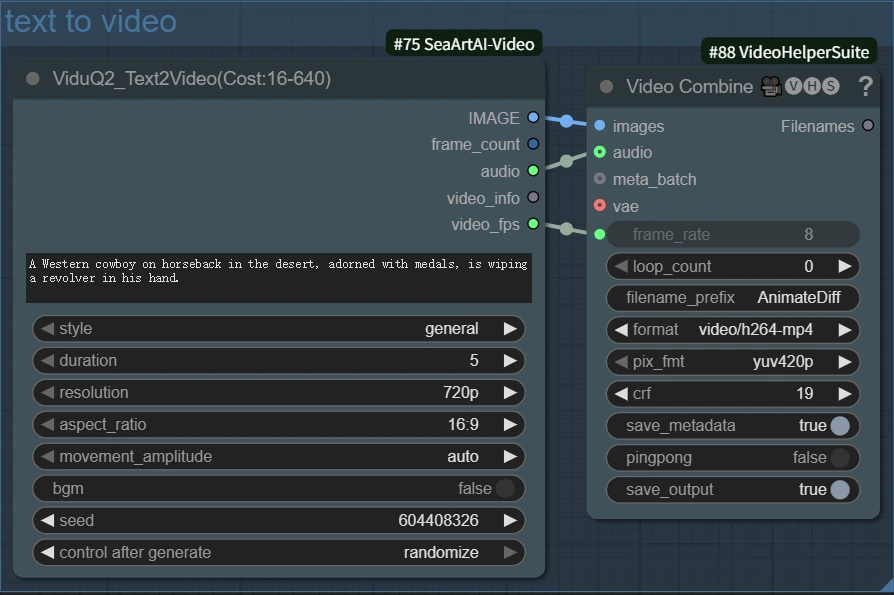
Sample
Key Node: ViduQ2_Text2Video (Cost: 16–640)
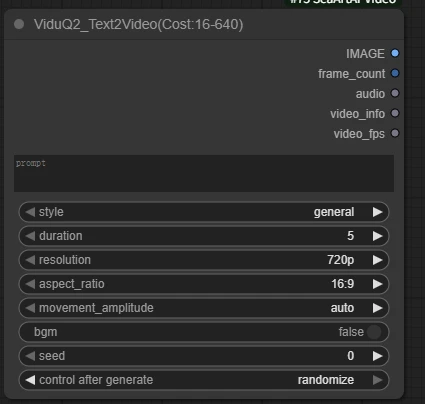
📃Parameters
- prompt: positive prompt
- style: choose general (reality) or anime
- duration: 1–8 seconds
- resolution: 360p | 540p | 720p | 1080p
- aspect_ratio: 16:9 | 9:16 | 3:4 | 4:3 | 1:1
- movement_amplitude: auto | small | medium | large
- bgm: whether to generate music (true|false)
- seed: random seed
- control after generate: seed handling
Reference Image to Video
Price (Credits)
| 360p | 540p | 720p | 1080p |
|---|---|---|---|
| 16/s | 24/s | 36/s | 80/s |
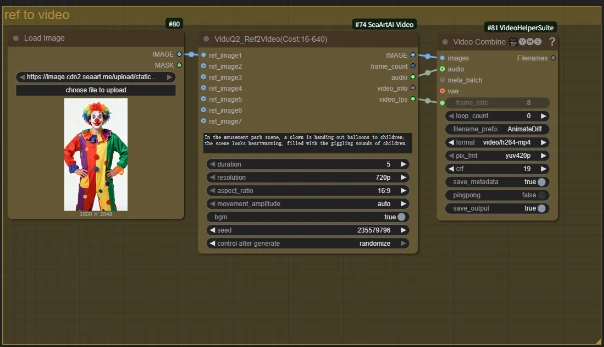
🚨Tips: Default is single‑image reference; for multi‑image reference, connect additional images to ref_image ports.
Sample  “Realistic: In the park, a clown rides a unicycle, surrounded by an applauding crowd.”
Key Node: ViduQ2_Ref2Video (Cost: 16–640)
🔌Input Interface
- ref_image1 (required)
- ref_image2–7 (optional)
📃Parameters
- prompt: positive prompt
- duration: 1–8 seconds
- resolution: 360p | 540p | 720p | 1080p
- aspect_ratio: 16:9 | 9:16 | 1:1
- movement_amplitude: auto | small | medium | large
- bgm: whether to generate music (true|false)
- seed: random seed
- control after generate: seed handling
Video Extend
Price (Credits)
| Mode | 360p | 540p | 720p | 1080p |
|---|---|---|---|---|
| Turbo | 10/s | 16/s | 28/s | 52/s |
| Pro | 16/s | 24/s | 36/s | 80/s |
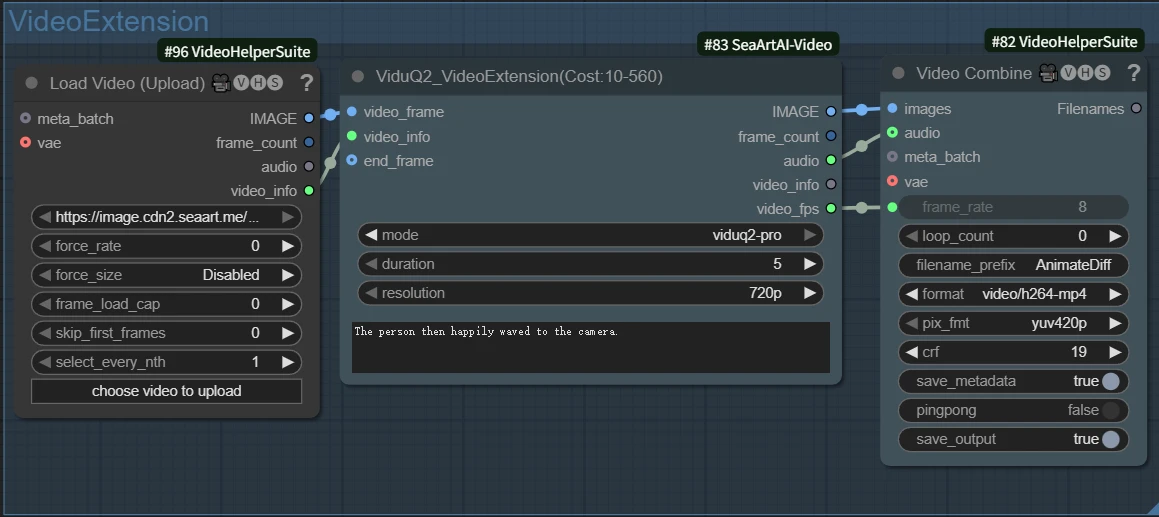
Samples

Key Node: ViduQ2_VideoExtension(Cost:10-560)
🔌Inputs
- video_frame (required): frames from the previous clip
- video_info (required): metadata from the previous video
- end_frame (optional) : final frame (use Load Image to connect if needed)
📃Parameters
- mode: turbo | pro
- duration: additional seconds to append (1–7)
- resolution: 360 | 540 | 720 | 1080p
- prompt: positive prompt
-----------------------------
The Vidu Q2 tutorial has come to an end, and there are more fun ways to play waiting for you to discover!🎉💡
If you have any questions, please reach out to us in the comment section or Discord channel.