
Image Generation and Editing for OpenClaw
A free, open-source OpenClaw skill that brings SeaArt's image generation and editing models straight to your local AI agent.
Why Choose Image Generation and Editing for OpenClaw


Free and Open Source
Download and install at no cost. The skill is fully open-source - inspect the code, modify it, or contribute on GitHub.

Powered by SeaArt Models
Call the advanced image models from SeaArt AI directly through your OpenClaw assistant - consistent quality, reliable output.



Official Skill, Verified Safe
Built and maintained by the SeaArt team. No third-party wrappers, no unknown code - an official OpenClaw skill you can trust.

Works on Any Device
Once installed in your OpenClaw agent, call the skill from your phone, laptop, or desktop - wherever OpenClaw runs.
How This OpenClaw Skill for Image Generation and Editing Works
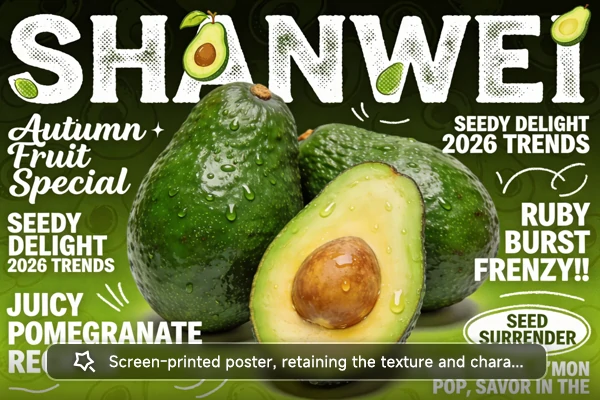
Generate Any Image from a Text Description
Tell your OpenClaw agent what you want - a product shot, an illustration, a social media visual - and the skill calls SeaArt's AI image generator to create it. The same models that power Nano Banana 2 and other top-tier results on SeaArt agent are available through this one skill. Describe the subject, style, and mood in plain language, and get a ready-to-use image back in your chat.
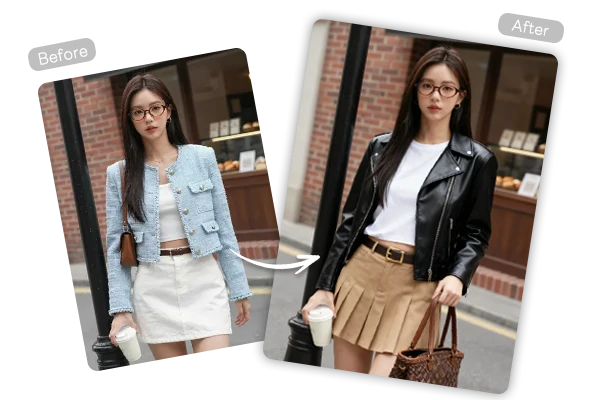
Edit and Restyle Images Without Leaving the Chat
Upload a photo to your OpenClaw assistant and ask the skill to handle the rest - remove a background, change the art style, extend the canvas, or touch up details. The openclaw image generation and editing skill routes each request to the right SeaArt model automatically. All edits happen inside the same conversation, so you can refine results step by step without switching tools.
Install in Minutes, Use Everywhere
Grab the skill from GitHub or download it directly from this page, then add it to your OpenClaw setup. No server to maintain - just install and start using image generation and editing for OpenClaw on any device your assistant runs on. The skill stays updated through SeaArt's official releases, so you always have access to the latest models.
How to Set Up OpenClaw image generation and editing skill
Download the Skill
Get the skill from GitHub or download it directly from this page.
Install into OpenClaw
Place the skill folder into your OpenClaw skills directory and restart - your assistant picks it up automatically.
Start Creating and Editing
Ask your agent to generate or edit images, and the skill handles the rest through SeaArt's models.
SeaArt AI Trusted by












Frequently Asked Questions

What is image generation and editing for OpenClaw?

Is this OpenClaw skill free to use?
The skill is free and open-source. Each image request consumes credits based on the SeaArt model used. Check costs and top up anytime through your SeaArt account.
Can I use the generated images for commercial projects?
Yes. Images created through this OpenClaw skill for image generation and editing can be used commercially, subject to SeaArt AI's usage terms. Review their license for specific guidelines.
Where can I download image generation and editing for OpenClaw?
From the official GitHub repository or directly from this page. Both provide the same verified, up-to-date package maintained by the SeaArt team.
What image tasks can this skill handle?
Text-to-image creation, style transfer, background removal, image extension, and detail retouching - all powered by the same models used on SeaArt AI's platform.





