50M
+Creator

Turn prompts and reference images into short AI videos, images, and audio from one browser workspace.

Multi-Modal Creation
Move between video, image, and audio projects in one browser workspace.

Fast Draft Review
Generate short clips and image drafts fast enough to compare creative directions.

Clear Output Options
Work with 1080p video clips and image outputs up to 4K.

Practical Creative Controls
Use references, prompt weighting, negative prompts, and seeds to guide revisions.
Move from a first prompt to a clearer visual direction with practical controls for motion, references, and sound.
Turn a text prompt or still image into a short video with clear subject action, camera direction, and mood. Use one reference, describe the movement, compare model outputs, and choose the strongest take for social clips, product reveals, travel recaps, or visual storyboards.
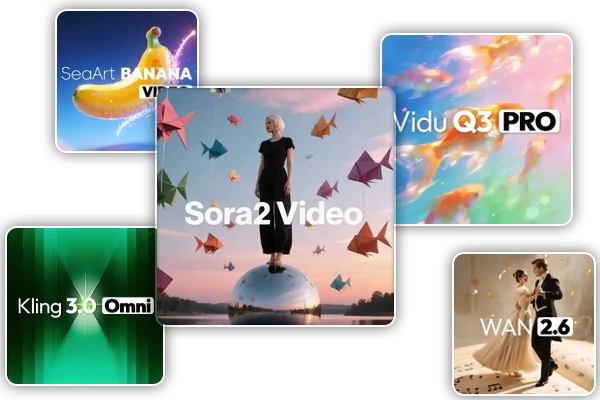
Compare different video, image, and audio models without moving between separate tools. Use one prompt as a shared creative brief, then judge each result by motion, composition, detail, or voice character. This makes early concept testing easier for short-form creators, marketers, teachers, and designers who need several directions before selecting a final visual route.
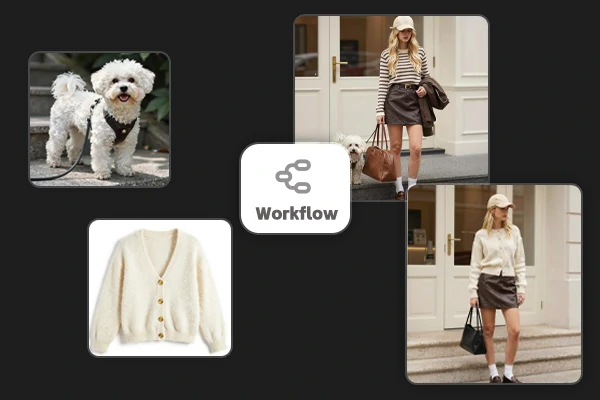
Guide image creation with multiple reference uploads, prompt weighting, negative prompts, and seed values. Give the scene a face, outfit, object, or background reference, then keep the strongest composition while refining one variable at a time. These controls help product teams, illustrators, and game artists build repeatable visual directions instead of starting from an unrelated result each time.
Pair generated visuals with text-to-speech, voice, or dubbing layers when a still image or short clip needs a stronger narrative. Create a visual first, then add spoken lines, ambient texture, or a simple music bed to match the pace. The same workspace supports social explainers, product demos, lesson content, and music-led visual drafts.
Open SeaArt AI to move from a prompt or reference image to a finished clip.
Choose Your Modality
Open the video or image workspace and decide whether your idea starts with text, a still, or audio.
Add Creative Direction
Write a scene prompt or upload references, then describe the subject, movement, setting, and mood.
Generate and Refine
Choose a model, compare the first drafts, adjust one detail, and export the version that fits.













Can Creen AI start from a text prompt or an image?

What output sizes are available for Creen AI projects?
Available options include short 1080p video clips and image outputs up to 4K, with the exact size depending on the selected model.
Can I compare different models with one creative brief?
Yes, keep the subject and direction consistent, switch models, and compare motion, composition, detail, or voice character before selecting a draft.
How do references, negative prompts, and seeds help?
References guide identity and composition, negative prompts remove unwanted traits, and seed values help reproduce a stronger visual direction during revisions.
Can Creen AI add voice or dubbing to a video?
Yes, the audio workflow supports text-to-speech, voice cloning, and dubbing layers for short visual stories and explainers.