Generate
Recently Used
Private Creationvip-icon
Original - Creator Incentive Program

Old Photo Restoration

4.5
2025-07-17 11:02:10 Update
2.9K Views
3.7K Apply
86
1
Comment
1
0/400
0 comment
empty
No Data

Free Old Photo Restoration Online

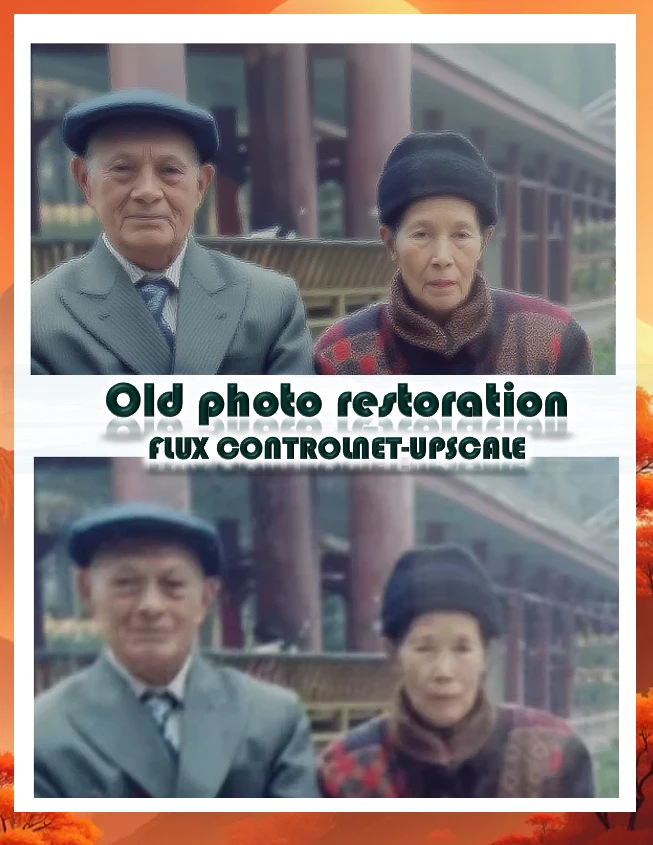
Eager to revisit and keep old shining moments or recognize childhood/old time friends? SeaArt AI provides you with an online photo restoration tool to restore old photos and bring back happy memories quickly yet efficiently.

Restore Photo in Seconds

Restore Old Photos with AI In Seconds

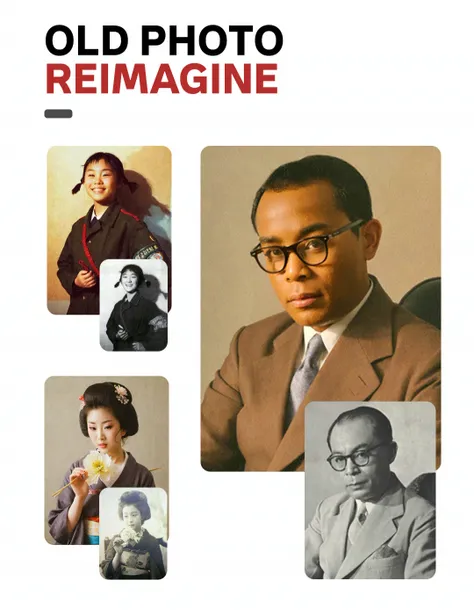
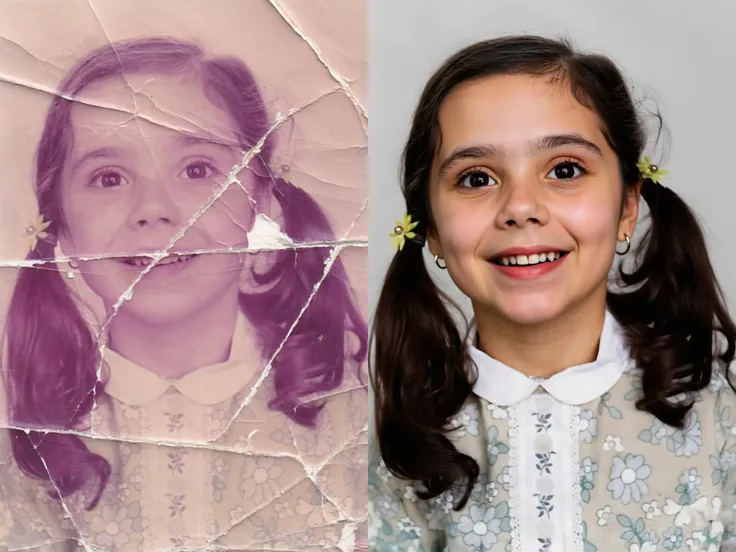
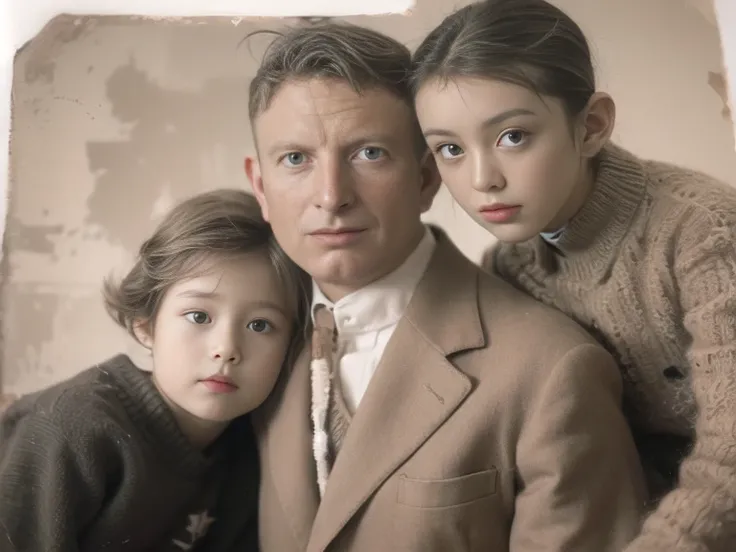
Say goodbye to faded memories and hello to vibrant, restored photos! Restoring old photos has never been easier. With SeaArt AI, you can restore blur photos or damaged photos, etc. in just a few seconds. No tech skills needed—just upload your photo, and watch the magic unfold as our AI fixes scratches, restores colors, and revives your photos in no time!

Fix and Enrich Photo Detail

Spruce Up Every Detail and Make It Shine

Our AI photo restoration tool can do more than just remove blemishes—it enhances old photo's overall quality. From restoring faded areas to fixing distorted images, this AI tool focuses on enriching details like faces, backgrounds, and textures. Plus, if there are any unwanted objects or imperfections in the image, you can have them removed with ease.

Improve Clarity

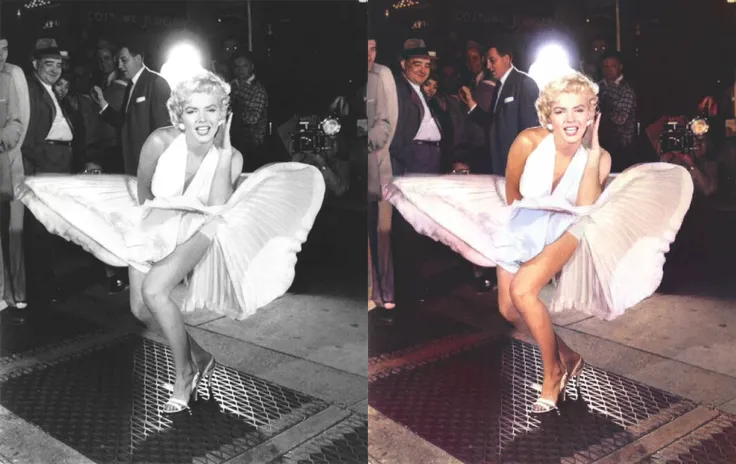
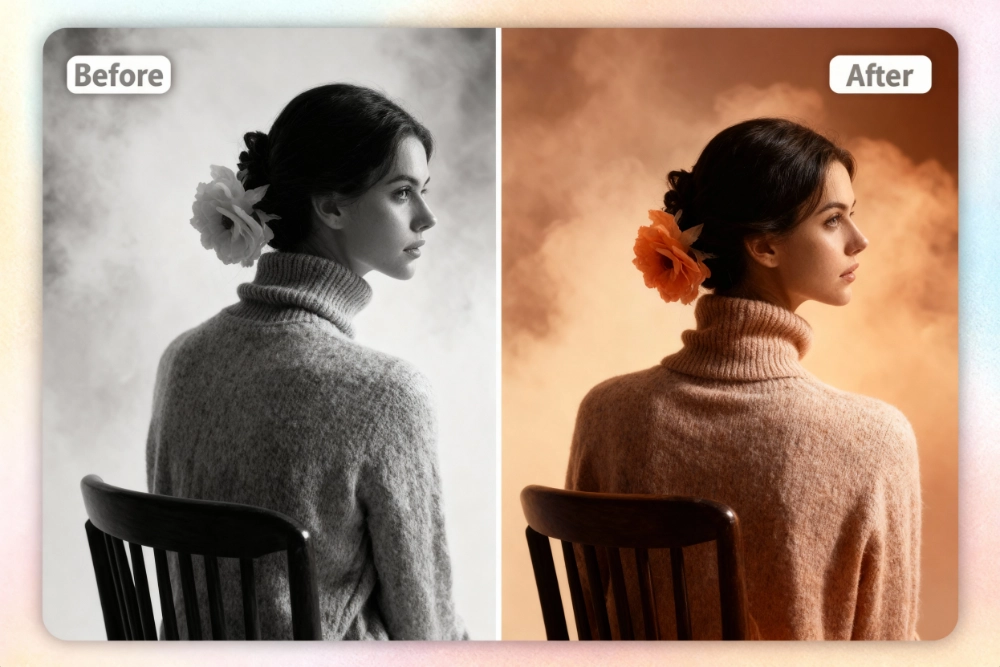
Turn Black-and-White Photos Into Stunning Color

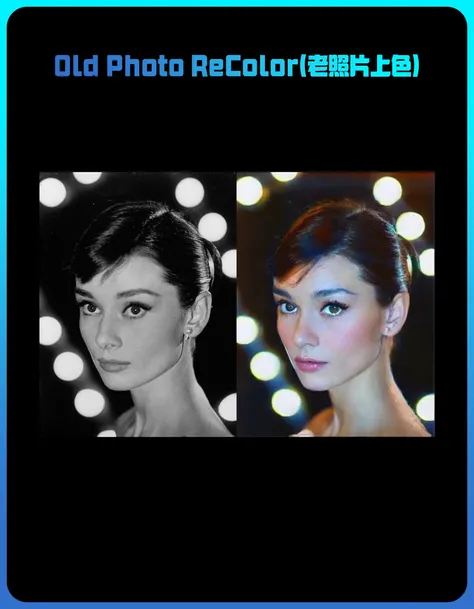
If your old photos are in black-and-white, this photo restoration tool can automatically colorize them to create a more lifelike reproduction. The clarity of your image will also be enhanced, making old photos look vibrant and detailed. Whether it's adding color or improving sharpness, it ensures that your photos reflect their original beauty.

How to Restore Old Photos Online

Restoring old photos with SeaArt AI is simple and free. Follow these three easy steps to breathe new life into your old memories:

Step 1: Upload Your Image

Upload the old photo and adjust the reference value.

Step 2: Generate Your New Photo

Click the Generate button to start the restoration process. It will remove imperfections, enhance the photo, and even add color where needed in seconds.

Step 3: Preview and Download

After the restoration process is complete, you can preview your image. If you're happy with the result, simply download your restored photo. It's that easy!

AI Photo Restoration FAQs

collapse

How much does it cost to restore old photos?

SeaArt AI provides new users with 150 free staminas. You can sign in and start repairing photos.

expand

How long does it take to restore my old photo?

The restoration process typically takes just a few seconds. Simply upload your image, and let the AI work its magic.

expand

Will the AI restore the image perfectly?

While our AI restores photos with impressive detail, the quality of the restored image depends on the original's condition. Our tool does its best to enhance clarity, remove damage, and add color, but results may vary.

expand

Can I restore old black-and-white photos?

Absolutely! SeaArt AI can colorize your black-and-white photos, bringing them to life with realistic, vibrant colors.

empty
No Data